 how-to
Do You Need AI Video Analytics for Perimeter Security?
Last Updated: November 13, 2026
Quick Summary
AI video analytics for perimeter security uses computer vision software to classify what a camera sees, distinguishing people and vehicles from wind, weather, and wildlife, then triggering an alert only when something crosses a defined boundary. Cameras stop being recording devices and start becoming detection devices, filtering the feed before a human ever looks at it.
- Motion sensing reports any pixel change, while AI video analytics classifies what changed and whether it belongs.
- Reduce false alarms with better classification, camera placement aimed at choke points, and tighter rules.
- Measure precision over 30 days by dividing confirmed events by total alerts.
- Integration works with existing cameras that stream over RTSP and support ONVIF discovery.
- Run observe-only mode for at least two weeks before enabling live paging.
Table of Contents
- What AI Video Analytics Actually Changes at the Perimeter
- AI-Powered Perimeter Intrusion Detection: What It Catches and Where It Fails
- Reducing False Alarms in Video Surveillance Without Missing Real Threats
- Integrating AI Analytics With Existing Security Cameras
- Choosing AI Video Analytics Software: A Comparison Framework
- Deployment, Privacy, and Cybersecurity: What Competitors Skip
- Book an On-Site Perimeter Assessment
- Frequently Asked Questions
What AI Video Analytics Actually Changes at the Perimeter
AI video analytics for perimeter security is the use of computer vision software to classify what a camera sees, distinguishing people and vehicles from wind, weather, and wildlife, then triggering an alert only when something crosses a defined boundary.
That difference matters because perimeter security has always had a math problem. A fence line or property edge can run for hundreds of meters, but the number of people watching monitors stays small.
How Detection Differs From Motion Sensing
Motion sensing asks one question: did pixels change? A branch, a cat, headlights sweeping across a wet driveway, or a plastic bag tumbling in the wind all change pixels.
AI video analytics asks a different question: what changed, and does it belong here?
For a deeper side-by-side of how these two approaches compare in practice, see our guide to AI surveillance versus traditional CCTV.
AI-Powered Perimeter Intrusion Detection: What It Catches and Where It Fails
AI-powered perimeter intrusion detection catches what rules-based systems miss: a person climbing a fence, a vehicle idling at a gate, someone loitering near a loading dock, or a figure crossing a virtual line between two fence posts. The system flags each as a distinct event with a timestamp and a short clip.
Where it fails is equally important to understand. Heavy fog, blowing snow, and glare at sunrise degrade detection range on any camera, regardless of software quality. Cameras mounted too high produce small, low-detail figures that models struggle to classify.
The technology is a filter, not a replacement for judgment. If you are new to the category, our overview of AI-enabled intrusion defense explains the underlying concepts.
Reducing False Alarms in Video Surveillance Without Missing Real Threats
Reducing false alarms in video surveillance comes down to three levers: better classification, better camera placement, and better rules. Fix all three and nuisance alerts drop sharply.
- Classification: object filters that ignore animals and vehicles unless you want them flagged
- Placement: cameras aimed at choke points rather than open ground, with the detection zone drawn to exclude roads and sidewalks
- Rules: time-based schedules, minimum object size, and dwell-time thresholds so a person crossing quickly is treated differently from someone standing still
Tuning sensitivity down to silence alerts is a common mistake, because it eventually misses real events. Tightening the rules until only genuine events remain is the better path.
How to Measure Your False-Alarm Rate
Track it in plain numbers. Over a 30-day window, count total alerts, then count how many were confirmed as real events. Divide confirmed events by total alerts to get your precision rate. A system producing 100 alerts with 12 confirmed events has an 88% false-alarm rate, which points to rule and placement problems rather than the software itself.
Run this audit quarterly. For broader tactics on nuisance alarms across an entire security system, read our guide to preventing false alarms.
Integrating AI Analytics With Existing Security Cameras
Integration usually works with cameras you already own, provided they stream video over a standard protocol. The analytics layer sits on top of the camera network rather than replacing it. A useful part of integration planning is the architecture: how video, events, and operator actions flow between the camera, the analytics engine, the video management system (VMS), access control, and the people who respond.
A workable integration has four planes, and each one needs a decision before installation:
- Video plane. Confirm each camera can expose a standards-based stream. Most business-grade cameras support RTSP for streaming and ONVIF for discovery and configuration; consumer cameras and older analog units often need an encoder or a replacement. Record the resolution, frame rate, and firmware version for every camera, because analytics accuracy depends on pixels on target, not on the camera's marketing megapixel count.
- Analytics plane. Decide whether detection runs at the edge (on the camera), on a local server, or in a cloud service. Edge processing reduces bandwidth because only events and clips leave the camera, but it limits which models you can run and ties you to that camera vendor. Server and cloud processing centralize rule management and search across many cameras, at the cost of network capacity and a dependency on connectivity.
- Event plane. Analytics events need to reach the systems that act on them. Common patterns are ONVIF event push to the VMS, a webhook or MQTT message to an integration service, or a direct API call into access control. Map each event type, line crossing, loitering, object left behind, to a specific destination and a specific operator action.
- Response plane. Define who sees the alert, on what device, and what they are expected to do. A verified alert with a pre-event clip and a live view is actionable; a bare text notification is not.
A Practical Integration Sequence
- Inventory every camera, its resolution, firmware version, and supported streaming protocols.
- Confirm which cameras meet the minimum pixels-on-target for the detection distance you need.
- Choose edge, server, or cloud processing per camera group based on bandwidth and rule complexity.
- Deploy the analytics service and connect streams in observe-only mode.
- Draw detection zones and lines per camera, excluding roads, sidewalks, and public rights-of-way.
- Map event types to VMS, access control, and notification destinations.
- Run a two-week observation period and review every alert before enabling live paging.
- Document zones, rules, integrations, and escalation paths, then hand off with a review schedule.
Watch out: connecting analytics directly to access control without a verification step can cause a gate to open or a door to lock on a single unconfirmed detection; route high-consequence actions through an operator confirmation or a second-sensor check.
Response Procedures and Escalation
Integration is only as good as the workflow behind it.
Also plan for degraded modes. If the analytics service is unavailable, cameras should continue recording to the VMS so evidence is preserved. If the network link to a cloud service drops, edge or local processing should keep generating events.
Our team walks through the full architecture in our article on integrating AI video analytics with existing security systems.
Choosing AI Video Analytics Software: A Comparison Framework
Choosing AI video analytics software starts with four questions: what does it detect, how does it integrate, how does it handle privacy, and who supports it after install. Score each vendor against those four and the field narrows fast.
| Criterion | What to Ask | Why It Matters |
|---|---|---|
| Detection scope | People, vehicles, loitering, line crossing? | Matches features to your actual risk |
| Integration | Works with existing cameras and access control? | Avoids a full rip-and-replace |
| Alert handling | Verification clips, escalation rules, response routing? | Determines whether alerts get acted on |
| Data handling | Retention controls, encryption, local storage option? | Supports compliance obligations |
| Support model | Who maintains it after commissioning? | Systems drift without ongoing tuning |
Pros and Cons of Perimeter Detection Technologies
Motion sensors: inexpensive and simple, but generate nuisance alerts from weather and animals.
Fence-mounted vibration sensors: detect climbing and cutting directly on the barrier, though they need careful calibration and can react to wind.
AI video analytics: classifies objects and covers wide areas with existing cameras, but depends on lighting, placement, and ongoing rule tuning.
Thermal cameras with analytics: perform well in total darkness and light fog, at a higher hardware cost.
Deployment, Privacy, and Cybersecurity: What Competitors Skip
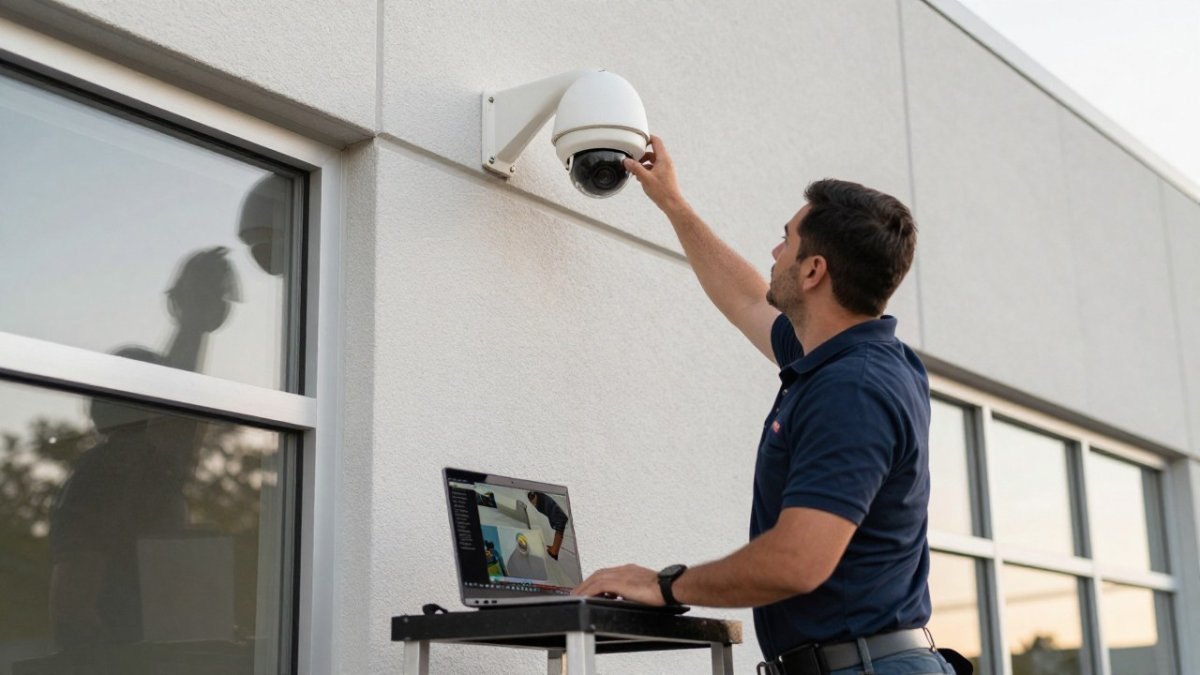
Deployment, privacy, and cybersecurity are areas that deserve close attention in any system evaluation. They matter more than the feature list, because a system that cannot be validated, cannot be defended in an audit, or cannot survive a network outage is a liability with a camera lens.
Commissioning With Measurable Acceptance Criteria
Commissioning should produce evidence, not assurances. Before go-live, define acceptance criteria per camera and per zone, then test against them. A practical set:
- Detection rate. Walk a person and drive a vehicle through each zone at the expected approach angles and distances, in daylight and after dark, and record how many passes produced an alert.
- False-alarm rate. Run observe-only mode for at least two weeks, count total alerts, and count confirmed real events. Precision is confirmed events divided by total alerts. Set a threshold you are willing to live with before enabling paging.
- Environmental stress. Repeat the walk test in rain, snow, fog, and low sun if those conditions occur at your site, and note where performance degrades so rules or camera placement can be adjusted.
Document the results and keep them with the as-built drawings. They become the baseline for quarterly re-testing, because detection performance drifts as scenes change.
Privacy and Data Retention
Know where footage is stored, who can access it, and how long it is kept. Healthcare facilities and law firms often carry sector-specific obligations, and privacy rules may also govern biometric and video data depending on where the property is located. Ask vendors for retention controls, encryption in transit and at rest, role-based access, and a local storage option so a cloud outage does not blind you.
Cybersecurity Hardening
Treat every camera as a network device. Change default credentials, segment cameras onto their own VLAN, keep firmware current, disable unused services, and require multi-factor authentication on administrative access.
Watch out: a single flat network shared by cameras, analytics servers, and office computers lets one compromised camera become a path to business systems; segmentation and least-privilege accounts are the controls that limit that blast radius.
Resilience and Failure Planning
Plan for what happens when connectivity or analytics services are unavailable. Cameras should continue recording locally or to the VMS so evidence is preserved. Edge or local processing should keep generating events if the cloud link drops. Administrative access should survive an internet outage through a local management path. Test each failure mode during commissioning and document the expected operator response, so a degraded system is a known state rather than a surprise at 2 a.m.
Book an On-Site Perimeter Assessment
A perimeter system only earns its cost when the detection rules match your actual property, lighting, and response capability.
Mt. Major Tech provides AI-enabled surveillance, smart access control, and intrusion defense for residential and commercial clients across Northern New England, backed by ongoing maintenance and technical support after commissioning.
If you are ready to move from research to a plan, contact us to schedule a walkthrough of your property.
The real question is not whether AI video analytics belongs at your perimeter.
Frequently Asked Questions
How does AI video analytics reduce false alarms?
Traditional motion sensors trigger on anything that moves, including rain, headlights, and animals. AI video analytics classifies objects before raising an alert, so a person crossing a virtual line triggers a response while a deer or a swaying branch does not. Many systems also apply alarm verification, sending a short clip to a monitoring station or operator so a human confirms the event before dispatch. The result is fewer wasted responses and a security team that trusts the alerts it receives.
Can AI video analytics work with existing security cameras?
Often yes, provided the cameras meet minimum requirements. Integrating AI analytics with existing security cameras usually needs IP-based cameras with adequate resolution and a stable network connection, since the analytics software processes the video stream rather than the camera itself. Older analog hardware may need encoders or replacement. A site survey confirms which cameras can be reused, which saves money compared with a full rip-and-replace, and identifies gaps where new coverage is genuinely needed.
What are the limitations of AI video analytics for perimeter security?
Detection accuracy drops in heavy fog, snow, or low light, and cameras still need clear sightlines. Analytics also cannot stop an intrusion, only detect and alert, so response procedures matter as much as the software. Privacy rules and data retention policies limit how footage can be stored and reviewed. Treat AI video analytics as one layer in a perimeter security strategy that includes lighting, fencing, access control, and trained responders rather than a standalone fix.
How should security teams respond to an AI perimeter alert?
Start with alarm verification: review the clip or snapshot attached to the alert to confirm a real threat. Then follow a written escalation path, from a radio check with a patrol to law enforcement contact for confirmed breaches. Log every alert and its outcome so you can review detection accuracy over time. Response time targets should be set in advance, and staff should rehearse them, because an alert that nobody acts on delivers no security value.