 how-to
AI Security Camera Installation Checklist for Businesses
Table of Contents
- Pre-Installation Planning: Assess Your Business Security Needs
- Business Security Camera Placement Guide: Coverage Planning
- Security Camera Network Bandwidth Requirements: Infrastructure Setup
- Configuring AI Detection and Reducing False Alarms
- AI Security Camera Testing Checklist: Commissioning and Acceptance
- Business Video Surveillance Retention Policy and Data Governance
- Post-Installation: Remote Monitoring and Ongoing Maintenance
- Frequently Asked Questions
Last Updated: October 10, 2026
Pre-Installation Planning: Assess Your Business Security Needs
Define what you're protecting before installing cameras. Rushing into an AI security camera installation without understanding vulnerabilities leads to poorly positioned cameras, disconnected systems, and false alarms that exhaust your security team.
Define Your Security Objectives
Ask: What are we protecting? Your answer shapes everything. Protecting assets, monitoring access points, and tracking personnel each require different camera placement, resolution, and detection zones. A retail store watching for shoplifting needs different coverage than a manufacturing facility monitoring perimeter access.
Write down 3-5 specific security goals: monitor entry/exit points, track high-value storage areas, verify personnel compliance, and document incidents for liability. These goals become your installation blueprint.
Conduct a Risk Assessment
Walk your property and document vulnerabilities, historical incidents, asset value, foot traffic, and environmental conditions for each location. This assessment drives camera placement priorities, a facility with loading dock theft history needs cameras there first.
Document Compliance Requirements
Check industry-specific regulations, state/local privacy laws, employee notification requirements, data retention mandates, and union agreements. Recording without proper consent exposes your business to legal liability. Document compliance requirements before designing your system.
Business Security Camera Placement Guide: Coverage Planning
Effective security systems depend on placement. Position cameras to capture faces and vehicle details, not walls.
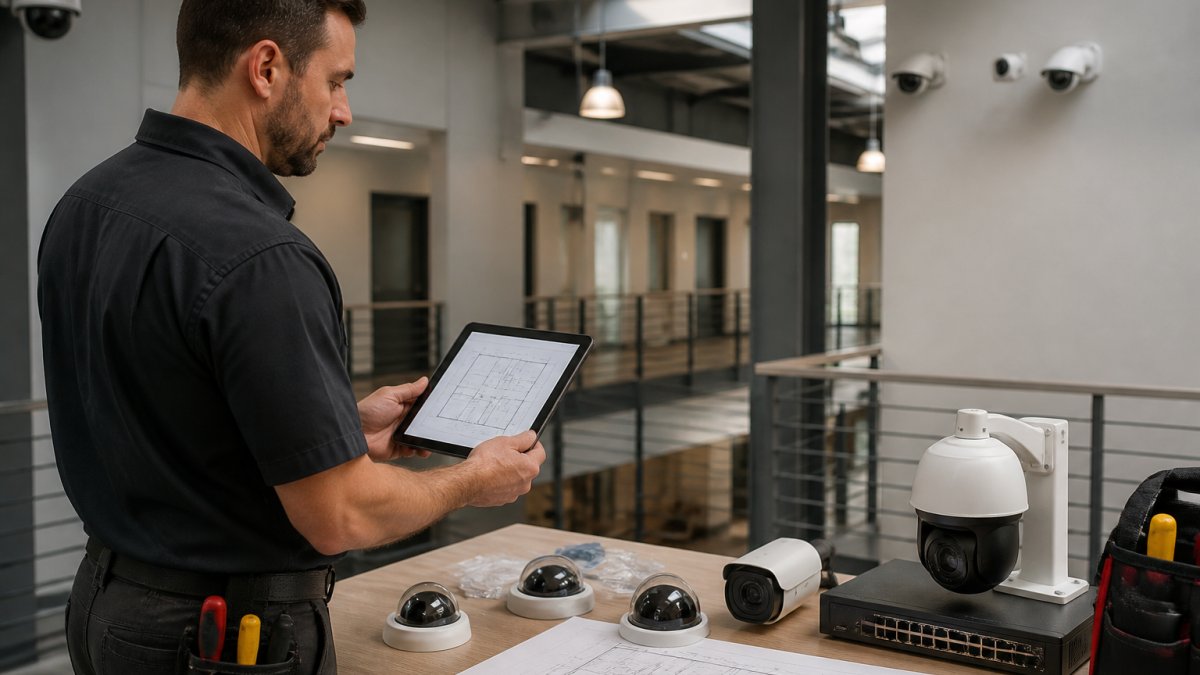
Mapping Your Property and Identifying Blind Spots
Start with a physical property map. Walk every inch of your facility and mark it on paper or a digital layout.
Next, mark areas where you currently have no visibility:
- Corners where two building walls meet
- Areas behind parked vehicles or equipment
- Spots obscured by trees, signage, or architectural features
- Hallways with multiple turns
- Storage areas with high-value inventory
These blind spots are where incidents often occur because they're invisible to current monitoring. Your AI security camera installation should eliminate as many as feasible.
Walk the property at different times of day. Lighting changes throughout the day.
Selecting Indoor and Outdoor Camera Types
Different environments demand different cameras. Outdoor cameras face rain, snow, temperature swings, and direct sunlight. Indoor cameras work in controlled environments but need different lens angles for hallways versus open spaces.
Choose camera types based on your environment:
| Environment | Camera Type | Key Requirement |
|---|---|---|
| Outdoor perimeter | Weatherproof, wide angle | IP67 rating, night vision |
| Indoor hallway | Compact, directional | Narrow field of view, low profile |
| Warehouse floor | High resolution, wide angle | Captures detail across large area |
| Parking lot | Long-range, zoom capable | Reads vehicle details from distance |
| Entrance | High resolution, facial capture | Clear face and ID documentation |
Outdoor cameras need IP67 or IP68 weatherproofing ratings. Indoor cameras can be more compact but should still be tamper-resistant. For your AI security camera installation, match the camera type to the specific location and threat.
Prioritizing Coverage Areas by Risk Level
Prioritize based on risk assessment. Tier 1: main entry/exit points, high-value storage, incident history areas, perimeter access. Tier 2: secondary exits, connecting hallways, parking, loading docks. Tier 3: common areas, break rooms, lower-risk zones. This phased approach protects critical areas first while planning expansion.
Security Camera Network Bandwidth Requirements: Infrastructure Setup
An AI security camera installation generates significant network traffic. A single 4K camera consumes 10-50 Mbps; twenty cameras could demand 200+ Mbps. If your network can't handle that, your system fails.
Calculating Bandwidth for Your Camera Count and Resolution
Baseline bandwidth: 1080p (4-8 Mbps), 2K (8-15 Mbps), 4K (15-50 Mbps), plus 2-5 Mbps per camera for AI analytics. Multiply by camera count and add 20% for overhead. Example: 12 cameras at 2K = 144 Mbps required. If your AI security camera installation would consume more than 50% of your available bandwidth, upgrade your network or adjust compression.
Wired vs. Wireless Systems: Network Architecture Decisions
Wired systems are reliable and stable but labor-intensive; wireless reduces installation cost but bandwidth varies with interference. For most businesses, use hybrid: wired for permanent high-priority cameras, wireless for temporary or hard-to-reach locations. Separate your security camera network from guest Wi-Fi. Use PoE switches to deliver power and data through one cable.
Configuring AI Detection and Reducing False Alarms
Most business security systems fail here. Cameras triggering false alarms exhaust your security team, causing them to ignore alerts and miss real threats.
Setting Up Person, Vehicle, and Object Detection Zones
Create detection zones for person, vehicle, and object detection. For each zone: draw the boundary, set object type, specify the action (entering, leaving, lingering), and set confidence threshold. Example: loading dock camera alerts on after-hours entry but ignores daytime traffic; parking lot camera flags unfamiliar vehicles but ignores employee cars.
Tuning Detection Sensitivity and Alert Thresholds
Start conservative with 80-90% confidence threshold and monitor for 2-3 weeks. Common false alarm causes: shadows, reflections, animals, weather, lighting changes. Adjust by shrinking zones, increasing thresholds by 5%, adding time-based rules, or filtering object sizes. After tuning, your false alarm rate should drop dramatically. Your AI security camera installation improves with calibration.
AI Security Camera Testing Checklist: Commissioning and Acceptance
Test everything before sign-off. Commissioning verifies the system actually works as intended.
Testing Under Varied Lighting and Weather Conditions
Test cameras in actual operating conditions: daytime, dusk/dawn, night, overcast, rain, and snow. For each test, verify face clarity, vehicle detail capture, automatic night vision, glare/dark areas, and video clarity during weather changes. Document issues and adjust lens angle, lighting, or position as needed.
Validating Detection Accuracy and Alert Response
Walk detection zones and trigger the AI with people and vehicles. Verify alerts arrive within 2-3 seconds, reach your monitoring team, capture video clips, and have correct zone boundaries. Test person walking, running, standing still, vehicle entering, and vehicle parked scenarios. Note any missed events or false alarms and adjust sensitivity or boundaries.
Sign-Off Criteria and Performance Verification
Create a formal acceptance checklist and have installation team and security leadership sign off together. Your AI security camera installation sign-off should confirm: continuous recording, night vision, proper detection zones, false alarm rate below 2 per camera per week, 3-second alert delivery, adequate storage, working remote access, 4+ hour backup power, system integration, staff training, and documented maintenance schedule. Don't sign off until all items pass.
Business Video Surveillance Retention Policy and Data Governance
A single 4K camera generates 500 GB to 2 TB per month. Establish a clear retention policy before storage becomes a problem.
Setting Retention Periods and Storage Capacity
How long do you need to keep footage? That depends on your industry and incident investigation needs.
Typical retention periods:
- General business: 30 days
- Retail/high-theft: 60-90 days
- Healthcare (HIPAA): varies by state, often 30-90 days
- Manufacturing: 30-60 days
- Financial services: 90+ days for compliance
Calculate your storage needs:
- Single 2K camera: 50-100 GB per week
- 12-camera system: 600 GB to 1.2 TB per week
- 30-day retention: 2.4-4.8 TB storage required
Options for storage:
| Storage Type | Cost | Reliability | Access |
|---|---|---|---|
| Local NAS | Low | Good | Fast |
| Cloud storage | Medium | Excellent | Requires internet |
| Hybrid (local + cloud) | Medium-high | Excellent | Always available |
Most businesses use hybrid storage: recent footage on local drives for fast access, older footage in cloud backup for compliance and incident investigation.
Privacy, Consent, and Cybersecurity Hardening
Notify employees and customers of video monitoring. Do NOT record bathrooms, locker rooms, or medical areas. Disable audio recording unless you have explicit consent. For your AI security camera installation, harden cybersecurity: change default passwords, isolate from guest Wi-Fi, use strong passwords, enable two-factor authentication, update firmware quarterly, disable unnecessary remote access, and use VPN for off-site monitoring. Proper hardening prevents your surveillance system from becoming a liability.
Post-Installation: Remote Monitoring and Ongoing Maintenance
Your AI security camera installation doesn't end at sign-off. Systems require ongoing attention to stay effective.
Setting Up Remote Access and Alert Notifications
Remote monitoring lets your team respond to alerts even when they're not on-site.
Configure remote access:
- Designate authorized users (security staff, management)
- Set up two-factor authentication for all remote logins
- Use VPN for off-site access, not direct internet exposure
- Test remote access from your actual off-site locations
- Document which users have access to which cameras
Alert notifications should reach your team instantly:
- Email alerts for critical events
- SMS text for immediate response situations
- Mobile app notifications for 24/7 monitoring
- Escalation rules (alert supervisor if initial responder doesn't acknowledge)
Test your alert chain. Verify that a detection event triggers notifications to the right people in the right order.
Scheduling Regular System Health Checks
A quarterly maintenance schedule catches problems before they become failures.
Monthly checklist:
- Review alert logs for patterns or false alarms
- Check camera lens cleanliness (dust and debris degrade image quality)
- Verify all cameras are recording without gaps
- Test remote access functionality
- Review storage capacity and retention compliance
Quarterly checklist:
- Update all camera firmware
- Test backup power systems
- Review and adjust detection sensitivity based on seasonal changes
- Inspect camera mounting hardware for corrosion or damage
- Verify network connectivity and bandwidth use
- Update access control lists and user permissions
Annual checklist:
- Professional inspection of all cameras and mounting hardware
- Network security audit and penetration testing
- Review and update retention policies
- Replace any aging equipment approaching end-of-life
- Conduct refresher training for security staff
Document all maintenance. This creates a service history and helps you plan upgrades or replacements.
An effective AI security camera installation requires planning, proper configuration, rigorous testing, and ongoing maintenance.
At Mt. Major Tech, we guide businesses through this entire process.
Frequently Asked Questions
What should a business consider before installing AI security cameras?
Start with a security risk assessment to identify your facility's vulnerabilities and define clear objectives: what threats are you protecting against, which areas are highest priority, and what compliance standards apply to your industry. Document your current security gaps, estimate the number and types of cameras needed, verify your network infrastructure can support the bandwidth, and confirm that your budget aligns with both hardware and ongoing maintenance costs. Finally, review privacy laws and employee notification requirements in your state.
How do you plan camera placement for a commercial property?
Conduct a site survey to map your entire property, including building perimeters, entry and exit points, parking areas, and interior spaces where assets or sensitive activities occur. Identify blind spots and overlapping coverage zones. Prioritize high-risk areas first: entrances, loading docks, cash handling areas, and server rooms. For each location, choose camera types based on environment: weatherproof outdoor cameras for exterior use, dome or turret cameras for indoor spaces. Document field of view, resolution requirements, and lighting conditions at each location to ensure AI detection will work reliably.
What network requirements do AI security cameras need?
AI security cameras demand consistent bandwidth. Calculate requirements by multiplying camera count by bitrate (typically 4-8 Mbps per camera at 1080p, higher for 4K). Ensure your internet connection supports peak traffic, especially if multiple cameras stream simultaneously. Consider a dedicated network segment for cameras to isolate security traffic from general office use. Wired systems (Ethernet) offer stability; wireless systems offer flexibility but require strong WiFi coverage. Plan for scalability if you add cameras later, and ensure your network switch and router can handle the total throughput.
How long should a business keep security camera footage?
Retention periods depend on your industry and risk profile. Many businesses retain 30 days as a baseline for incident investigation. Healthcare facilities subject to HIPAA may require longer retention tied to patient privacy obligations. Manufacturing and high-security operations often retain 60-90 days or more. Check your state's data protection laws and any contractual requirements. Document your retention policy in writing, implement automatic deletion after the retention period expires to manage storage costs, and maintain secure backup for critical incidents. Clearly communicate your policy to employees to ensure compliance with privacy expectations.