 how-to
Warehouse Security With AI Motion Detection: A 2026 Guide
Table of Contents
- Understanding AI Motion Detection vs. Traditional Sensors
- Reducing False Alarms With AI Video Analytics
- Warehouse Security System Integration Best Practices
- AI Security Camera Installation Requirements
- Real-Time Hazard Detection and Pedestrian Safety
- Data Privacy, Compliance, and Secure Implementation
- Measuring ROI and Long-Term Operational Gains
- Frequently Asked Questions
Last Updated: October 6, 2026
Understanding AI Motion Detection vs. Traditional Sensors
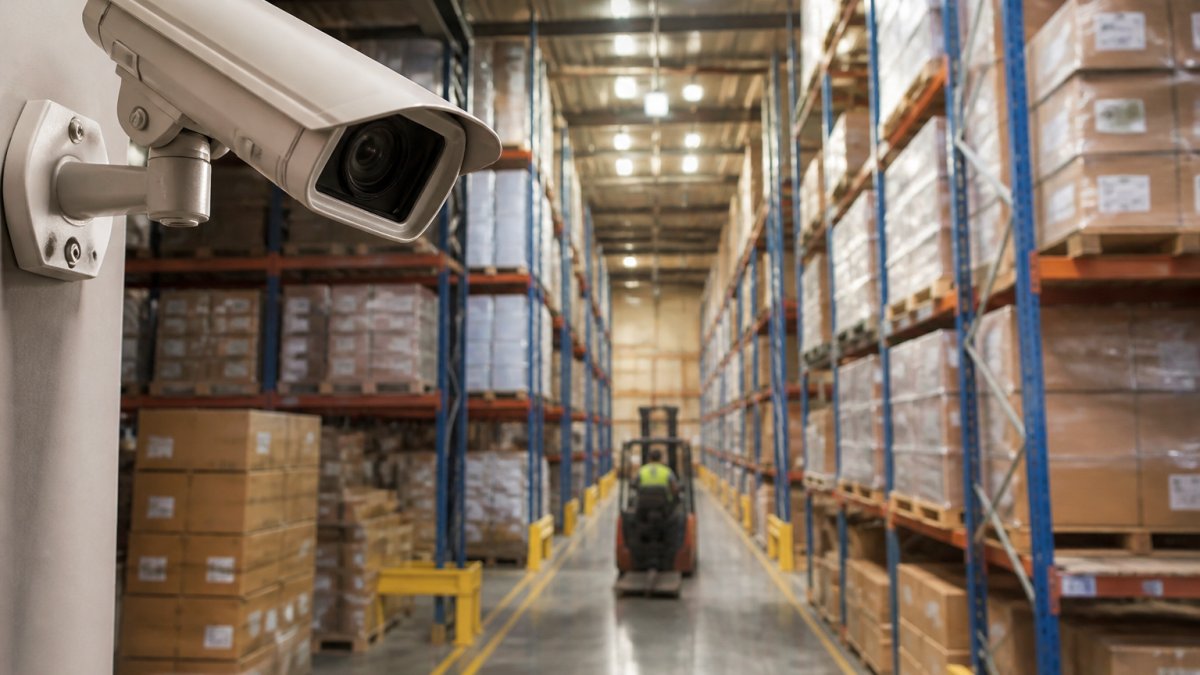
Warehouse security AI motion detection uses computer vision to recognize actual movement patterns and threats, while traditional sensors trigger on any heat or movement.
Standard infrared sensors fire constantly, a falling box, a swaying curtain, or temperature shifts all trigger alerts, causing alarm fatigue.
AI-powered systems understand context: they distinguish a person walking through a door from a leaf blowing past a camera.
The team stays alert, response times improve, and safety increases because people trust the system again.
Reducing False Alarms With AI Video Analytics
False alarms kill security operations. Your team ignores alerts. Response times slow. Actual threats get missed.
Traditional motion sensors trigger on any change in infrared energy or pixel contrast. A person walking by. A forklift moving. Shadows shifting under a skylight. A bay door opening on a windy day. Each one generates an event. Over time, your security staff stops caring.
AI video analytics solves this through layered filtering. Instead of asking "did pixels change?", the system asks "what changed, where, and does it matter?", in four stages:
- Object classification. A convolutional neural network (CNN) labels each detected object, person, forklift, pallet, box, vehicle, animal. A swaying curtain is classified "non-threat" and dropped before reaching an operator.
- Zone and tripwire rules. You draw virtual polygons and lines in the camera view. A person crossing a tripwire at the loading dock at 2 a.m. fires an alert; the same person crossing at 10 a.m. does not.
- Dwell-time and loitering logic. The system tracks how long an object stays in a zone. A forklift passing through a cross-aisle is normal. A person standing in a restricted cage for 90 seconds is not.
- Behavioral anomaly detection. Over a baseline period (commonly 2-4 weeks), the system learns your facility's normal patterns, shift change traffic, pick paths, dock schedules, and flags deviations rather than every motion event.
Where the filtering runs: edge vs. cloud
- Edge processing runs the AI model on a GPU-equipped NVR or the camera itself. Video never leaves the building, latency is typically under a second, cloud bandwidth is minimal, and the system keeps working if your internet drops. The trade-off: you buy and maintain the compute hardware, and model updates require a firmware or software push to each device.
- Cloud processing streams video to a hosted analytics platform, giving you faster access to newer models, centralized multi-site management, and no on-prem GPU. The trade-off: sustained upstream bandwidth (a single 4K stream at 15 fps can consume 4-8 Mbps), recurring subscription cost, and hard dependency on network uptime.
- Hybrid is the common multi-site pattern: edge inference for real-time alerts, cloud storage and model retraining for review. Recent footage stays local; older footage archives to the cloud.
If your facility has unreliable connectivity or strict data-residency requirements, edge is the right default. If you run many sites and want one pane of glass, cloud or hybrid wins.
What good looks like in practice
A well-tuned system in a mid-size distribution center typically lands at a few false alerts per week per camera, not per shift. More than that usually means cameras pointed at repetitive motion (HVAC vents, fans, conveyors), overlapping zones double-counting events, sensitivity set too low during onboarding, or a model never retrained on your site's footage.
The practical impact
Fewer interruptions for your security team, more focus on genuine threats, and measurable improvement in incident detection rates. Most platforms also log every alert with a timestamp, camera ID, and clip, an audit trail that's often the difference between a resolved claim and an open question.
Warehouse Security System Integration Best Practices
Most warehouses run multiple security systems. Cameras from one vendor. Access control from another. Alarms from a third. They don't talk to each other. You get fragmented data and slower response times.
Integration changes everything: when your AI motion detection system connects to access control, you know instantly who was in a specific area at a specific time; when it connects to alarms, a real threat triggers a coordinated response across all systems.
Here's how to approach integration:
-
Map your existing systems. Document camera brands, access control systems, alarm providers, and monitoring services, noting which can communicate and which are isolated.
-
Identify integration points. Most modern systems use APIs or standard protocols like ONVIF for cameras. Check if your current systems support these standards.
-
Start with one connection. Don't integrate everything at once. Connect your AI cameras to access control first, get that working, then add alarms.
-
Use a unified dashboard. The goal is one screen showing all security data. Alerts, access logs, video feeds, and intrusion events in one place.
-
Test failover scenarios. Your warehouse should stay secure even if one system, or the AI camera system's internet connection, goes down.
Our approach focuses on unified operations: your team sees everything in one interface, response times drop, coordination improves, and your security posture strengthens.
| Integration Step | Purpose | Timeline |
|---|---|---|
| System audit | Know what you have | Week 1 |
| API review | Confirm compatibility | Week 1-2 |
| Pilot connection | Test one integration | Week 2-3 |
| Full deployment | Connect all systems | Week 3-4 |
| Team training | Teach staff new workflow | Week 4-5 |
AI Security Camera Installation Requirements
Proper camera placement determines everything: a well-positioned camera catches threats, a poorly placed one misses them entirely.
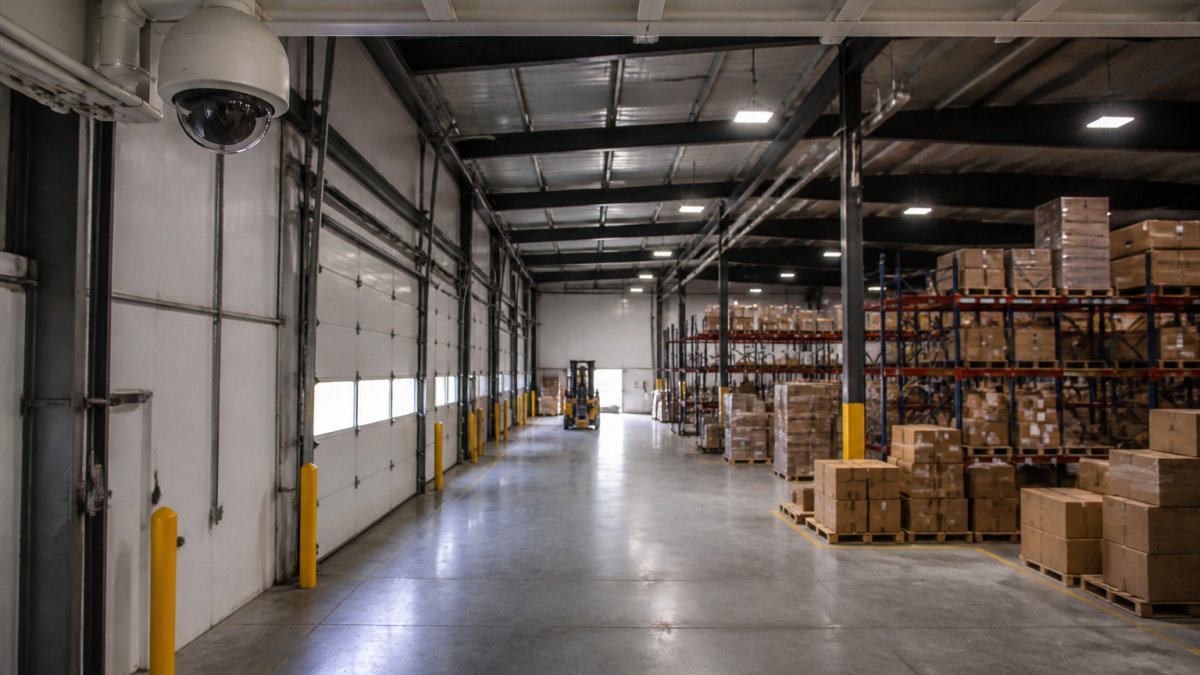
AI cameras need different positioning than traditional cameras: clear sightlines, good lighting, and placement that captures faces and body movement, not just silhouettes.
Installation checklist:
-
Height: Mount cameras 8-12 feet high at entry points. This captures full-body images and face detail. Higher placement covers larger areas but sacrifices facial recognition.
-
Angle: Tilt cameras 30-45 degrees downward. This prevents glare from overhead lights and captures facial features better than straight-on angles.
-
Sightlines: Clear the area in front of cameras. Remove boxes, racks, or equipment that block views. AI systems can't see through obstacles.
-
Lighting: Ensure consistent lighting; shadows create blind spots. Use supplemental lighting in dark sections. AI works best with at least 100 lux.
-
Coverage overlap: Overlap camera coverage by 10-15% to eliminate blind spots and track movement across zones.
-
Perimeter focus: Prioritize entry points, loading docks, and high-value storage areas, your highest-risk zones.
-
Network readiness: Run network cables to camera locations. Ensure bandwidth supports video streaming. Test connections before final installation.
Real-Time Hazard Detection and Pedestrian Safety
Warehouse injuries happen fast. A forklift operator doesn't see a pedestrian. Two workers collide in an aisle. Someone falls from a height.
Warehouse security AI motion detection systems can prevent these incidents: they detect pedestrians in forklift paths, recognize when someone approaches a hazardous area, and alert workers in real time.
Real-time hazard detection works through continuous video analysis, monitoring:
- Pedestrian-equipment proximity: Alerts when a person enters a forklift's blind spot or path
- Restricted area access: Notifies when someone enters a high-risk zone without proper equipment or training
- Unusual movement patterns: Detects falls, stumbles, or people lying on the floor
When a hazard is detected, the system can:
- Send an immediate alert to the worker's phone or wearable
- Sound an alarm for the equipment operator
- Trigger automatic equipment shutdown in critical situations
- Log the incident for safety review
The practical outcome: fewer injuries, reduced workers' compensation claims, and a measurable improvement in your safety record.
Data Privacy, Compliance, and Secure Implementation
Video surveillance creates privacy obligations. Your warehouse contains employee data, possibly customer data, and security footage, all requiring protection.
First, understand which regulations apply: HIPAA for healthcare providers, PCI-DSS for customer payment data, DFARS for DoD contractors.
Key privacy principles:
-
Data minimization: Store only what you need and delete old footage on a schedule. Don't keep 12 months if 30 days is sufficient.
-
Access control: Limit video access to authorized security staff and document all access.
-
Encryption: Encrypt video in transit and at rest. If your cloud provider is breached, encrypted footage remains protected.
-
Employee notification: Tell employees they're being recorded. Post notices at entrances. Include surveillance in your employee handbook.
-
Vendor compliance: Your AI camera and cloud storage vendors must meet your compliance requirements. Ask for their security certifications and audit reports.
Cloud vs. local storage is a compliance trade-off: cloud is easier to manage and scales automatically, while local keeps data on-premises but requires more infrastructure.
When implementing AI motion detection, work with your legal and compliance teams.
Measuring ROI and Long-Term Operational Gains
AI motion detection requires upfront investment: cameras, software licenses, integration labor, network upgrades, and training. Every operations and finance leader asks the same question, how do we know this pays back? Here is a framework you can build in a spreadsheet.
Step 1: Establish a baseline (before you buy anything)
You cannot measure improvement without a starting point. Pull these numbers from existing records, most warehouses already have them in incident reports, guard logs, or HR files:
- Annual shrink (inventory loss from theft, damage, and administrative error), from cycle-count and physical-inventory reconciliation.
- Security labor hours spent responding to and investigating alarms, per month.
- False alarm count per month, and the average minutes each consumes.
Write these down and date them. This is your "before" column.
Step 2: Model the cost side
Total cost of ownership has four buckets. Get quotes for each before you commit:
- Capital, cameras, NVR or edge compute, mounting hardware, cabling, and any network switches or PoE injectors.
- Software, per-camera or per-site licensing, usually annual. Ask whether analytics, storage, and model updates are bundled or billed separately.
- Integration and installation, labor to mount, aim, cable, and configure, plus connecting the system to access control or your alarm panel.
- Ongoing, cloud storage or bandwidth, support contract, and staff time to review alerts and retrain the model.
Software and cloud subscription costs, not cameras, often dominate the five-year total. Model both a 3-year and a 5-year horizon.
Step 3: Model the benefit side
Map each benefit to a measurable line item, not a category:
| Benefit | How to quantify |
|---|---|
| Shrink reduction | Baseline annual shrink × expected reduction percentage |
| Security labor savings | (False alarms/month × minutes each ÷ 60) × loaded hourly rate × 12 |
| Injury cost avoidance | Baseline claims/year × average cost per claim × expected reduction |
| Insurance premium | Current premium × discount your carrier confirms in writing |
| Incident investigation time | Hours saved per incident × number of incidents × loaded hourly rate |
Two cautions. Only count an insurance discount if your carrier confirms it in writing, many advertise discounts that don't apply to every policy. And don't double-count: if you claim shrink reduction and labor savings from the same alerts, make sure the figures don't describe the same event.
Step 4: Calculate payback and IRR
The simple payback period is:
Payback (years) = Total upfront cost ÷ Annual net benefit
where Annual net benefit = total quantified benefits − annual recurring costs (software, cloud, support).
For a more rigorous view, build a 5-year cash flow and calculate IRR and NPV, using your company's cost of capital as the discount rate. Finance teams will ask for this; having it ready shortens the approval cycle considerably.
Step 5: Define success metrics and review cadence
Set the review date before you deploy. A practical cadence:
- 30 days post-launch: confirm cameras are aimed correctly, zones are tuned, and false alarms are trending down. This is a configuration review, not an ROI review.
- 90 days: first real data on alert volume, response times, and incidents caught.
- 6 months: compare every baseline metric to its current value, the first honest ROI checkpoint.
What actually moves the number
In practice, the ROI case is strongest when a facility had a high baseline problem, frequent false alarms consuming guard time, recurring shrink in a specific zone, or a poor safety record. Facilities with already-low incident rates often find payback driven by labor savings and insurance rather than loss prevention. Be honest about which category you're in; it changes the pitch to your CFO.
Frequently Asked Questions
How does AI motion detection differ from traditional motion sensors?
Traditional motion sensors trigger alerts based on any movement in their field of view, often causing false alarms from swaying vegetation, animals, or weather. AI motion detection uses computer vision and object classification to distinguish between people, vehicles, and harmless motion. It recognizes context, a forklift moving pallets triggers a different response than an unauthorized person near a restricted area. This intelligence dramatically reduces false alarms while improving detection accuracy for genuine security threats.
Can AI security cameras reduce false alarms in large warehouses?
Yes. AI-powered cameras filter out irrelevant motion events before they reach your security team. By analyzing patterns, object types, and behavioral anomalies, AI systems ignore wind-blown debris, lighting changes, and routine equipment movement. This keeps your team focused on real threats rather than investigating phantom alerts, improving both security response time and operational morale.
Is AI motion detection compliant with privacy regulations in the workplace?
AI motion detection can be compliant, but implementation matters. Most systems process video locally on edge devices or use encrypted cloud storage, protecting employee privacy. Key compliance steps include notifying employees of surveillance, limiting camera placement to non-private areas, and securing footage access. For healthcare facilities with HIPAA requirements or manufacturing sites handling sensitive data, work with your security integrator to ensure camera placement, data retention policies, and access controls meet regulatory standards.
How do I calculate ROI for an AI motion detection system?
ROI comes from three sources: reduced false alarm response costs (staff time), prevented losses (theft, property damage, liability), and improved safety (fewer incidents). Start by calculating your current false alarm burden, multiply false alarms per month by the time your team spends investigating. Next, estimate prevented losses based on your facility's history. Finally, quantify safety improvements: fewer forklift-pedestrian collisions reduce workers' compensation claims. Request a customized ROI analysis from your integrator based on your facility's specific metrics.