 how-to
Data Governance Policies for Office Surveillance Footage
Table of Contents
- Why Office Surveillance Footage Needs a Written Governance Policy
- The Data Governance Lifecycle for Surveillance Footage
- What to Put in Your CCTV Policy Template
- Building a Video Surveillance Data Retention Policy
- Surveillance Footage Access Control and Audit Logging
- Employee Video Surveillance Best Practices: Notice, Consultation, and Signage
- Vendor, Cloud, and Third-Party Governance for Stored Video
- Incident Response, Evidence Integrity, and Policy Review
- Frequently Asked Questions
Last Updated: October 21, 2026
Why Office Surveillance Footage Needs a Written Governance Policy
Surveillance footage is one of the most sensitive records a business holds. It captures faces, routines, conversations, and movements across your property. Without a written policy, that footage becomes a liability instead of a safeguard.
Most organizations install cameras and stop there. They skip the paperwork.
The core problem is simple. Cameras collect data constantly, but no one owns that data. A written policy fixes the ownership gap.
The Data Governance Lifecycle for Surveillance Footage
Think of surveillance footage as moving through five stages, each with its own controls. Data governance for surveillance footage is the set of written rules that govern how recordings are collected, used, stored, accessed, and deleted.
Here is the lifecycle most guides skip:
- Collection - Define what cameras record, where, and why.
- Use - Limit who reviews footage and for what purposes.
- Storage - Set secure locations, encryption, and retention windows.
- Access - Log every view, export, and disclosure.
- Deletion - Destroy footage on a fixed schedule and document it.
Each stage needs a named owner. When no one owns a stage, that stage fails first.
What to Put in Your CCTV Policy Template
A solid CCTV policy template covers purpose, scope, lawful basis, and camera rules in plain language. Keep it short enough that staff actually read it.
Purpose, Scope, and Lawful Basis
State why you record. Common lawful purposes include protecting people, deterring theft, and investigating incidents. Name the scope: which buildings, which cameras, and which areas are excluded.
Under state privacy laws and general privacy principles, you need a lawful basis for collection. Check your state's rules with the state consumer privacy legislation tracker before finalizing your policy.
Camera Placement and Proportionate Monitoring
Place cameras where the risk justifies them. Lobbies, entrances, cash handling areas, and parking structures are standard. Restrooms, changing rooms, and break areas are off limits.
Proportionate monitoring means the recording matches the risk. A small office does not need facial recognition. A warehouse with high theft does not need audio capture in private spaces.
Building a Video Surveillance Data Retention Policy
A video surveillance data retention policy sets a fixed deletion timeline for every footage type. Keep footage only as long as a stated purpose requires, then delete it.
But a single universal period is a trap. Most practitioners find that defensible retention comes from a decision framework, not one number copied from another company's policy. Build yours in four steps.
Step 1: Classify Footage by Purpose
Retention should follow purpose, not camera location alone. Assign each camera or footage category to one of four purpose classes:
- Deterrence and general monitoring, routine coverage with no specific incident. Shortest window.
- Operational verification, access-controlled entries, cash handling, or asset rooms where you may need to confirm who passed through.
- Incident and investigation, clips tied to a reported event, claim, or probe.
Step 2: Set a Baseline Window per Class
Use the table below as a starting framework, then adjust to your state's rules, your insurer's expectations, and any contractual obligations. These are common industry baselines, not legal mandates.
| Footage Class | Baseline Retention | Trigger to Extend |
|---|---|---|
| Routine lobby and entrance | 30 days | Incident report filed |
| Parking and perimeter | 30-60 days | Theft, vandalism, or vehicle claim |
| Access-controlled areas | 30 days | Access dispute or audit finding |
| Incident-linked clips | Until case closed | Open investigation or appeal |
| Disciplinary evidence | Per HR legal hold | Litigation hold or agency charge |
Document the rationale for each window. An auditor who sees a stated reason for 30 days versus 60 days is looking at governance; an auditor who sees an unexplained number is looking at a guess.
Step 3: Place Footage on Legal Hold
Routine deletion must stop the moment footage becomes relevant to an investigation, claim, or legal matter. A legal hold overrides your schedule. Build the hold process into the policy:
- Trigger, A complaint, incident report, subpoena, or preservation letter arrives.
- Identify, Name the cameras, date range, and custodians whose footage is covered.
- Suspend deletion, Flag the clips in the video management system so automated purges skip them.
- Document, Record who issued the hold, when, and which clips are covered.
- Release, Only after counsel confirms the matter is closed do you resume the normal schedule.
A hold that lives only in an email thread will fail. Put the mechanism in the system and name the person authorized to apply and release it.
Step 4: Document Exceptions
Every retention policy needs an exception log. Common exceptions include extended retention for a recurring theft pattern, a vendor dispute, or an insurer request. For each exception, record the footage covered, the reason, the approver, and the new deletion date. Review open exceptions quarterly so they do not become permanent.
Automate Deletion and Prove It
Automate deletion at the system level so routine footage purges on schedule. Manual deletion never happens on time, and stale footage is the most common audit finding. Pair automation with a deletion log that captures the date, footage class, volume, and confirmation that the purge completed. A retention policy without deletion logs is just a wish.
Surveillance Footage Access Control and Audit Logging
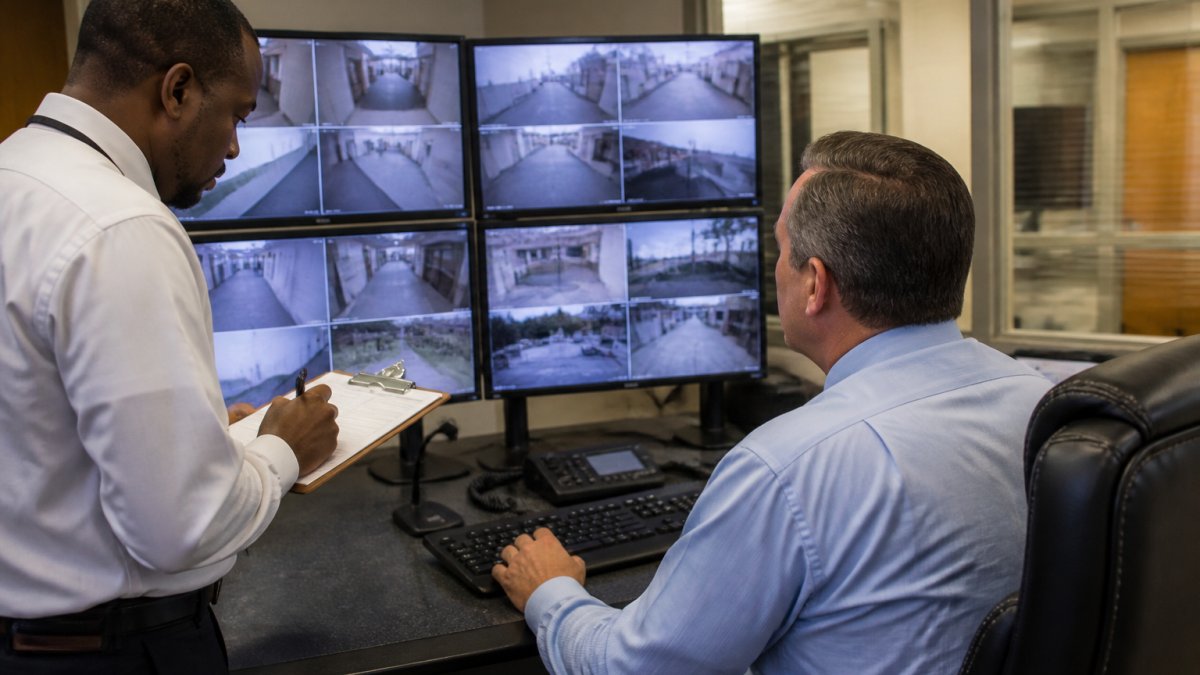
Surveillance footage access control means only named, authorized users can view or export recordings. Every action gets logged.
Set these controls:
- Role-based access - Grant view rights by job function, not seniority.
- Unique logins - No shared accounts. Shared logins destroy accountability.
- Export approval - Require sign-off before any clip leaves the system.
Review the audit log monthly. Look for after-hours access, bulk exports, and repeat viewers.
Employee Video Surveillance Best Practices: Notice, Consultation, and Signage
Employee video surveillance best practices start with transparency. Tell staff what is recorded, where, and why, before cameras go live.
- Post clear signage at every entrance and in monitored areas.
- Include the policy in onboarding and the employee handbook.
- Give staff a channel to raise concerns.
Consultation builds trust. You do not need employee consent in every case, but you do need notice.
Many states have specific notice rules. Review guidance on workplace monitoring and employee privacy to confirm what your state requires.
Vendor, Cloud, and Third-Party Governance for Stored Video
Cloud-hosted video adds outside parties to your data chain. Each vendor becomes a data user you must govern. The gap most offices miss is that vendor governance is not a contract clause, it is an operating discipline that runs from procurement through termination.
Put These Terms in Every Video Vendor Contract
- Data ownership, You own the footage, not the vendor. State it explicitly.
- Processing terms, The vendor acts on your documented instructions only, and its subcontractors are bound by the same terms.
- Retention alignment, The vendor deletes on your schedule, not its default.
Know Where the Footage Lives
Ask where data is stored and whether it crosses state lines. Hosting location affects which state laws may apply, your breach response obligations, and your ability to respond to a subpoena. Get the answer in writing, including the locations of any backup or disaster-recovery copies. If the vendor cannot name the regions, that is your risk to carry.
Vet Subcontractors
Many cloud video providers rely on subcontractors for storage, analytics, or support. Require a current subcontractor list, notice before a new subcontractor is added, and a right to object. Flow your retention, access, and breach terms down to every subcontractor that touches the footage.
Review Vendor Controls Annually
Review vendor security certifications annually and request a current security summary. Confirm that the vendor's access logs can be exported to you, that its deletion confirmations match your schedule, and that its breach notification contact is current. If a vendor cannot document its controls, that is your risk to carry.
Plan for the End of the Relationship
Termination is where vendor governance most often fails. Before the contract ends, confirm the return format, the deletion certification timeline, and who signs off. Keep your own copy of any footage under legal hold. A vendor holding years of your footage with no deletion clause is a compliance problem waiting to surface.
Incident Response, Evidence Integrity, and Policy Review
When an incident happens, evidence integrity decides whether footage holds up.
Follow these steps:
- Export the clip immediately and lock the original.
- Record who handled the file and when.
- Store a hash or checksum to prove the file is unaltered.
- Share only with authorized parties, including law enforcement requests.
Law enforcement requests need documented handling. Verify the request, log the disclosure, and share only what is required. Consult counsel on subpoenas.
Review the whole policy at least once a year. Camera changes, new vendors, and updated state laws all require updates.
At Mt. Major Tech, we integrate AI-enabled surveillance, smart access control, and intrusion defense into one managed platform, with ongoing technical support to keep governance current.
Frequently Asked Questions
What should an office video surveillance policy include?
A complete policy states the lawful purpose for recording, the areas covered and excluded, who may view or export surveillance footage, how long each footage type is kept, and how deletion is verified. It should also cover employee notification, signage, vendor and cloud handling, and the process for responding to access requests or law enforcement inquiries. Keep it short enough to be read, specific enough to be audited, and review it at least annually or whenever camera coverage changes.
How long should a business keep office surveillance footage?
Set retention by purpose rather than one blanket number. Routine footage with no incident attached is typically overwritten on a short cycle, often 30 days or less, because keeping it longer increases exposure without adding value. Footage tied to an open investigation, a claim, or a legal hold should be preserved separately and deleted once the matter closes. Document the schedule in your video surveillance data retention policy so staff overwrite and delete on a predictable cadence.
Who should be allowed to access workplace camera footage?
Limit surveillance footage access control to named roles: typically a security lead, a facilities manager, and HR or legal when an investigation requires it. Everyone else requests footage through one of those roles rather than logging in directly. Require unique credentials, no shared accounts, and an audit log that records who viewed or exported each clip and when. Review the authorized user list quarterly and remove access immediately when someone changes roles or leaves the company.
Do employees need to be notified about workplace surveillance?
Yes. Notice is the baseline expectation in most states and the practical defense if a complaint arises. Tell staff in writing what is recorded, where cameras are and are not, why the footage exists, and who to contact with questions. Post signage at entrances and in monitored areas so visitors see it too. Employee video surveillance best practices go further: brief new hires during onboarding, revisit the policy in annual training, and consult staff before adding coverage in break rooms or other areas where privacy expectations run higher.
Surveillance footage governance is not a one-time document. It is a living system of rules, logs, and reviews. If your cameras are running without a written policy, that is the first gap to close. Mt. Major Tech can help you build a compliant, integrated surveillance setup with automated retention, role-based access control, and audit logging built in. Book online to start a conversation about your property's needs.