 comparison
Wired vs Wireless Security Systems: How to Choose
Table of Contents
- Wired vs Wireless Security Systems: The Core Differences
- Wired Security System Pros and Cons
- Wireless Security System Pros and Cons
- Installation, Cost, and Long-Term Ownership
- Wireless Security System Without Internet: What Happens in an Outage
- Hybrid Security System: The Migration Path That Covers Both
- Decision Framework: Match the System to Your Property and Household
- Frequently Asked Questions
Last Updated: October 19, 2026
Wired vs Wireless Security Systems: The Core Differences
Choosing between wired and wireless security systems comes down to one question: how does the signal travel from each sensor to your control panel?
A wired security system is a hardwired setup where every door sensor, motion sensor, and keypad connects to the security panel through cable run inside your walls.
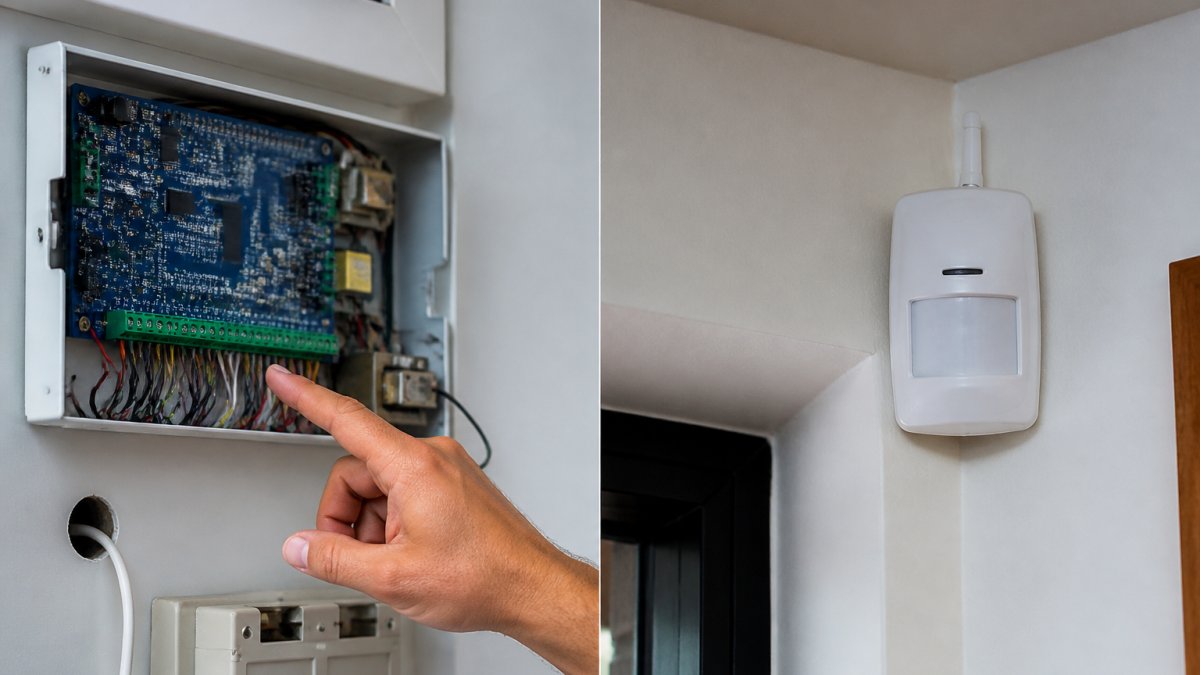
How Each System Transmits Signals
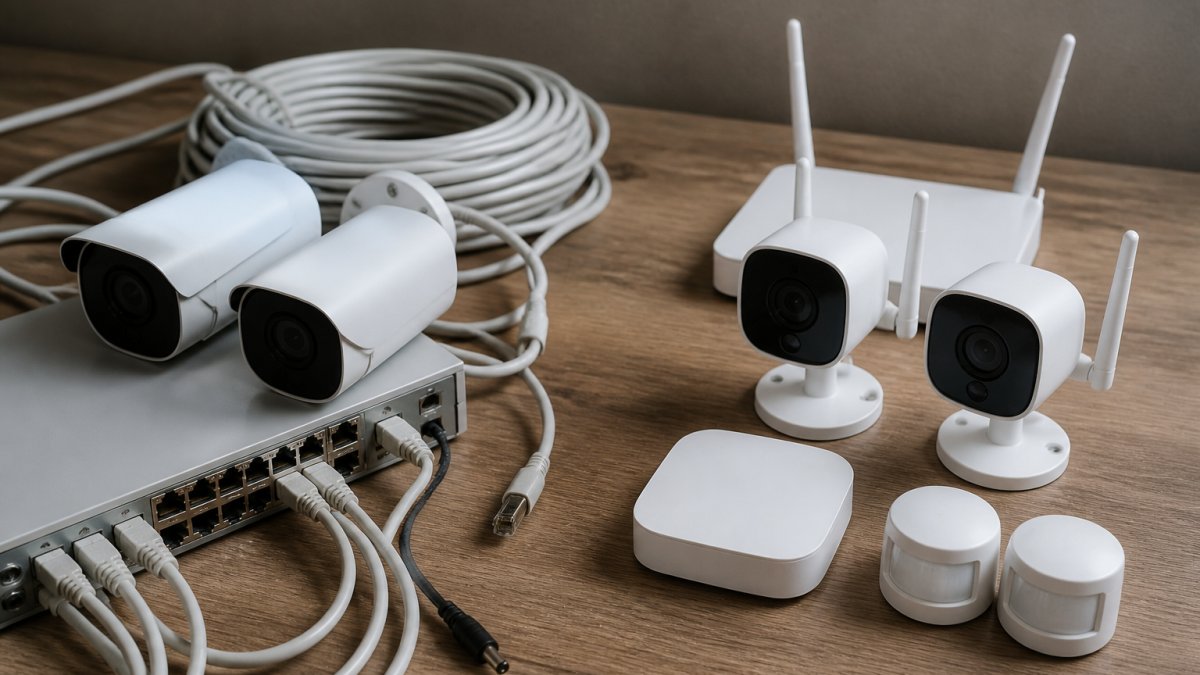
Hardwired systems carry power and data over low-voltage cable, so sensors never need a battery and never lose a signal to interference. Wireless systems rely on radio waves, which makes retrofit work fast but introduces variables: wall thickness, metal studs, and competing Wi-Fi signals can all affect reliability.
Wired Security System Pros and Cons
Wired wins on reliability and long-term cost, and loses on installation disruption. A hardwired system does not depend on Wi-Fi, cellular coverage, or battery life, so tampering and jamming are far harder. The catch: pulling cable through finished walls is invasive and can mean drywall repair before the system is live.
Pros:
- Stable signal with no battery replacement cycle
- Harder to jam or disable remotely
- Lower maintenance burden over the system's life
Cons:
- Professional installation is typically required
- Retrofitting an existing home means opening walls
- Relocation is impractical; the wiring stays with the building
Wireless Security System Pros and Cons
Wireless systems install fast and move with you, but trade that flexibility for battery upkeep and signal variables. For renters, new construction without pre-wiring, and anyone who cannot tolerate installation disruption, wireless is usually the practical answer. Every sensor runs on a backup battery, so expect a maintenance schedule and eventual fleet-wide replacement.
Pros:
- DIY installation is realistic for most homeowners
- No wall damage, no cable runs
- Easy expandability and relocation
Cons:
- Battery replacement across every device
- Signal interference from dense Wi-Fi environments
- Tampering risk if a sensor is physically accessible
Installation, Cost, and Long-Term Ownership
Total cost of ownership separates these systems more than sticker price does. Wired systems front-load expense into equipment and professional installation, then run cheaply for years. Wireless systems lower the upfront barrier but spread cost across batteries, signal troubleshooting, and shorter device lifespans.
| Cost Factor | Wired System | Wireless System |
|---|---|---|
| Upfront equipment | Higher per point (cable, power supplies, panel) | Lower per device |
| Installation labor | High, invasive, professional | Low to moderate, often DIY |
| Battery replacement | None at sensors | Recurring, system-wide |
| Monitoring service | Comparable | Comparable |
| Relocation | Not practical | Straightforward |
| Long-term maintenance | Low | Moderate |
| Expected device life | Long | Shorter, battery-dependent |
Upfront equipment and installation costs
Wired equipment costs more per point because it includes cabling, power supplies, and panel hardware, and installation labor dominates. Pulling cable through finished walls means fishing runs, patching drywall, and painting, and those costs scale with how finished the space is.
Wireless equipment costs less per device, and many homeowners install it themselves.
Pricing for either path depends on sensor count, property layout, and whether existing wiring can be reused, so we quote each property individually.
Ongoing monitoring and maintenance costs
Monthly monitoring fees are broadly similar across both system types, since the fee covers the service rather than the transmission method.
The real difference sits in maintenance. Wired systems need almost none beyond occasional testing. Wireless systems require a battery replacement cycle across every device, and the cost is not just batteries: it is the labor or time to reach each sensor and the risk of a missed device.
The line items buyers forget
- Battery replacement across the fleet. Every wireless sensor, keypad, and the panel itself has a battery. Budget for a system-wide replacement on the manufacturer's interval.
- Signal troubleshooting. Wireless systems occasionally need a sensor relocated or a repeater added. Each visit costs money, and dense Wi-Fi and metal construction raise the odds.
- Repairs and replacement. Wireless devices have shorter service lives than hardwired sensors because they are battery-dependent. Over a decade, plan for device replacement, not just battery swaps.
- Monitoring contract terms. Early-termination fees, equipment-ownership clauses, and auto-renewal terms can outweigh the monthly rate. Read the contract before comparing prices.
- Relocation cost. A wired system stays with the building. Moving means buying and installing a new system at the next property, a real cost that never appears in the upfront comparison.
A ten-year view
The honest comparison adds installed cost, monitoring fees over the ownership period, battery and maintenance spend, and an allowance for repairs and replacement. Wired usually wins in a home the owner expects to keep, because the upfront premium is paid once and maintenance stays near zero. Wireless usually wins when the owner expects to move, rents, or cannot absorb installation disruption.
For broader guidance on home security fundamentals and monitoring contracts, the FTC's consumer guidance on home security is worth a read before you sign.
Wireless Security System Without Internet: What Happens in an Outage
A wireless security system without internet still works, provided it has cellular and battery backup. Sensors keep transmitting to the panel on their own radio frequency, and the panel reports to the monitoring center over cellular instead of your home internet. What fails is remote access: your mobile app goes dark until connectivity returns. Power, broadband, Wi-Fi, and cellular outages hit a system in different ways.
The four outage scenarios, one at a time
Power outage only. The panel switches to its internal backup battery, and sensors keep reporting.
Broadband outage only. Power is on, but the internet connection is down.
Wi-Fi outage or router failure. Sensors do not depend on Wi-Fi; they talk to the panel on their own radio frequency.
Cellular outage. Rare, but it happens during carrier maintenance or in weak-signal locations.
What keeps working and what stops
| Component | Power outage | Broadband outage | Wi-Fi outage | Cellular outage |
|---|---|---|---|---|
| Sensors to panel | Works (sensor batteries) | Works | Works | Works |
| Panel to monitoring center | Works until panel battery dies | Works if cellular backup | Works if cellular backup | Down if cellular-only |
| Mobile app and remote access | Down | Down | Down | Down |
| Local siren and keypad | Works on battery | Works | Works | Works |
Two things follow from that table. Local protection (sirens, keypads, sensors) is far more resilient than remote access, which is why a system can feel "dead" in an outage while still protecting the building. And the single point of failure to design around is the communication path from panel to monitoring center, not the sensors.
Backup power beyond the panel battery
A panel battery buys hours, not days. For longer outages, a UPS sized to the panel and communicator extends runtime, and a standby generator covers the whole building. The trade-off is cost and maintenance: a UPS needs its own battery replacement cycle, and a generator needs fuel and exercise. For most homes, a tested panel battery plus cellular backup is the right baseline; for high-value sites, add the UPS.
When we design a wireless deployment, we treat cellular backup as standard, not optional, and we document the expected runtime of the panel battery so the owner knows what they are buying. For the regulatory side of alarm signaling, UL Solutions standards for alarm systems define how monitoring equipment should perform under failure conditions.
Hybrid Security System: The Migration Path That Covers Both
A hybrid security system combines a panel that accepts both hardwired and wireless zones, which means you keep existing wiring and add wireless sensors where cable cannot reach.
We see this constantly on larger estates and multi-building commercial sites. The main structure runs hardwired for reliability, while detached structures and gates run wireless for practicality.
Hybrid panels also solve the false alarm problem when paired with modern detection logic. Guidance from CISA on securing smart devices is a reasonable baseline for those questions.
Decision Framework: Match the System to Your Property and Household
Use this framework to decide, rather than defaulting to whichever system a salesperson leads with.
- New construction or major renovation? Run wired. The walls are open, so the labor premium disappears.
- Existing home with finished walls and no wiring? Go wireless or hybrid.
- Renting? Wireless, full stop. You cannot modify the structure.
- Multiple buildings on one property? Hybrid. Hardwire the main structure, wireless the outbuildings.
- Frequent power or internet instability? Require cellular and battery backup on any wireless design.
- Existing hardwired panel in good condition? Test the wiring, then hybrid-upgrade rather than replace.
The one rule we would underline: do not choose based on upfront price alone. Compare the installed cost, the maintenance burden across ten years, and how the system behaves in an outage. For broader guidance on home security fundamentals, the FTC's consumer guidance on home security is worth a read before you sign a monitoring contract.
No single answer fits every property, and the wrong choice shows up months later as a dead sensor or a monitoring gap during an outage. Major Tech designs wired, wireless, and hybrid systems around how your building is actually constructed, with AI-enabled surveillance, smart access control, and intrusion defense unified into one platform, backed by ongoing technical support after the install.
Frequently Asked Questions
What is the difference between wired and wireless security systems?
Wired systems connect sensors and the control panel through physical cables, often using existing doorbell or alarm wiring. Wireless systems use radio frequency signals to communicate between sensors and the panel. The main practical differences show up in installation disruption, signal reliability, and how each handles power or internet outages. Wired setups typically require professional installation and wall fishing, while wireless units are easier to mount but depend on battery life and signal strength.
Is a wired or wireless security system more reliable?
Wired systems generally offer more consistent signal reliability because physical connections are not subject to radio interference, jamming, or dead zones. Wireless systems can experience signal degradation from thick walls, metal appliances, and distance from the panel. However, modern wireless systems with frequency hopping and encrypted signals close much of that gap. For large properties with many obstacles, a wired backbone often proves more dependable, while wireless works well in smaller or rental units where cabling is impractical.
Do wireless security systems work during an internet outage?
Many wireless systems continue to function locally during an internet outage if they have a cellular backup or landline connection. Sensors still trigger the alarm and the panel can sound the siren, but remote access through a mobile app and cloud-based monitoring may be unavailable until the connection restores. A wireless security system without internet can still protect the premises, but you lose remote visibility. For full coverage during outages, choose a system with cellular backup and local battery backup.
Can wired and wireless security devices work together?
Yes, hybrid security systems combine a wired backbone with wireless sensors, allowing you to keep existing hardwired devices while adding wireless coverage in hard-to-wire areas. This approach is useful for older homes with partial wiring or for facilities expanding into new zones without major construction. A hybrid panel typically supports both wired and wireless zones, giving you flexibility to upgrade gradually. When choosing between wired and wireless security systems, a hybrid path often delivers the best balance of reliability and cost.