 how-to
Preventing False Alarms From Ceiling Fans
Table of Contents
- Why Ceiling Fans Trigger Smoke Alarms
- Smoke Alarm Distance From Ceiling Fan: Correct Placement
- How to Stop Smoke Detector False Alarms When a Fan Runs
- Smoke Detector Cleaning and Maintenance to Reduce Nuisance Alarms
- Ventilation and Environmental Controls
- When to Replace Alarms or Call a Professional
- Frequently Asked Questions
Last Updated: October 12, 2026
Why Ceiling Fans Trigger Smoke Alarms
Ceiling fans create a perfect storm for false alarms, making preventing false alarms from ceiling fans essential for reliable fire safety. They push air around your room, and that air carries dust particles directly toward your smoke sensors.
The problem gets worse depending on which type of alarm you have. Photoelectric alarms use a light beam to detect smoke particles (How Do Smoke Detectors Work? | NIST).
Here's what happens: ceiling fans don't just move air, they create circulation patterns that push dust upward. If your smoke alarm sits directly in that airflow path, dust will coat the sensor regularly. Over time, this buildup makes the alarm hypersensitive.
How airflow and dust interact with smoke sensors
Smoke particles and dust particles are similar in size. Your smoke alarm can't easily tell the difference between them. When a ceiling fan runs, it lifts dust from surfaces and carries it upward in a steady stream.
A dirty sensor doesn't just trigger false alarms, it also becomes less responsive to real smoke. You lose protection while gaining constant false alerts.
Airflow patterns vary by room size and fan speed. A small bedroom with a high-speed fan creates stronger upward currents than a large living room with a low-speed fan. The faster the fan spins, the more dust it mobilizes.
Photoelectric vs. ionization alarms and fan sensitivity
Photoelectric alarms shine a light beam inside the sensor chamber. When smoke enters, it scatters the light beam, triggering the alarm. Dust does the same thing.
Ionization alarms use radioactive material to ionize air particles, creating a small electrical current. Smoke disrupts this current. Dust particles don't disrupt it the same way, so ionization alarms are generally less sensitive to dust.
For homes with ceiling fans, photoelectric alarms are actually the better choice, not because they're less sensitive to fans, but because they're easier to keep clean.
If you have interconnected alarms (wireless or hardwired units that communicate with each other), make sure at least one is placed away from ceiling fan airflow.
Smoke Alarm Distance From Ceiling Fan: Correct Placement
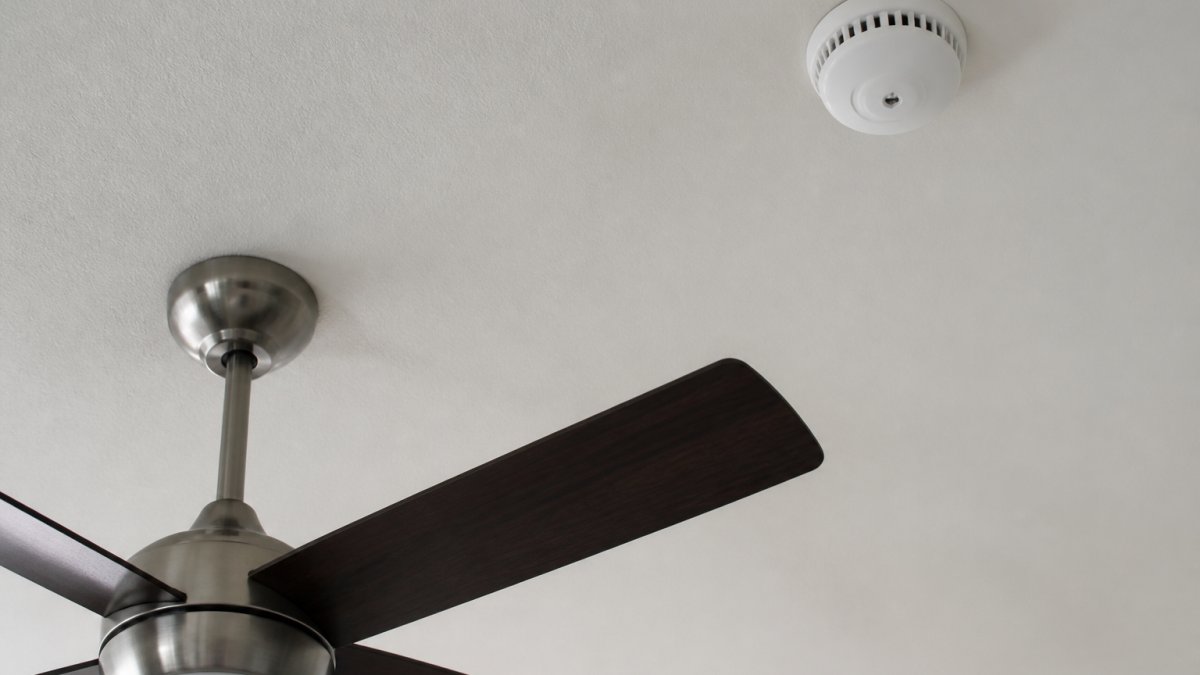
The key to preventing false alarms from ceiling fans is distance and positioning. Mount your smoke alarm at least three feet away from any ceiling fan blade. This three-foot minimum clearance prevents the direct airflow from reaching your sensor.
Minimum clearance requirements
Three feet is the standard recommendation from fire safety professionals. This distance gives you a safety margin where the fan's airflow has dispersed enough that it won't coat your sensor with dust or create false-alarm conditions.
In practice, more distance is always better. If you can place your alarm five or six feet from the fan, do it. The farther away, the less impact the fan has on your alarm's performance.
Mount your alarm on the ceiling itself, not on a wall. Ceiling-mounted alarms detect smoke more effectively because smoke rises. Wall-mounted alarms are acceptable only in rooms where ceiling mounting is impossible, but they perform worse.
Placement in different room configurations
In a bedroom with a ceiling fan, place your alarm on the opposite side of the room from the fan.
In a living room or open floor plan, you may need multiple alarms. Place one away from the ceiling fan and any air vents.
Hallways and stairwells need alarms too, but these areas rarely have ceiling fans. If they do, apply the same three-foot rule.
Avoid placing alarms directly above air vents, supply vents, or open windows. These create airflow patterns similar to ceiling fans. Any location where air is actively moving upward is a poor choice for smoke alarm placement.
How to Stop Smoke Detector False Alarms When a Fan Runs
False alarms from ceiling fans follow a predictable pattern. The alarm triggers within minutes of the fan starting, or shortly after the fan has been running. Real smoke alarms don't follow this pattern, they trigger based on actual smoke presence, not fan activity.
Step-by-step diagnostic process
Start by noting when your alarms go off. Do they trigger every time you turn on the ceiling fan?
Write down these details. They tell you whether the problem is fan-related or something else.
Next, check the distance between your alarm and ceiling fan. Measure from the alarm to the nearest fan blade. If it's less than three feet, you've found your problem.
Inspect the alarm's sensor chamber. If you see visible dust or debris, cleaning is your immediate solution.
Turn off the fan and run your alarm's test button. It should beep or sound normally. Then turn the fan back on and wait five minutes.
Immediate fixes and adjustments
The fastest fix is to relocate your alarm. If you can move it three or more feet away from the fan, do that first. This solves the problem immediately for most homes.
If relocation isn't possible, reduce fan speed. Run the fan on low or medium instead of high. Lower speeds create less airflow and mobilize less dust.
Clean your alarm and fan blades thoroughly. Use a vacuum to remove dust from the fan housing and blades. Then clean the alarm sensor. Many false alarms stop after this single step.
Check your alarm's age. Smoke alarms expire after 10 years. An old alarm is more likely to false-alarm, especially in dusty environments.
Smoke Detector Cleaning and Maintenance to Reduce Nuisance Alarms
Regular cleaning is your best defense against false alarms. A clean sensor responds only to actual smoke, not dust or airflow disturbances. Most false alarms stop after a thorough cleaning.
Safe cleaning procedures for sensors and housings
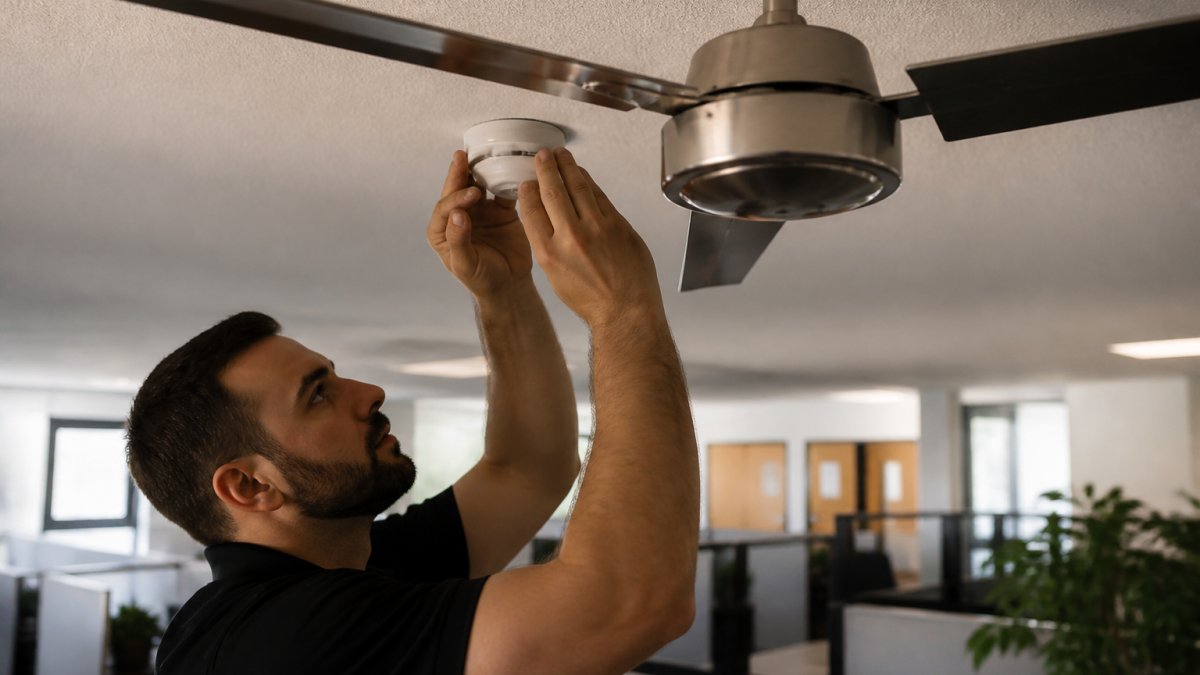
Turn off power to hardwired alarms before cleaning. For battery-powered alarms, simply remove the battery temporarily.
Use a vacuum with a soft brush attachment. Gently brush the outside of the alarm to remove dust.
Never insert anything into the sensor chamber. Don't use a cloth, cotton swab, or brush inside the sensor. Compressed air alone is safe and effective.
For ceiling fan blades, use a damp microfiber cloth or a vacuum brush. Dust accumulates on fan blades and gets recirculated constantly.
Clean your alarms twice per year, once in spring and once in fall. In dusty environments or homes with multiple ceiling fans, clean quarterly.
Dust buildup prevention and fan blade care
Prevention is easier than repeated cleaning. Use ceiling fan blade covers or dust shields. These simple accessories catch dust before it becomes airborne.
Run your ceiling fan on lower speeds when possible. High speeds mobilize more dust and create stronger upward airflow. Medium or low speeds provide adequate air circulation without the dust problem.
Keep your home's overall dust level low. Vacuum regularly, use air filters in your HVAC system, and consider a whole-home air purifier. Less dust in the air means less dust coating your smoke sensors.
Inspect your smoke alarms monthly. Look for visible dust accumulation. If you see dust on the outside, the sensor inside is probably dirty too.
Ventilation and Environmental Controls
Your home's ventilation system affects how dust moves and where it settles. Strategic use of vents and windows can reduce false alarms from ceiling fans.
Using air vents and windows strategically
Keep air vents away from smoke alarms. Supply vents and return vents create airflow patterns that can trigger false alarms.
Open windows strategically. Fresh air from an open window reduces indoor dust levels. However, don't place alarms directly above open windows. The upward airflow from windows can trigger false alarms just like ceiling fans do.
In kitchens, use exhaust fans to remove cooking smoke and steam. Keep smoke alarms out of kitchens entirely. Cooking generates too much airborne particulate matter for reliable smoke alarm operation.
Bathrooms are tricky. Steam from showers can trigger alarms. If you must place an alarm in a bathroom, keep it away from the shower and exhaust fan.
Fan speed and direction optimization
Run ceiling fans counterclockwise in winter. This pushes warm air down from the ceiling, improving heating efficiency. In summer, run them clockwise to pull cool air up. The direction affects how dust circulates.
Lower fan speeds reduce dust mobilization. A fan on low speed provides adequate air circulation without creating strong upward airflow. Most homes don't need fans running on high speed except during extreme heat.
In rooms with both ceiling fans and smoke alarms, consider a smart fan controller. These devices let you schedule fan operation and adjust speeds automatically. You can run fans during times when false alarms matter less (like daytime hours when you're awake and alert).
When to Replace Alarms or Call a Professional
Some false alarms require professional help. Knowing when to call an electrician or fire-safety professional saves time and ensures your alarms work correctly.
Signs your alarm needs replacement
Smoke alarms expire after 10 years. Check the manufacturing date on the back of your alarm. If it's older than 10 years, replace it immediately. Old alarms are less reliable and more prone to false triggers.
If you've cleaned your alarm thoroughly and it still false-alarms when the ceiling fan runs, the sensor may be failing. Replacement is your only option.
Hardwired alarms that constantly false-alarm may have wiring issues. If relocation and cleaning don't solve the problem, a professional should inspect the wiring and connections.
Professional assessment and integrated solutions
A fire-safety professional can assess your entire alarm system. They check placement, wiring, battery condition, and sensor function. They identify problems you might miss.
For complex installations, large homes, multiple fans, or tricky room layouts, professional guidance is worth the investment.
At Mt. Major Tech, we work with homeowners and facility managers to integrate smoke alarms into comprehensive security systems.
If you're upgrading your security infrastructure or installing new alarms in a facility with ceiling fans, professional assessment prevents costly mistakes.
False alarms from ceiling fans are frustrating, but they're entirely preventable. The combination of proper placement, regular cleaning, and maintenance eliminates the problem for most homes.
Frequently Asked Questions
How far does a smoke alarm need to be from a ceiling fan?
Smoke alarms should be mounted at least 3 feet horizontally from a ceiling fan to avoid false alarms triggered by airflow and dust circulation. If your ceiling is low or room layout makes 3 feet impossible, install the alarm on a wall at least 4 inches below the ceiling, away from direct fan airflow. This distance minimizes the risk of nuisance alarms while maintaining fire detection capability.
Can dust from a ceiling fan trigger a smoke alarm?
Yes. Dust and particles circulated by ceiling fan blades can accumulate on smoke alarm sensors, especially photoelectric models that detect visible particles. Regular cleaning of both fan blades and alarm sensors prevents buildup. If your fan runs frequently, inspect the alarm monthly and clean it gently with a vacuum brush to reduce false alarms caused by dust rather than actual smoke.
What's the difference between photoelectric and ionization smoke alarms for false alarm prevention?
Photoelectric alarms detect visible smoke particles and are more prone to false alarms from dust and airflow from ceiling fans. Ionization alarms detect invisible combustion particles and are less sensitive to dust but may still trigger from fan-driven air currents. In rooms with ceiling fans, photoelectric alarms positioned away from direct airflow perform better.
How do I diagnose whether my smoke detector false alarms are caused by the ceiling fan?
Turn off the ceiling fan and observe whether the alarm stops triggering. If false alarms cease when the fan is off but resume when it runs, the fan is likely the cause. Check for dust accumulation on the alarm sensor and fan blades. Verify the alarm is at least 3 feet horizontally from the fan. If alarms persist despite these steps, the sensor may be aging or oversensitive and may need replacement or professional evaluation.