 blog
7 Common Security System Vulnerabilities to Watch For
Last Updated: October 27, 2026
Quick Summary
Common security system vulnerabilities to watch for include weak passwords and default credentials, unpatched firmware and outdated software, camera and cloud misconfigurations, poor network separation, weak access control and privilege settings, phishing and social engineering, and no monitoring or log review. Identifying them means comparing what your system should be doing against what it is actually doing, then ranking the gaps by how easy they are to exploit and how much damage they would cause.
- Change every default password before a device goes live and use a unique password for each device and account.
- Set a monthly patching window and assign the patch schedule to a named person.
- Keep cameras and access control off the office network by using a separate segment or VLAN.
- Review user accounts quarterly and remove anyone who no longer needs access.
- If you suspect a compromise, isolate the affected device and preserve logs and footage before rebooting.
Table of Contents
- 7 Security System Vulnerabilities That Leave Properties Exposed
- How to Identify Security Vulnerabilities Before They Are Exploited
- Weak Passwords and Default Credentials: The Easiest Way In
- Security Camera Vulnerabilities: Firmware, Cloud, and Network Risks
- Security Vulnerability Assessment Checklist for Integrated Systems
- Security System Best Practices That Close the Gaps
- Book a Professional Security Assessment with Mt. Major Tech
- Frequently Asked Questions
7 Security System Vulnerabilities That Leave Properties Exposed
A security vulnerability is a weakness in software, hardware, or configuration that an attacker can use to gain access, steal data, or disable your defenses. In a security system, that weakness can be as simple as an unchanged password or as complex as an unpatched camera firmware.
Common security system vulnerabilities to watch for include weaknesses in passwords, software, and configuration. Below, we break down seven potential vulnerabilities and explain how to check your own property for each one.
The list covers several security risks to consider.
- Weak passwords and default credentials - the easiest way in
- Unpatched firmware and outdated software - known flaws left open
- Camera and cloud misconfigurations - exposed streams and storage
- Poor network separation - cameras sharing a network with office systems
- Weak access control and privilege settings - too many people with too much access
- Phishing and social engineering - the human route past every control
- No monitoring or log review - attacks that go unnoticed for months
Neither requires an attacker with advanced skills.
Here are the seven vulnerabilities the article lists, each with the way in it creates.
| Vulnerability | How it exposes the system |
|---|---|
| Weak passwords and default credentials | The easiest way in |
| Unpatched firmware and outdated software | Known flaws left open |
| Camera and cloud misconfigurations | Exposed streams and storage |
| Poor network separation | Cameras sharing a network with office systems |
| Weak access control and privilege settings | Too many people with too much access |
| Phishing and social engineering | The human route past every control |
| No monitoring or log review | Attacks that go unnoticed for months |
How to Identify Security Vulnerabilities Before They Are Exploited
Identifying security vulnerabilities means comparing what your system should be doing against what it is actually doing, then ranking the gaps by how easy they are to exploit and how much damage they would cause. You do not need a penetration test to start. You need a systematic review.
A common approach is to work through four questions for every device and account:
- What is exposed? Every open port, remote-access tool, and cloud login is an entry point.
- Who can reach it? List every user account and its permission level.
- What version is running? Old firmware and software carry known flaws.
- What would happen if it failed? Rate the damage from low to severe.
A weak password on a lobby camera matters less than a weak password on the recorder that holds every camera feed.
Watch out for items that remain unresolved, such as an unpatched recorder.
Weak Passwords and Default Credentials: The Easiest Way In
A password that was never changed can be a way into a security system. Check device documentation for default credentials and change them before use.
The fix is straightforward but rarely complete:
- Change every default password before a device goes live
- Use a unique password for each device and account
- Turn on multi-factor authentication wherever the platform supports it
- Remove accounts for former staff the same week they leave
- Store credentials in a password manager, not a shared spreadsheet
Credential management can become more complex as a system grows. A written process can help keep track of accounts. Our guide to employee access credentials covers the practices that keep that list under control.
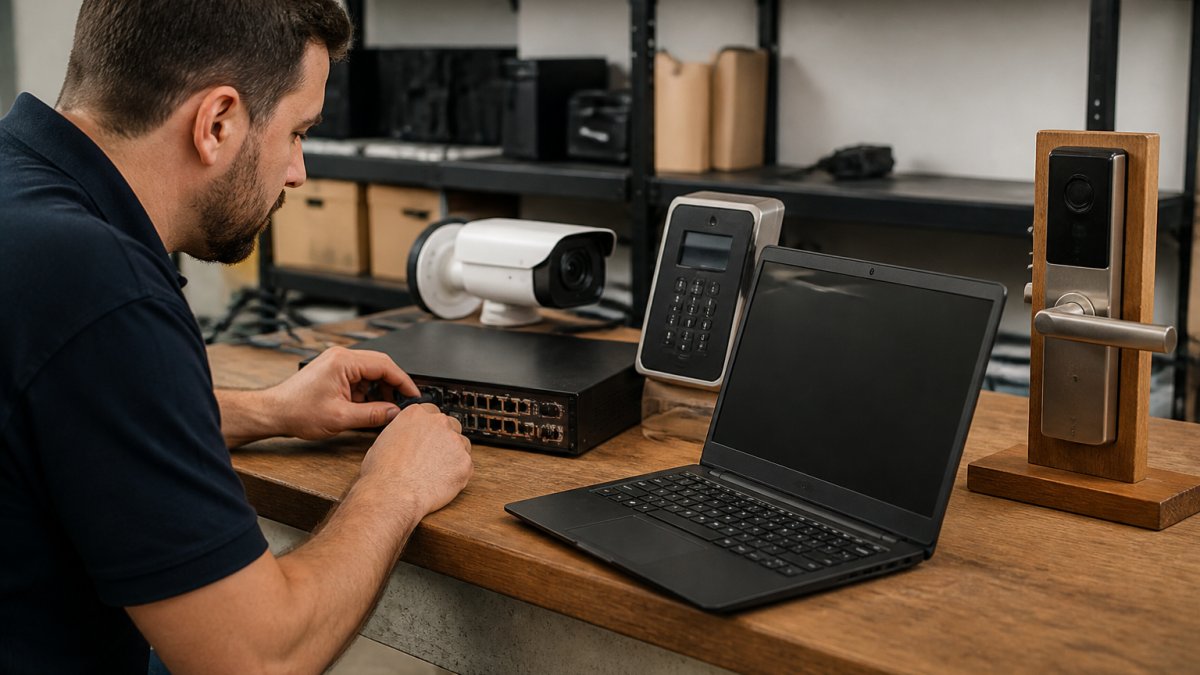
Security Camera Vulnerabilities: Firmware, Cloud, and Network Risks
Connected security devices can have vulnerabilities. Treat each device as a potential entry point, then consider the four risk layers below.
Default and weak credentials on devices. Check device documentation for default administrator credentials. Change default credentials, use unique passwords, and enable multi-factor authentication where supported. For access-control panels, review installer and end-user codes.
Insecure firmware and unsupported devices. Firmware updates can address known flaws. Check device firmware versions against current releases and confirm whether devices are supported. Consider how to address devices that no longer receive patches.
Exposed interfaces and cloud connections. Open ports, remote-viewing features, and cloud logins can create security risks. Review remote-access settings and cloud-account permissions. Ask your provider where footage is stored, who can access it, and whether local backup is available before relying on cloud-only storage.
Network placement. Network placement is one factor to review when assessing connected devices. Consider whether cameras, alarms, and access control should be on a separate network segment or VLAN, and review traffic between that segment and the business network.
Security Vulnerability Assessment Checklist for Integrated Systems
An assessment checklist can help structure a review. Record the date and result for each line, and assign an owner to items that need follow-up.
Priority 1, close the easiest doors first
- Every default password changed on cameras, recorders, panels, and smart locks, and documented in a password manager
- Multi-factor authentication enabled on all admin and cloud accounts
- Remote-access features reviewed; peer-to-peer and universal plug-and-play disabled where not needed
- Cloud sharing links checked and closed if anyone with the URL can view footage
Priority 2, reduce the blast radius
- Cameras, alarms, and access control moved to a separate network segment or VLAN
- Remote access limited to named users, not shared logins
- User accounts reviewed against the current staff list, including installer and vendor accounts
- Local backup confirmed for any cloud-stored footage
Priority 3, keep it from drifting back
- Firmware version checked on every camera, reader, recorder, and panel against the vendor's current release
- Patch schedule written down and assigned to a named person
- End-of-life devices identified and placed on a replacement plan
- Vendor remote-access agreements reviewed; support access disabled when not in active use
- Log review scheduled and assigned
- Incident response steps written and shared with staff
Detection indicators to watch for. When reviewing a system, look into unexplained access events or door unlocks, disabled alerts or notifications, unexpected configuration changes or admin accounts, unusual outbound network traffic, and footage gaps that do not match a known outage.
If you suspect a compromise. If you suspect a compromise, consider isolating the affected device or network segment and preserving logs and footage before rebooting or wiping anything. Review credentials, backups, firmware, and settings as part of recovery, and document what happened.
If you want to go deeper on the network side, our step-by-step guide on securing integrated security networks covers segmentation and remote access in detail.
Security System Best Practices That Close the Gaps
Best practices include habits for reviewing and maintaining a system.
- Patch on a schedule. Set a monthly window and stick to it.
- Review accounts quarterly. Remove anyone who no longer needs access.
- Segment the network. Keep cameras and access control off the office network.
- Log and review. An alert nobody reads is not monitoring.
- Test the plan. Walk through what happens if a camera fails or a login is compromised.
- Write it down. A process that lives in one person's head leaves with them.
Assigning responsibility for each item on the list can help keep follow-up organized.
For teams managing multiple buildings, our guide to central security management covers how to keep the same standards across every site.
Book a Professional Security Assessment with Mt. Major Tech
A checklist can help you get started. A professional assessment is another option for reviewing an integrated system.
Mt. Major Tech provides advanced security integration for residential and commercial clients. Our team deploys AI-enabled surveillance and smart access control, and we build a unified approach to safety rather than a stack of disconnected devices. We also stay on after installation with ongoing maintenance and technical care, so your system keeps pace with new threats.
If you are interested in security integration services, contact us.
Frequently Asked Questions
What are the most common security system vulnerabilities?
Security system vulnerabilities can include default or weak passwords, unpatched firmware and software, exposed network ports, misconfigured cloud storage, and unencrypted camera streams. Physical weaknesses such as unlocked equipment cabinets and exposed cabling are also worth reviewing. A vulnerability assessment can help identify potential issues.
How can I identify vulnerabilities in a security system?
A review can start with an inventory of devices, followed by checks of firmware versions, password policies, network exposure, and cloud permissions. Review access logs for unusual activity and check camera encryption and remote-access settings. A structured checklist can help organize the review. For multiple buildings or integrated systems, a professional assessment is another option.
Why are default passwords a security risk?
Default passwords may be included in product documentation or shared online, which can make them a security risk. Change default credentials, use unique passwords for each device, and enable multi-factor authentication where supported. For larger sites, a password manager or centralized identity system can help manage credentials.
How often should security systems be checked for vulnerabilities?
Review systems after major changes, such as adding devices or changing network configurations. Consider firmware updates and vendor security advisories as part of ongoing maintenance. The appropriate review schedule depends on the system and its needs.
Every system has weak points. The question is whether you find them first. Get started with Mt. Major Tech and close the gaps before someone else finds them for you.