 how-to
How to Secure Integrated Security Networks: 7 Steps
Table of Contents
- Step 1: Map Your Integrated Network and Assess Risk
- Step 2: Apply Network Security Best Practices to Every Layer
- Step 3: Use Security Network Segmentation to Contain Threats
- Step 4: Secure Enterprise Wireless Networks and Connected Devices
- Step 5: Deploy Firewalls, Endpoint Protection, and Encryption
- Step 6: Lock Down Legacy Devices, Vendors, and API Security
- Step 7: Validate with a Security System Cybersecurity Checklist
- Conclusion: Build Resilience and Keep Your Security Posture Strong
- Frequently Asked Questions
Last Updated: October 13, 2026
Step 1: Map Your Integrated Network and Assess Risk
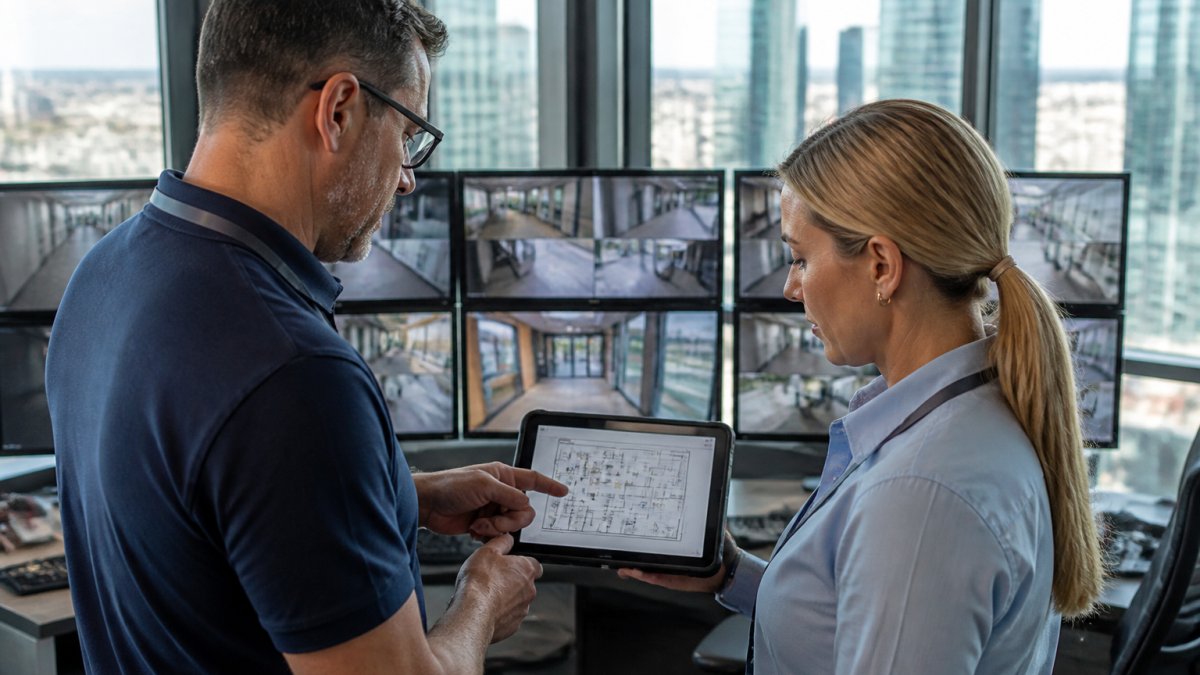
You cannot protect what you have not counted. The first step in any plan for how to secure integrated security networks is a full inventory of every connected device, followed by a risk assessment that scores each one.
Start with the basics. Most facilities run cameras from one vendor, access control from another, and alarms from a third. That mix creates blind spots.
Build a Device Inventory Across IT, IoT, and Physical Security
List every device on the network. That includes servers, laptops, cameras, door readers, sensors, and building systems.
For each device, record four things:
- What it is and who made it
- Its IP address and firmware version
- Who owns it (internal team or vendor)
Devices that no longer get updates are your biggest risk. Flag them now.
Run a Risk Assessment That Covers Every Connected System
A risk assessment is a review that ranks each device by how likely it is to be attacked and how much damage a breach would cause.
Score each system on two scales: likelihood and impact. A camera on the lobby wall is low impact. A door controller for a server room is high impact.
Step 2: Apply Network Security Best Practices to Every Layer
Good network security best practices start with one rule: give every user and device the least access it needs to do its job. Nothing more.
Access Control and Least Privilege for People and Devices
Least privilege means a front desk clerk can view camera feeds but cannot change firewall rules. A camera can send video to the recorder but cannot reach the internet.
Set up access control in three tiers:
- View-only access for most staff
- Admin access for a small, named group
- Full system access for one or two people
Review that list every quarter. People change roles. Their access should change too.
Strong Authentication, Multifactor Authentication, and Identity Management
Multifactor authentication (MFA) requires a second proof of identity beyond a password, such as a code from a phone app.
Turn on MFA for every admin account. No exceptions. Also enforce strong passwords of at least 12 characters, and use a password manager for shared accounts.
Identity management keeps one record of who can access what. When someone leaves, you disable one account instead of hunting through five systems.
Step 3: Use Security Network Segmentation to Contain Threats
Security network segmentation splits your network into separate zones so a breach in one zone cannot spread to the rest. It is the single most effective control for integrated environments.
VLANs, Guest Networks, and Isolating Cameras, Access Control, and Intrusion Systems
A VLAN is a virtual lane on your network. Devices in one VLAN cannot talk to devices in another unless you allow it.
Put these systems on their own VLANs:
- IP cameras and video recorders
- Door access controllers
- Intrusion and alarm panels
If a camera gets hacked, the attacker still cannot reach your payroll server.
| Zone | What Goes There | Access Rule |
|---|---|---|
| Camera VLAN | Cameras, NVRs | Video traffic only |
| Access VLAN | Door controllers | Badge data only |
| Guest VLAN | Visitor Wi-Fi | Internet only |
| Staff VLAN | Workstations | Business apps |
Step 4: Secure Enterprise Wireless Networks and Connected Devices
To secure enterprise wireless networks, treat every access point as a potential entry point.
Wi-Fi security starts with WPA3 encryption and a hidden admin console. Change the default admin password on every access point.
Wireless intrusion detection watches for rogue access points and odd traffic. Wireless intrusion prevention goes further: it blocks the threat automatically.
Step 5: Deploy Firewalls, Endpoint Protection, and Encryption
A firewall filters malicious traffic at the edge of your network. Endpoint protection guards each device. Encryption scrambles data so stolen files are useless.
Protecting Data in Transit and at Rest Across the Integrated Network
Data in transit is data moving between devices. Data at rest is data sitting on a drive. You need encryption for both.
- Use TLS for all camera and controller traffic
- Encrypt recorded video on the recorder and in the cloud
- Encrypt backups, and store a copy offline
A device-based firewall on each camera or controller adds a second layer. It stops a compromised device from scanning the rest of the network.
Step 6: Lock Down Legacy Devices, Vendors, and API Security
Legacy devices are the hardest part of any integrated security network. Many were built before security was a design concern, and some vendors never release patches. The same is true for the connective tissue between systems: service accounts, APIs, and vendor remote-access paths. This is where most integrated environments actually fail, because the risk lives between systems rather than inside any single one.
Isolate and Compensate for Devices You Cannot Patch
A camera, door controller, or alarm panel that stopped receiving firmware updates years ago cannot be hardened the way a laptop can. You cannot install an agent on it, you often cannot enforce MFA at the device, and the vendor may have no supported path forward.
Here is how to handle them:
- Put each legacy device on its own VLAN with a default-deny firewall rule. It should only reach the specific recorder, controller, or server it must talk to.
- Block outbound internet access unless a documented business need exists. Most cameras and panels have no reason to reach the public internet.
- Use a jump host or VPN with MFA for any administrative access, and log every session.
Legacy gear is not a reason to rip everything out. Isolate it, limit what it can reach, and plan its replacement on your own timeline.
Control Vendor and Third-Party Access
Vendors need access to support their systems, and that access is a common breach path. Treat every vendor connection as a privileged account.
- Give each vendor a named account, never a shared one. Shared credentials make it impossible to attribute activity.
- Require MFA for vendor access, even when the vendor says it is inconvenient.
- Use time-bound access: enable the account when a ticket is open, disable it when the work is done.
Secure the APIs and Service Accounts That Hold Systems Together
Every integration between your camera platform and your access control system runs through an API, and most of those integrations authenticate with a long-lived key or service account.
- Use unique API keys per integration. Never reuse one key across multiple systems or environments.
- Rotate keys on a schedule and immediately after any vendor or staff change.
- Never store keys in plain text in a config file, script, or shared document. Use a secrets manager or, at minimum, an encrypted store with restricted access.
A common pattern is a single integration account with broad permissions that has been in place since initial deployment. If that account is compromised, the attacker inherits its reach across every connected system.
Step 7: Validate with a Security System Cybersecurity Checklist
A security system cybersecurity checklist turns your plan into proof. Run it after setup and again every quarter. The goal is not to check boxes but to produce evidence you can compare over time.
Configuration and Control Review
- Every device inventoried, labeled, and assigned an owner
- Default passwords changed on all hardware, including cameras, panels, and access points
- Guest network isolated from business and security systems
Test, Do Not Assume
A checklist confirms configuration. Testing confirms it actually works. Schedule these on a recurring basis:
- Segmentation tests. From a camera VLAN, attempt to reach a staff workstation and a server. Both should fail. Document the result.
- Authentication tests. Attempt to log in with a disabled account, a shared credential, and an account without MFA. All should be blocked.
- Vulnerability scans. Run authenticated scans against the integrated environment, including cameras and controllers, and track findings to closure.
- Penetration testing. At least annually, and after any major integration or vendor change, have an independent party attempt to move from a security device into the business network.
Metrics Worth Tracking
Numbers make the program defensible to leadership and reveal drift before it becomes a breach.
- Patch coverage: percentage of devices on a supported firmware version, with the exception list tracked separately.
- Mean time to detect: how long between an anomalous event and someone noticing it.
- Mean time to respond: how long from detection to containment.
- Privileged account count: how many admin and service accounts exist, and whether each has an owner.
Plan for Resilience, Not Just Prevention
Integrated systems fail in ways that are not always attacks. A recorder fills a disk, a cloud service goes down, a switch loses power, or a coordinated attack takes out multiple systems at once. Build for continuity:
- Back up configurations for cameras, controllers, and panels, not just recorded video.
- Keep an offline copy of critical backups so ransomware cannot reach them.
- Define fail-safe behavior. Decide in advance whether doors fail open or fail secure, and confirm the choice matches life-safety requirements.
- Identify dependencies. If the identity provider is down, can staff still badge into the building? If the video management system is down, do cameras still record locally?
Track your results over time. According to CISA's cybersecurity guidance, regular vulnerability checks and patch management are core controls for any connected system. The NIST Cybersecurity Framework offers a free structure for scoring your security posture. The point of validation is not a passing grade; it is a repeatable loop that catches drift, proves your controls work, and shows you where to invest next.
Conclusion: Build Resilience and Keep Your Security Posture Strong
Integrated networks change every time you add a camera, a door reader, or a new vendor platform.
That is where Mt. Major Tech comes in. We design AI-enabled surveillance, smart access control, and intrusion defense as one unified system.
Book online with Mt. Major Tech and get a security system built for how your property actually runs.
Frequently Asked Questions
How do you secure cameras, access control, and intrusion systems on one network?
Put each system on its own segment or VLAN, then control traffic between them with firewall rules that allow only the connections they need. Use multifactor authentication for every administrator account, keep firmware current, and encrypt data in transit. An integrated security network works best when cameras, access control, and intrusion panels share a management layer but not a flat network, so a compromise in one system does not spread to the others.
Should security devices be placed on a separate network or VLAN?
Yes. Security network segmentation keeps cameras, access readers, and alarm panels off the same network as employee laptops and guest Wi-Fi. A dedicated VLAN limits lateral movement if a device is compromised, makes monitoring simpler, and lets you apply stricter access control. For larger sites, use one VLAN per system type and route traffic through a firewall so you can log and inspect what crosses between them.
How often should firmware and security software be updated on connected security devices?
Check for firmware and software updates monthly at minimum, and apply critical patches within days of release. Cameras, recorders, access controllers, and IoT sensors are common entry points for attackers, so patch management belongs in your routine, not a yearly maintenance visit. Track versions in a simple spreadsheet, subscribe to vendor advisories, and test updates on one device before rolling them across the integrated network.
What are the most important network security best practices for a business?
Start with a full device inventory, then apply least privilege, multifactor authentication, and network segmentation. Add firewalls at every boundary, endpoint protection on servers and workstations, and encryption for data in transit and at rest. Monitor for malicious traffic with intrusion detection and prevention, review secure configuration quarterly, and keep a tested incident response plan. These network security best practices reduce your attack surface and make problems easier to spot early.