 listicle
7 Pros and Cons of Facial Recognition Time Tracking
Quick Summary
Facial recognition time tracking replaces badges and punch cards with a camera that matches an employee's face to a stored template at clock-in. It stops buddy punching and speeds up shift changes, but accuracy varies with lighting and workforce, and biometric privacy laws and accommodation duties apply.
- Buddy punching is hard to detect with shared badges but facial matching makes proxy punches far harder.
- NIST testing shows error rates can vary by demographic group, so ask vendors for workforce-specific evidence.
- Build a non-biometric alternative from day one to meet accommodation obligations and avoid complaints.
- Biometric privacy requirements vary by state, so confirm rules with counsel before enrollment.
- Request a written quote for your site, since hardware is rarely the largest cost over several years.
Table of Contents
- How Facial Recognition Time Tracking Works in Practice
- The Pros: Where Facial Recognition Earns Its Place
- Facial Recognition Time Tracking Accuracy: What the Cons Look Like
- Employee Biometric Data Privacy and Consent Obligations
- Cost, Failure Handling and Non-Biometric Alternatives
- A Decision Framework for Choosing Your Clock-In Method
- Scoping Your Next Step With Mt. Major Tech
- Frequently Asked Questions
How Facial Recognition Time Tracking Works in Practice
Last Updated: October 30, 2026
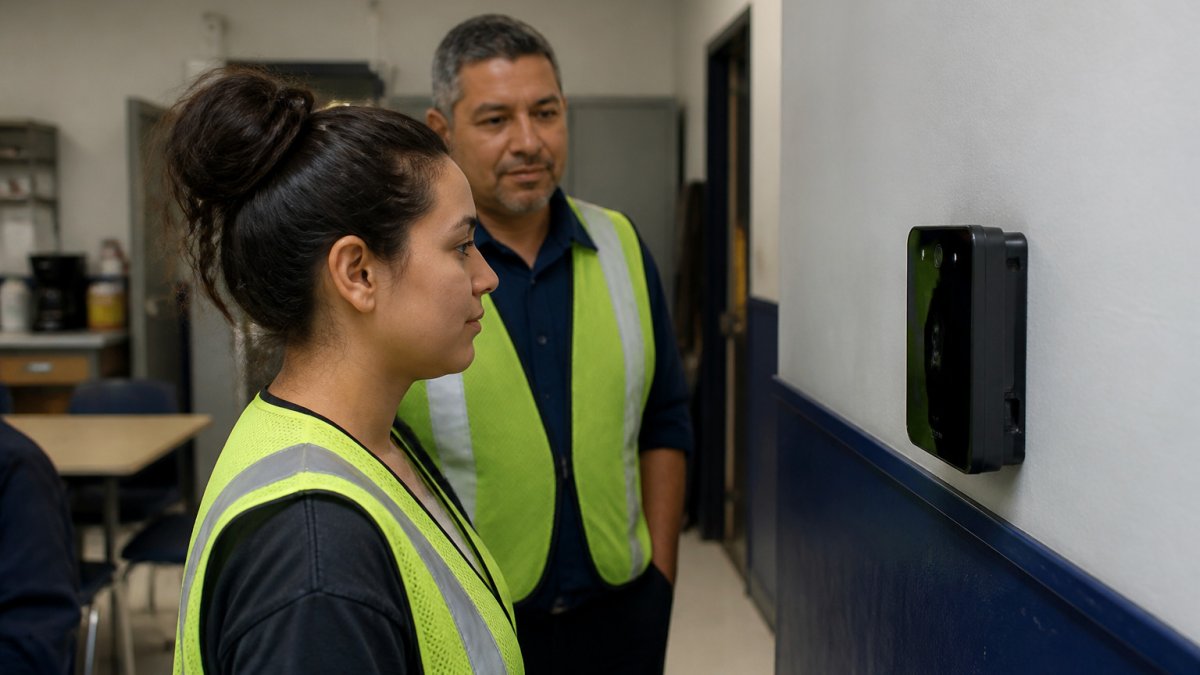
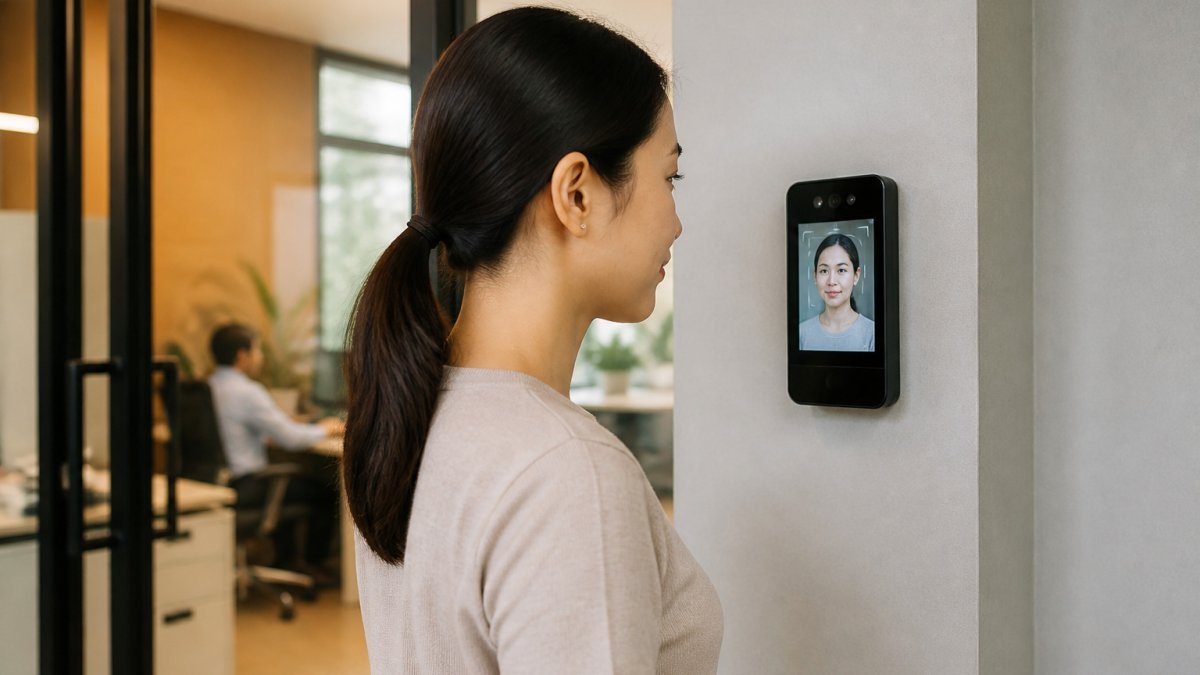
Facial recognition time tracking replaces the badge swipe or the punch card with a camera. An employee steps up to a terminal, the device captures a face image, compares it against a stored template, and records a clock-in or clock-out if the match passes.
The workflow has three parts: enrollment (capturing a reference image, often in good lighting from a few angles), liveness and matching checks at each punch, and timestamps flowing into the attendance system that feeds payroll. Treating this as a systems question makes sense, since the terminal is only one link in a chain that must connect cleanly to existing records.
Integration is where many projects succeed or stall. Learn how to integrate biometric readers with existing access control before you commit.
Watch out: enrolling employees without a documented consent process can create legal exposure before the first clock-in ever happens.
The Pros: Where Facial Recognition Earns Its Place
Facial recognition earns its place where the business problem is specific and measurable. The benefits below come up most often in practice, though their value depends on your workforce and site.
- Stopping buddy punching and time theft. A face must match the person clocking in, removing the most common abuse of shared badges and PINs.
- Faster, contactless clock-in. No card to lose, no PIN to forget; queues shorten at shift changes.
- Cleaner attendance records. Timestamps tied to a verified identity reduce hour disputes.
- Fewer payroll errors. Accurate data flowing automatically cuts manual corrections.
- Lower administrative workload. Supervisors spend less time chasing missed punches.
- Remote-to-site accountability. A fixed terminal gives a verifiable record of presence.
- Audit-friendly documentation. Logs of who clocked in and when support internal reviews and some compliance checks.
Stopping Buddy Punching and Time Theft
Buddy punching, one employee clocking in for another, is hard to detect with shared credentials because the punch looks legitimate. Facial matching makes proxy punches far harder, since the person at the terminal must be the enrolled employee. Many employers find this single benefit justifies the project, especially in shift-heavy operations where small mismatches compound across a payroll cycle.
Faster, Contactless Clock-In
A well-placed terminal can handle a steady flow of people without anyone touching a shared surface. Speed depends on lighting, camera placement, and how many people stand in front of the device at once. Position the terminal where people walk through, not where they must stop and search for it.
Facial Recognition Time Tracking Accuracy: What the Cons Look Like
Accuracy is the most important limitation to evaluate honestly. Systems make two types of error: a false rejection (employee not recognized, must retry or call a supervisor) and a false acceptance (system matches the wrong person).
Common practical problems include:
- Lighting changes between morning and evening shifts that reduce match rates
- Glasses, hats, facial hair changes, or masks that confuse the matcher
- Camera placement that forces awkward angles
A common mistake is buying on the strength of a demonstration. Ask for pilot data from a site with conditions similar to yours, and test the system with your actual employees, including those who wear glasses or work nights.
Bias and Performance Across Employee Groups
This is the part of the accuracy conversation most vendors and listicles skip. National Institute of Standards and Technology (NIST) runs ongoing face recognition vendor testing (FRVT) publishing error rates across algorithms and demographic groups (nist.gov).
In practice, ask these questions before you buy:
- Which NIST FRVT results apply to the algorithm in this product, and what do they show across demographic groups?
- Has the vendor tested the terminal under the lighting and camera conditions at your site?
- What is the false rejection rate for employees who wear glasses, head coverings worn for religious reasons, or PPE?
A system that performs well on average but rejects a subset of employees more often creates a two-tier workplace: some clock in in one second, others wait for a supervisor every shift.
Accessibility and Accommodation
Facial recognition is not accessible to every employee. People with certain visual or mobility conditions, employees who wear medical devices, and employees whose religious practice involves face coverings may not be able to use a face terminal reliably or at all. Under the Americans with Disabilities Act (ADA), employers generally must provide reasonable accommodations, and a clock-in method an employee cannot use can trigger that obligation.
A defensible program includes:
- A written accommodation process employees can invoke without penalty
- A non-biometric alternative (badge plus PIN, mobile app, or supervisor-authorized manual punch) available on request
- A rule that opting out does not affect pay, scheduling, or discipline
If your only clock-in method is a face terminal and an employee cannot use it, you may have created an accommodation obligation you did not plan for. Build the alternative before you deploy, not after a complaint.
What Happens When Recognition Fails
Failure handling is where accuracy problems become payroll problems. Plan the failure path explicitly: Automating these exception workflows remains the most effective way to reduce manual data entry while ensuring that payroll integrity stays intact across your entire workforce.
- Retry logic: How many attempts before the terminal offers an alternative?
- Supervisor override: Who can authorize a manual punch, and is it logged with a reason code?
- Offline behavior: If the network or cloud service is down, does the terminal store punches locally and sync later?
Track rejection rates by employee and by terminal after go-live. A terminal with a rejection rate noticeably higher than its peers usually has a placement, lighting, or hardware problem that is fixable, but only if someone is watching the data.
Employee Biometric Data Privacy and Consent Obligations
Facial geometry is biometric data, and biometric data carries specific legal obligations that go beyond ordinary HR records. Several U.S. states regulate biometric identifiers directly, and requirements differ by state. Employers should review the statutes that apply in each state where they operate.
In practice, a defensible program includes:
- Written notice to employees describing what is collected, why, and how long it is kept
- Written consent obtained before enrollment, with a genuine opt-out or alternative path
- A published retention and destruction schedule
Watch out: a vendor's assurance that it "doesn't store photos" does not satisfy a statute that regulates the template itself. Read the contract.
Data security matters as much as consent. If you are assessing controls against a formal framework, the American Institute of CPAs describes the trust criteria used in SOC 2 audits, which many buyers now request from vendors (2017 Trust Services Criteria (With Revised Points of Focus - 2022) | Resources).
Cost, Failure Handling and Non-Biometric Alternatives
Cost is the section where most articles wave at "it varies" and move on. That is not useful if you are building a budget. The honest answer is that facial recognition time tracking has several cost layers, and the hardware is rarely the largest one over a multi-year horizon.
The Cost Layers
Budget for each of these separately:
- Hardware: terminals, cameras, mounting, and any enclosure or pedestal. Cost scales with the number of clock-in points and how much traffic each must handle.
- Software and licensing: per-employee or per-terminal subscription fees, or an outright license. Subscription pricing means the cost recurs every year.
- Installation and infrastructure: network drops, power, cabling, and physical mounting. Older buildings often need more of this than expected.
Because pricing varies so widely by vendor, terminal count, and integration scope, request a written quote for your specific site rather than relying on published estimates. Compare the cloud vs on-premise hospital security cost analysis to see how infrastructure choices shift total spend. Current pricing from Mt. Major Tech depends on quantity, dates, and delivery; visit the Mt. Major Tech website for current prices or a quote.
Framing Return on Investment
ROI for facial recognition time tracking comes from a small number of measurable places, and it is worth estimating each before you buy:
- Reduced buddy punching: estimate the minutes per pay period that are currently paid but not worked, then multiply by the loaded hourly rate. Even small daily leakage compounds across a year.
- Fewer payroll corrections: count the manual corrections your payroll team processes each cycle and the time each takes.
- Supervisor time recovered: time spent chasing missed punches and signing off exceptions.
A common pattern is that the theft-reduction case is strong in shift-heavy operations with a documented problem, and weak in salaried or low-turnover environments where buddy punching was never a real issue. If you cannot point to a measurable problem, the ROI case is thin no matter how good the technology is.
Plan for Failure Before It Happens
Terminals go offline, cameras get blocked, and networks drop. Ask these questions:
- What happens to punches recorded while the device is offline? Is there local storage that syncs later?
- Is there a manual override that a supervisor can authorize, and is it logged?
- How quickly can the vendor repair or replace a failed unit?
Non-Biometric Alternatives, Compared
Non-biometric alternatives remain strong options, and comparing them honestly is part of a good decision:
- Badge plus PIN: low cost, familiar, and reduces buddy punching compared with a shared badge alone, though a determined employee can still share both.
- Mobile clock-in with GPS and photo verification: good for field and remote staff, but raises its own location-privacy questions and depends on personal devices.
- Kiosk with secure badge reader: a middle ground that improves credential hygiene without collecting biometrics.
Some employers combine methods, using a badge for routine punches and facial verification only for sites with a documented theft problem. Choosing the least invasive method that solves your actual problem is usually the defensible choice, and it is often cheaper, which makes the cost conversation easier to have with finance.
A Decision Framework for Choosing Your Clock-In Method
Use these questions to decide, and write down the answers before comparing vendors:
| Question | If the answer is yes | If the answer is no |
|---|---|---|
| Do you have documented buddy punching or proxy punching? | Facial matching or a stronger credential is worth evaluating | A cheaper badge or app may be enough |
| Do you operate in a state with a biometric privacy statute? | Budget for counsel review, consent, and retention policy | Confirm your state's rules before deciding |
| Are most employees on fixed shifts at one site? | A fixed terminal fits well | Mobile or app-based clock-in may suit field staff better |
| Can the vendor export to your payroll system without manual work? | Integration risk is manageable | Treat integration as a blocking requirement |
| Do you have a plan for offline operation and overrides? | Failure handling is covered | Build the plan before purchase |
Score each option against your priorities: time theft reduction, employee trust, cost, integration effort, and legal exposure. A method that reduces theft but damages trust or creates legal risk is rarely the right choice, even if it looks cheapest on paper.
Scoping Your Next Step With Mt. Major Tech
If you are weighing facial recognition time tracking for a site in Northern New England, a useful next step is to review your existing systems, your employee count and shift pattern, and your privacy obligations before you compare vendors. Mt. Major Tech provides ongoing technical support for its security systems. To start, use the Book Online option on the Mt.
Frequently Asked Questions
Can facial recognition prevent buddy punching?
Yes, it is one of the main reasons employers adopt it. Buddy punching happens when one employee clocks in or out for another, and a system that requires a live face match makes that hard to do. Because the check happens at the terminal, the record reflects the person physically present. It does not eliminate every workaround, since a determined employee might still attempt to spoof a camera or ask a colleague to stand in. Pairing face matching with supervisor review of unusual punch patterns closes most remaining gaps.
Is facial recognition accurate enough for employee time tracking?
Accuracy depends on the camera quality, lighting, the vendor's matching algorithm and the threshold the system uses to accept or reject a match. Well-configured systems perform reliably for most employees, but false rejections can still occur with masks, glasses, hats, changes in appearance or poor lighting. Ask any vendor for its false acceptance and false rejection rates under conditions similar to your site, and test the system on your own workforce before a full rollout.
Do employers need employee consent to use facial recognition for time tracking?
Requirements vary by state. Several states regulate biometric identifiers, and requirements differ by state. Employers operating in multiple states should review the rules that apply to each location and consult employment counsel before deploying a biometric clock.
What happens if an employee cannot use facial recognition to clock in?
A good deployment includes a fallback method, such as a badge, PIN or supervisor-assisted entry, so that an employee who cannot be recognized can still record their time. Policies should state how exceptions are logged and reviewed. Without a fallback, a single failed scan can cause missed punches, payroll disputes and frustration, so plan for it before go-live.