 comparison
Cloud vs On-Premise Security: Which Fits Your Needs
Table of Contents
- Cloud vs On-Premise Security: Core Differences
- Cloud Access Control Benefits and Trade-offs
- On-Premise Security Maintenance Costs and Control
- Security, Compliance, and Data Sovereignty
- Hybrid Security Integration Strategies
- Scalability, Deployment Speed, and Remote Management
- Making Your Decision: A Framework for IT Managers
- Frequently Asked Questions
Last Updated: October 2, 2026
Cloud vs On-Premise Security: Core Differences
Understanding cloud vs on-premise security and how this choice shapes your entire IT infrastructure strategy is essential. At Mt. Major Tech, we work with organizations across Northern New England that face this decision daily, and the answer is rarely straightforward.
Cloud-based security means your authentication, access control, and surveillance systems run on vendor-managed servers. You access them through the internet, and the vendor handles patches, updates, and hardware maintenance. On-premise security keeps everything behind your firewall, on servers you own and manage. Both approaches protect your assets, but they distribute responsibility, cost, and control very differently.
The core tension isn't about which is "better", it's about which aligns with your operational reality, compliance requirements, and risk tolerance. A healthcare provider with strict data residency rules needs different solutions than a small manufacturing operation. A facility spread across multiple buildings has different scalability needs than a single-location estate.
Understanding these differences upfront prevents expensive mistakes. Many organizations discover too late that their chosen approach creates compliance headaches, unexpected costs, or operational bottlenecks they didn't anticipate.
Cloud Access Control Benefits and Trade-offs
Cloud-based access control systems offer genuine advantages in deployment speed and remote management. You can provision new users, adjust permissions, and review access logs from anywhere without touching physical hardware. Updates happen automatically, no maintenance windows, no IT staff scrambling to patch systems.
Scalability works differently with cloud. Adding 50 new badge readers or expanding to a second facility doesn't require capital expenditure on new servers. You pay for what you use, and the infrastructure scales with your needs.
Remote management becomes especially valuable when your facilities span multiple locations. A security manager can view real-time access events, manage authentication policies, and respond to incidents from a single dashboard. For distributed operations, this centralization saves significant time.
The trade-off is data sovereignty. Your access logs, authentication credentials, and security events live on the vendor's infrastructure, potentially in data centers outside your control. You depend on their uptime, their security protocols, and their disaster recovery capabilities.
Latency can also matter. Cloud-based authentication adds network round-trips. For high-security facilities requiring sub-second access decisions, this introduces a performance variable you don't control.
On-Premise Security Maintenance Costs and Control
On-premise systems give you complete data residency. Your access control databases, surveillance footage, and authentication logs never leave your facility. You control the encryption keys, the backup schedules, and the disaster recovery process.
The operational burden is real. You own the servers, the network infrastructure, and the responsibility for patch management. When a critical security vulnerability emerges, your IT team applies the fix. When a hard drive fails, you replace it.
Maintenance staffing adds another layer. Someone needs to monitor system health, manage backups, troubleshoot connectivity issues, and plan capacity expansions. For smaller organizations, this might consume significant IT resources. For larger ones, it justifies dedicated security infrastructure teams.
Upfront capital expenditure is substantial. Servers, networking equipment, surveillance hardware, and installation labor require budget commitment before the system goes live. This makes on-premise solutions less flexible for organizations with tight capital budgets or uncertain facility needs.
However, once installed, on-premise systems operate independently of internet connectivity. If your WAN link fails, your access control and surveillance systems continue functioning. You maintain local authentication capabilities and can review footage without cloud dependencies.
Security, Compliance, and Data Sovereignty
This is where technical architecture meets regulatory reality. Different industries face different compliance mandates, and your security integration approach must satisfy them.
Healthcare providers operating under HIPAA requirements often need to demonstrate data residency within specific geographic boundaries. Cloud providers typically operate multi-tenant environments where your data physically resides in shared data centers.
Defense contractors and manufacturing businesses handling sensitive intellectual property frequently face similar data residency requirements. Their contracts may explicitly require that surveillance footage and access logs remain within controlled facilities. Cloud storage, even encrypted, may violate contractual obligations.
Financial institutions face comparable pressures. Regulators expect clear data control chains. On-premise systems provide unambiguous evidence of who accessed what, when, and from where. Cloud systems introduce vendor intermediaries into that chain.
The security maturity assessment matters here. A well-designed cloud system with proper encryption, multi-factor authentication, and audit logging may provide stronger actual security than a poorly maintained on-premise installation.
Vendor lock-in represents a genuine risk with cloud solutions. Switching providers means migrating years of access logs, reconfiguring integrations with other systems, and potentially accepting data loss or extended downtime.
Hybrid Security Integration Strategies
Many organizations discover that pure cloud or pure on-premise doesn't fit their actual operational needs. Hybrid approaches, combining cloud management with on-premise data storage, or running cloud-based analytics on locally-captured footage, offer middle ground.
One common pattern: on-premise surveillance recording with cloud-based analytics. Your cameras and storage remain local, maintaining data residency and network independence. Cloud services process the footage for AI-enabled threat detection, behavior analysis, and pattern recognition.
Another approach uses cloud for access control management while maintaining on-premise authentication servers. Users authenticate against local systems for speed and resilience. The cloud platform provides policy management, reporting, and remote administration.
Some organizations implement geographic distribution: cloud-based centralized management for policy and reporting, with on-premise edge servers at each facility handling local operations.
Hybrid integration requires careful architecture. You need clear data flows, consistent security policies across both environments, and integration points that don't create vulnerabilities. The complexity increases, but so does flexibility.
Mt. Major Tech frequently designs hybrid systems for clients with distributed facilities and strict compliance requirements.
Scalability, Deployment Speed, and Remote Management
Scalability operates differently in each model, and the difference matters more than most organizations anticipate.
Cloud systems scale horizontally. Adding users, facilities, or devices means increasing your subscription tier or adjusting your billing. The vendor's infrastructure handles the actual capacity.
On-premise systems scale vertically. You add servers, network bandwidth, and storage capacity. Scaling to 10,000 users might require hardware upgrades costing tens of thousands of dollars.
Deployment speed favors cloud dramatically. A cloud access control system can be operational within days: account creation, configuration, and integration with existing systems. On-premise deployment typically takes weeks or months.
Remote management capabilities have converged. Both cloud and modern on-premise systems offer mobile apps, web dashboards, and real-time alerting.
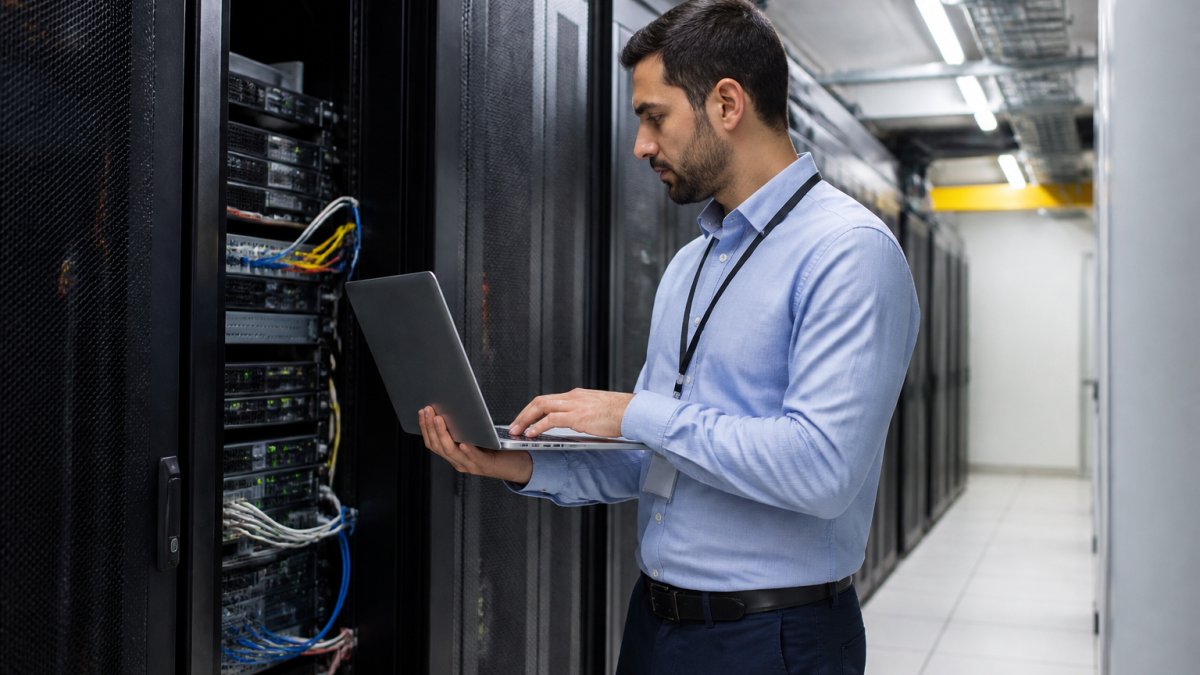
For organizations with IT staff, on-premise remote management is achievable and often more secure than cloud alternatives. For organizations relying on limited IT resources, cloud's built-in remote capabilities reduce burden significantly.
Making Your Decision: A Framework for IT Managers
Start with non-negotiable constraints. Does your industry or contracts require data residency? That eliminates pure cloud immediately. Do you need sub-second access decisions or continuous operation during network outages? That favors on-premise.
Next, calculate total cost of ownership honestly. Cloud costs look low monthly until you account for integration, customization, and vendor management overhead.
Assess your compliance maturity. Can your IT team implement and maintain security policies consistently? Can you document audit trails and demonstrate compliance to regulators? If not, cloud providers with compliance certifications may reduce risk.
Consider your growth trajectory. Rapid, unpredictable growth favors cloud's flexibility. Stable, predictable growth can justify on-premise capital investment. Organizations in transition, uncertain whether they're expanding, consolidating, or restructuring, often benefit from cloud's flexibility during the transition period.
Evaluate integration complexity. If your security systems must integrate tightly with other infrastructure, building automation, IT asset management, incident response platforms, on-premise systems often integrate more cleanly.
| Decision Factor | Cloud Favors | On-Premise Favors |
|---|---|---|
| Data Residency Requirements | Limited locations | Strict/multiple jurisdictions |
| Deployment Timeline | Weeks | Months acceptable |
| IT Staff Expertise | Limited security knowledge | Mature security practices |
| Growth Predictability | Rapid/uncertain | Stable/planned |
| Compliance Certifications | Available/sufficient | Insufficient/custom needed |
| Remote Management Needs | High priority | Secondary consideration |
| Network Reliability | Consistent connectivity | Frequent outages |
| Integration Complexity | Simple APIs sufficient | Tight coupling needed |
Real organizations rarely fit neatly into one category. A healthcare provider might need on-premise storage for HIPAA compliance but cloud-based analytics for AI threat detection.
Choosing between cloud and on-premise security integration requires understanding your actual constraints, not just comparing feature lists. Data residency requirements, compliance obligations, IT staff expertise, and growth trajectory all shape the decision. At Mt. Major Tech, we work with organizations across Northern New England to design security systems that fit their specific operational reality, whether that's pure cloud, pure on-premise, or hybrid integration that combines both. The right approach isn't universal; it's the one that satisfies your compliance requirements, supports your operational model, and aligns with your IT capabilities. Book Online to discuss your facility's specific security integration needs and explore which approach delivers the resilience and control your organization requires.
Frequently Asked Questions
Why choose cloud over on-premise for security systems?
Cloud security offers remote access from anywhere, automatic updates without IT overhead, and lower upfront capital costs. On-premise works better if you need complete data control, have strict compliance requirements, or operate in environments with unreliable internet. Many organizations find hybrid models, cloud for surveillance with on-premise access control, balance both benefits.
Is cloud-based security integration more cost-effective than on-premise?
Cloud typically has lower initial costs and predictable monthly fees, while on-premise requires significant upfront hardware investment and ongoing maintenance labor. Total cost of ownership depends on facility size, system complexity, and how long you keep the system. Pricing depends on quantity, dates, and delivery; please contact us for a quote tailored to your specific needs.
What happens if your cloud security provider goes down or the internet connection fails?
Reputable cloud providers maintain redundancy and backup systems to prevent total outages. However, local internet failure will block remote access. The best approach is hybrid deployment: store critical footage locally with cloud backup, and keep on-premise access control as a failsafe. This ensures your facility remains secure even during connectivity loss.
Can you integrate multiple existing security systems into one platform?
Yes, hybrid integration strategies allow you to connect cameras, access control, and alarms from different vendors into a unified management interface. Cloud platforms often excel at this because they're vendor-agnostic. On-premise systems may require additional integration hardware. A professional security integrator can assess your current setup and design a unified system without forcing complete replacement.