 how-to
How to Use AI Video Analytics for Retail Security
Last Updated: October 29, 2026
Quick Summary
AI video analytics is software that analyzes camera footage to flag specific events, such as a shopper concealing an item or a door propped open, so your team reviews alerts instead of watching every feed. Start with two or three use cases that match your biggest loss patterns, then measure confirmed-incident rates before expanding.
- Start with two or three use cases that match your biggest loss patterns.
- Track the confirmed-incident rate, the share of alerts a human verifies as real.
- Fix camera angle, exposure and lighting before adjusting software sensitivity.
- Sample recorded footage weekly to catch real events that produced no alert.
- Use behavior-based detection by default and check legal limits before enabling facial recognition.
Table of Contents
- How AI Video Analytics Works in a Retail Store
- Retail Video Analytics Use Cases That Reduce Loss
- AI Theft Detection in Retail: Shoplifting, Organized Retail Crime and Incident Response
- Video Analytics for Loss Prevention: Measuring Results and ROI
- Tuning Alerts: False Positives, Model Limits and Human Review
- AI Video Analytics Implementation: Integrating With Your Existing Cameras and Systems
- Privacy, Data Retention and Next Steps for Your Store
- Frequently Asked Questions
How AI Video Analytics Works in a Retail Store
AI video analytics is software that watches camera footage and flags events a person would otherwise have to spot by eye, a shopper concealing an item, a door propped open, a crowded checkout.
A standard camera records pixels. An AI model turns those pixels into events, "person entered zone," "item left the shelf," "vehicle stopped in the loading lane." Your team needs the events, not the raw stream.
From camera feed to actionable alert
- Capture: The camera streams video over your network to a recorder or processing unit.
- Analyze: The software detects people and objects in each frame and tracks them across frames.
- Classify: Rules and models decide whether a movement matches a defined event, like a loitering threshold or a restricted-area entry.
The last step matters most. Analytics do not replace a trained operator. They shrink the haystack so the operator spends time on the needles.
Computer vision, deep learning and edge versus cloud processing
Computer vision lets software interpret images. Most current systems use deep learning models trained on labeled video to recognize people, vehicles, and behaviors. Accuracy depends heavily on training data, camera placement, lighting, and crowd density.
- Edge processing runs analysis on a device at the store: alerts arrive quickly, and video keeps working if the internet drops.
- Cloud processing sends footage to remote servers: it scales easily across locations but depends on bandwidth and raises more data-handling questions.
Many retail deployments mix both: edge devices for time-sensitive alerts, cloud storage for longer retention and multi-site reporting.
Retail Video Analytics Use Cases That Reduce Loss
Shrink, the gap between inventory on paper and on the shelf, comes from theft, damage, and administrative error. Video analytics helps most with the first two when tied to specific, measurable events.
- Restricted area monitoring: Alerts when someone enters stockrooms, cash offices, or high-value display cases after hours.
- Queue and checkout monitoring: Flags when a self-checkout lane has repeated unscanned items or unusual dwell time.
- Exit and door alerts: Notices doors propped open or unusual traffic at the back entrance.
A common mistake is turning on every rule at once. Start with two or three use cases that match your biggest loss patterns, then expand after a few weeks of data.
AI Theft Detection in Retail: Shoplifting, Organized Retail Crime and Incident Response
Theft detection is the use case most people picture first.
Organized retail crime, where small groups work together to remove merchandise at volume, is harder to see one incident at a time.
Incident response is where the value becomes real. Define a short playbook before you go live:
- Who receives the alert, and on what device
- How quickly someone must acknowledge it
- What the operator checks first (clip, camera map, sales log)
Watch out: facial recognition and watchlist matching raise serious legal and privacy questions in many states. Check your obligations before enabling any identity-based feature, and keep behavior-based detection as the default.
Video Analytics for Loss Prevention: Measuring Results and ROI
If you cannot measure the system, you cannot justify keeping it. Before installation, record your current shrink percentage, the number of incidents your team logs each month, and the average time from incident to response.
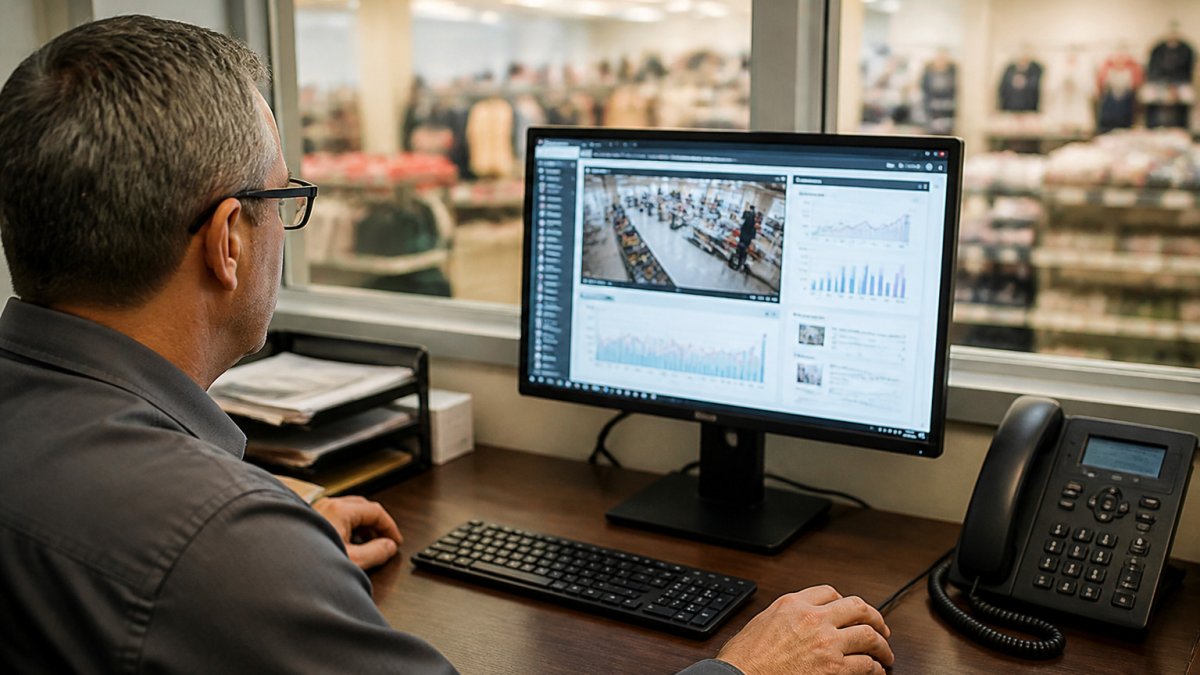
- Alert volume per camera per day: A rough signal of how noisy a rule is.
- Confirmed-incident rate: The share of alerts that a human confirmed as a real event.
- Mean response time: How quickly the team acted on confirmed events.
A simple ROI check compares the annual cost of the system against the reduction in confirmed losses over the same period. Be honest about assumptions: shrink moves for many reasons, including staffing changes and seasonal traffic, so compare like periods and note what else changed.
Tuning Alerts: False Positives, Model Limits and Human Review
Every analytics system produces false positives, and the fastest way to lose your team's trust is to let alert volume outrun their ability to review it. Tuning is an ongoing operational discipline, not a one-time setup step.
Why false positives happen: the physical causes
Most false alerts trace back to a small set of physical conditions, each with a different fix:
- Lighting changes. Low-angle sunlight can wash out a scene or cast shadows that look like movement. Fix: mask the window region, adjust exposure, or ignore the zone during known glare hours.
- Reflections and mirrors. Glass, polished floors, and display mirrors can produce a second image tracked as a separate object. Fix: mask the reflective surface, not the whole view.
- Occlusion. A crowd, pallet, or seasonal display can block a zone, causing the model to lose and mis-re-identify a track. Fix: raise camera height or angle where possible, and define zones visible during peak stocking.
Measure before you tune: the metrics that matter
Tuning without measurement is guesswork. Track these per rule and per camera:
- Alert volume per camera per day. A rule firing dozens of times a day in a low-traffic zone is almost certainly misconfigured.
- Confirmed-incident rate. The share of alerts a human confirms as real. A low rate means the rule is too loose; a rate near zero over weeks may mean it is too tight or the zone is wrong.
- Dismissal reasons. Require reviewers to pick a reason when dismissing (shadow, reflection, staff, known customer, other). The distribution tells you which fix to apply.
Do not judge a rule by its false-positive count alone. A rule that fires rarely but misses real events is worse than a noisy rule that catches them, because the misses are invisible unless you sample footage.
Tune in this order
- Fix the physical scene first. Adjust camera angle, exposure, and lighting before touching software thresholds. Many false positives disappear when the camera sees a cleaner view.
- Redraw zones. Shrink detection areas to the actual hot spot and exclude windows, mirrors, and high-traffic aisles that generate constant noise.
- Set minimum durations and object-size filters. Require a person to remain in a zone for a defined number of seconds, and ignore objects below a minimum pixel size so distant pedestrians do not trigger rules.
- Adjust sensitivity last. Lowering sensitivity is the bluntest tool; it reduces false positives and real detections together. Use it only after the steps above.
- Review dismissed alerts weekly. Look for patterns, same camera, same time of day, same dismissal reason, and fix the root cause rather than the symptom.
Model limits and human review
Models perform differently across lighting conditions, camera angles, and store layouts, and they degrade as scenes change. No model is a substitute for a trained reviewer. Keep a human in the loop for every alert that leads to action, and document the review decision so the feedback can inform future tuning.
The goal of tuning is not zero alerts. It is a confirmed-incident rate high enough that operators trust the queue, and a missed-event rate low enough that real incidents are not slipping through. Measure both, and tune toward that balance rather than toward silence.
The main physical causes of false positives, and the fix for each, are summarised below.
| Cause | Example | Fix |
|---|---|---|
| Lighting changes | Low-angle sunlight washes out scene or casts shadows | Mask window region or adjust exposure |
| Reflections and mirrors | Glass or polished floors produce a second tracked object | Mask the reflective surface, not the whole view |
| Occlusion | Crowds, pallets or displays block a zone | Raise camera height or angle; define zones visible at peak stocking |
| Camera angle and height | Camera mounted too high compresses people into small shapes | Stay within vendor's documented mounting range; test one camera first |
| Layout changes | Moved shelving or endcaps invalidate zone definitions | Redraw zones after any layout change |
AI Video Analytics Implementation: Integrating With Your Existing Cameras and Systems
Most stores already own the expensive part: cameras, cabling, a recorder, and often an access control or alarm panel. The practical question is not whether to rip that out but how to layer analytics on top without breaking what already works. Successful integration often hinges on how these analytics bridge the gap between existing surveillance hardware and modern commercial access control systems to create a unified security ecosystem.
Step 1: Inventory cameras, recorders, and network capacity
Before you buy anything, build a written inventory. For each camera, record:
- Manufacturer, model, and firmware version
- Resolution and frame rate (analytics generally need at least 1080p at 15 fps for reliable person and object detection; lower frame rates hurt tracking across frames)
- Whether the camera supports ONVIF Profile S or T, or exposes an RTSP stream, these are the two most common ways an analytics platform pulls video from a third-party camera
Then check network capacity. Analytics adds traffic in two places: the stream pulled from each camera into the analytics engine, and the alert clips pushed to operators and storage. A common pattern is to keep the analytics engine on the same local network segment as the cameras (edge or on-premises) and send only alert clips and metadata to the cloud.
Ask your VMS vendor two questions early: does it support third-party analytics via ONVIF metadata, and does it expose an API for bookmarking or tagging events? The answers determine whether alerts can land inside the operator's existing review workflow or require a second screen.
Step 2: Choose the integration pattern
There are three common patterns, and most multi-site retailers end up mixing them:
- Analytics appliance alongside the existing VMS. An on-premises box pulls RTSP streams from the cameras, runs the models, and pushes alerts to the VMS or a separate dashboard. This is the least disruptive path when cameras and recorders are healthy but the VMS lacks native analytics.
- Native VMS analytics module. If your VMS vendor offers an analytics add-on, enabling it keeps everything in one interface and one support contract. The trade-off is that you are limited to that vendor's model set and tuning controls.
- Camera-level edge analytics. Some newer cameras run detection on the device itself. This minimizes network load and latency, but edge models are typically less tunable and harder to update across a large fleet.
Step 3: Connect analytics to the systems that act on alerts
Analytics only pays off when an alert reaches a system or person who can do something. The integrations that matter most in retail:
- Point-of-sale (POS) data. Joining video events to transaction logs lets you flag exceptions such as a no-sale at a self-checkout lane, a void after a scan, or a refund without a customer present. This is typically done by matching timestamps and lane IDs, not by sharing raw customer data.
- Access control. A door-forced or door-held-open event from the access panel can trigger a camera clip and a rule that checks whether a badge was presented. Conversely, analytics can flag a person entering a stockroom without a corresponding badge event.
- Alarm panels and case management. Route confirmed events into the same incident queue your loss prevention team already uses, so a clip, timestamp, and camera location attach to the case record automatically.
ONVIF profile specifications for video streaming and metadata
Step 4: Design the pilot before you expand
Pick one high-loss zone, a self-checkout bank, a high-value display, or a back-of-house door, and run a four-to-six-week pilot. Define success criteria in advance: confirmed-incident rate, alert volume per camera per day, and mean time from alert to operator acknowledgment.
Test failure modes during the pilot, not after. Unplug a camera and confirm the VMS still records. Drop the network and confirm edge alerts still fire. Simulate a power loss and confirm the analytics engine recovers without manual intervention.
Step 5: Plan the rollout by store format
A convenience store with four cameras and a big-box store with 120 cameras need different rollout plans. Sequence expansion by store format and loss profile rather than by geography: prove the configuration in one store of each format, then template it. Keep a configuration register that records camera settings, zone definitions, rule thresholds, and model versions per store, so a change in one location can be replicated or rolled back deliberately.
Privacy, Data Retention and Next Steps for Your Store
Video is personal data.
Data retention should be a written policy. Keep footage long enough to investigate incidents and no longer than your policy and local rules allow.
Privacy-by-design means choosing behavior-based analytics over identity-based tools when a simpler approach solves the problem.
Your next step is a short assessment: list your top loss patterns, inventory your cameras and systems, and write down your privacy and retention rules.
Frequently Asked Questions
How does AI video analytics work in retail security?
AI video analytics applies computer vision and deep learning models to live or recorded camera footage. The software detects people, objects and movement, then applies rules you define, such as a person lingering in a high-value aisle, a item leaving the shelf area without a payment point, or a door opened outside business hours. When a rule is triggered, the system sends an alert with a short clip and metadata so staff can verify it. Processing can run on an edge device at the store or in the cloud, and most systems keep a human in the loop to confirm alerts before action is taken.
Can AI video analytics help prevent retail theft?
It can help with detection and response, but it does not stop theft on its own. Video analytics flags suspicious behavior in real time, such as concealment-like movements or repeated visits to the same display, so staff can approach or watch more closely. Retailers get the most value when alerts are routed to a trained person who can respond quickly. Pair the system with clear policies, staffing plans for alert review, and regular tuning so the rules match how your store actually operates.
Can AI video analytics work with existing security cameras?
In many cases, yes. Analytics software can often run on existing IP cameras if they meet resolution, frame rate and network requirements, and it can connect to a video management system you already use. Older analog cameras may need encoders or upgrades to support the analysis. A site survey should confirm camera placement, lighting, field of view and bandwidth before you commit to a platform, because poor image quality is the most common reason analytics underperform.
What privacy safeguards should retailers consider when using AI video analytics?
Start with a clear, written purpose for each analytic and avoid features your use case does not need, such as facial recognition, unless you have reviewed the legal and reputational risks. Limit access to footage and alerts by role, set retention periods that match your investigation needs, and log who views clips. Post required notices where state or local rules apply, and document how the system handles data. Privacy-by-design choices made at deployment are easier and cheaper than retrofitting controls later.