 how-to
How to Reduce False Security Alarms: 2026 Guide
Table of Contents
- Why False Security Alarms Are a Serious Problem
- Step 1: Identify the Most Common Causes of False Alarms
- Step 2: Optimize Sensor Placement and Sensitivity Settings
- Pet-Friendly Motion Detector Settings That Actually Work
- Step 3: Train Every Household or Facility Member
- AI-Enabled Surveillance and False Alarm Prevention
- Security System Maintenance Checklist
- Frequently Asked Questions
Last Updated: August 24, 2026
Why False Security Alarms Are a Serious Problem
False security alarms waste emergency resources, disrupt operations, and erode trust in security systems. At Mt. Major Tech, we've worked with facility managers, estate owners, and DoD contractors across Northern New England who share a common frustration: their existing systems trigger too often without genuine threats.
Repeated false triggers drain security team morale, delay legitimate emergency responses, and expose properties to real vulnerabilities while responders handle non-events. According to the International Association of Chiefs of Police guidance on false alarms, the vast majority of alarm dispatches received by law enforcement are false, placing significant burden on public safety resources nationwide.
This guide covers how to reduce false security alarms through sensor optimization, staff training, smart maintenance, and modern verification technology, including local ordinance compliance, pet-friendly detection, AI-enabled verification, and seasonal maintenance.
False Alarm Fines and Local Ordinance Compliance
Most property owners don't realize that false alarms generate real financial penalties. Many municipalities have adopted false alarm ordinances that charge permit fees and escalating fines for repeat offenses. Some jurisdictions suspend emergency response entirely for properties exceeding a threshold of false dispatches within a calendar year.
The Security Industry Association's false alarm resources tracks ordinance activity nationwide. Before troubleshooting your system, check whether your municipality requires a registered alarm permit and understand the fine schedule for your area. Non-compliance can leave your property without guaranteed police response when you actually need it.
Step 1: Identify the Most Common Causes of False Alarms
Most false triggers trace back to a small set of repeatable causes. Once identified, the fix is usually straightforward.
User Error and Keypad Code Mistakes
User error accounts for a large share of false security alarms. The most common scenario: someone enters the building, forgets the disarming procedure, and the system dispatches before they reach the keypad. This is especially common in facilities with multiple authorized users or seasonal staff.
Practical fixes include:
- Set an entry delay that gives users adequate time to reach the keypad and disarm (typically 30-60 seconds)
- Use a keypad with a clear, lit display for accurate code entry under stress
- Post laminated disarming instructions near secondary entry points
- Audit your user list quarterly and remove codes for former employees immediately
False triggers spike after holidays and staff turnover. Schedule a brief system walkthrough with any new user before they're left to arm or disarm independently.
Environmental Interference and Sensor Obstruction
Environmental interference is the second major driver of false triggers. Motion detectors, door and window contacts, and glass break sensors are susceptible to conditions that mimic intrusion activity:
- HVAC airflow moving lightweight objects near motion detectors
- Direct sunlight or heat sources creating thermal gradients that confuse passive infrared sensors
- Insects or small animals entering the detection zone
- Doors or windows that shift with temperature changes, causing misaligned contacts to trigger
- Dust accumulation on sensor lenses, degrading detection accuracy
Sensor obstruction is particularly common in commercial buildings where cleaning crews move equipment near detection zones. A partially blocked sensor can generate false triggers intermittently, making diagnosis difficult without systematic inspection.
Step 2: Optimize Sensor Placement and Sensitivity Settings
Proper sensor placement is the single most effective technical intervention for reducing false alarms. A correctly positioned motion detector, calibrated to the right sensitivity, will outperform an expensive sensor installed carelessly.
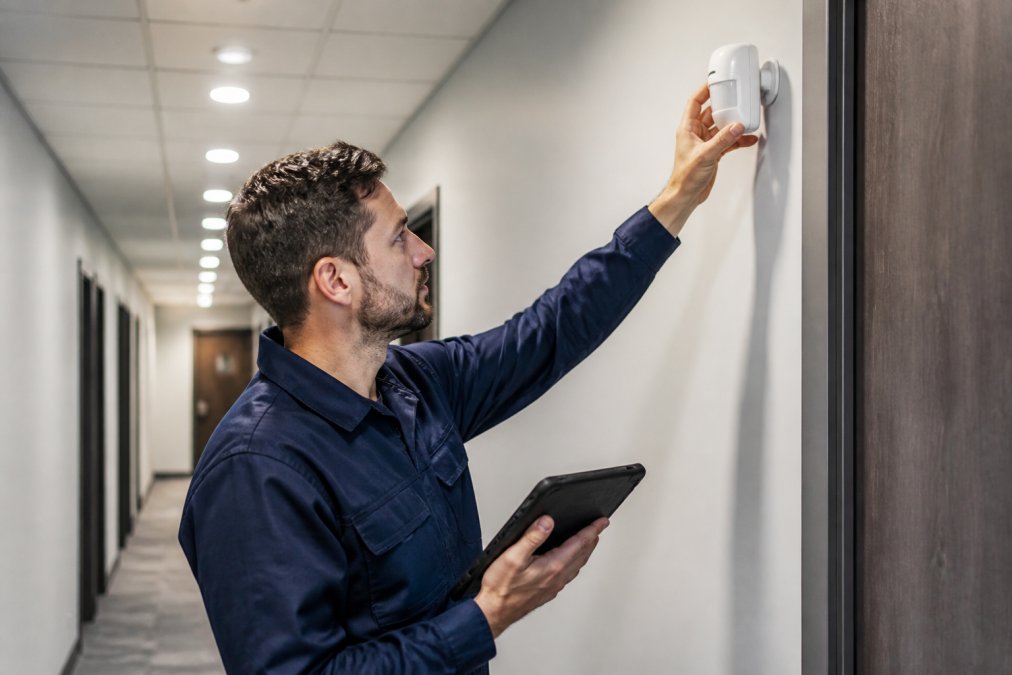
A security technician should start with the manufacturer's recommended mounting height, then verify the detection pattern against the actual space. Most passive infrared motion detectors perform best when mounted at 6-8 feet, angled to cover the room diagonally rather than pointing directly at an entry door.
Adjusting Motion Detector Sensitivity for Your Space
Motion detector sensitivity controls how much movement or thermal change is required to trigger the sensor. Setting sensitivity too high produces false triggers from minor disturbances; too low and the detector misses actual intrusions.
For large open spaces with high foot traffic during business hours, lower sensitivity reduces false triggers without compromising perimeter protection. For narrow corridors or high-value storage areas, higher sensitivity is appropriate because the detection zone is tighter and false environmental triggers are less likely.
Key configuration steps:
- Review the sensor's detection range and adjust to match room dimensions
- Test the detection zone by walking the perimeter at different speeds
- Enable pulse counting if available (requires two consecutive detections before triggering)
- Document final settings in your system log
Door and Window Contacts: Placement and Alignment
Door and window contacts are among the most reliable security components, but only when installed correctly. A contact that's even slightly misaligned will generate false triggers every time the door flexes from wind pressure or temperature changes.
The gap between magnet and contact switch should be within the manufacturer's specified tolerance, typically 1/4 inch or less. For exterior doors that expand in summer heat, alignment can drift seasonally. Check contact alignment as part of every seasonal maintenance cycle.
Pet-Friendly Motion Detector Settings That Actually Work
Pet immunity is one of the most misunderstood features in residential security. A "pet-immune" sensor uses a combination of detection height, weight-based infrared signature estimation, and sometimes dual-technology verification to distinguish pets from human intruders. A standard pet-immune passive infrared detector typically ignores animals up to 40-80 pounds when mounted correctly.
The critical factor is correct installation. A pet-immune sensor mounted too low or aimed at a staircase where a cat can reach the same height as a child will trigger on animals regardless of the immunity setting. What actually works:
- Mount pet-immune sensors at the manufacturer's specified height (usually 7-7.5 feet) and verify the downward angle
- Avoid mounting in rooms where pets have elevated access: cat trees, furniture, or staircases
- Use dual-technology sensors (combining passive infrared with microwave detection) for higher-traffic pet zones; both technologies must trigger simultaneously, which animals rarely satisfy
- Test the configuration by having the pet move through the zone while the system is armed in test mode
For facilities with both pets and high-security requirements, assign pet-occupied zones to a separate security zone that bypasses motion detection during occupied hours while maintaining door and window contacts as primary perimeter protection.
Step 3: Train Every Household or Facility Member
Training is where most false alarm reduction programs fail. Property owners invest in hardware upgrades, then hand the system to users who've never received a proper walkthrough.
Every person who will arm or disarm the system needs to understand:
- The arming procedure: Which zones are active, what the exit delay is, and how to confirm the system is armed
- The disarming procedure: Entry delay duration, keypad location, and what to do if they forget the code
- The abort procedure: How to cancel an alarm within the central monitoring station's verification window
- Emergency contact protocol: Who to call if there's a system malfunction or legitimate emergency
For commercial facilities, build system training into onboarding for every new employee with access. For residential properties, schedule a 15-minute walkthrough any time a new family member, house sitter, or contractor is given access.
AI-Enabled Surveillance and False Alarm Prevention
The most significant advancement in false alarm reduction is AI-enabled video analytics applied to alarm verification before dispatch. Traditional systems operate on binary logic: sensor triggers, alarm activates, monitoring station calls, responders dispatch. AI-enabled surveillance adds a verification layer that filters false events with precision rule-based systems can't match.
Signal Verification and Advanced Detection Accuracy
Signal verification confirms an alarm trigger through secondary evidence before contacting emergency responders. AI systems distinguish human intrusion from shadows, moving vehicles, or HVAC-triggered curtains by training on large datasets of real intrusion events.
At Mt. Major Tech, AI-enabled surveillance deployments use video analytics that cross-reference motion triggers with live camera feeds in real time. When a motion detector fires, the system checks the corresponding camera zone for human presence before escalating to the central monitoring station. This verification procedure dramatically reduces unnecessary dispatch calls.
According to the IPVM industry analysis of AI video analytics in security, AI-based verification consistently reduces false alarm dispatch rates compared to traditional unverified systems. For facilities with historically high false trigger rates, this technology represents the most meaningful single upgrade available.
Smart Home Integration Troubleshooting
Smart home integration is a growing source of false security alarms. When security systems connect to smart home platforms, automation routines, or third-party IoT devices, new failure modes emerge unrelated to sensor hardware.
Common integration-related false triggers include:
- Automation routines that inadvertently arm the system when occupants are present
- Smart locks reporting a door as open when physically closed due to connectivity errors
- Motion-activated lighting scenes conflicting with security zone timing
- Cloud connectivity interruptions causing the security panel to misread device states
Map every integration point in your security system and test each one independently after any platform update. Many smart home platforms push firmware updates automatically, and a change in how a device reports its state can break a security automation that worked correctly for months.
Security System Maintenance Checklist
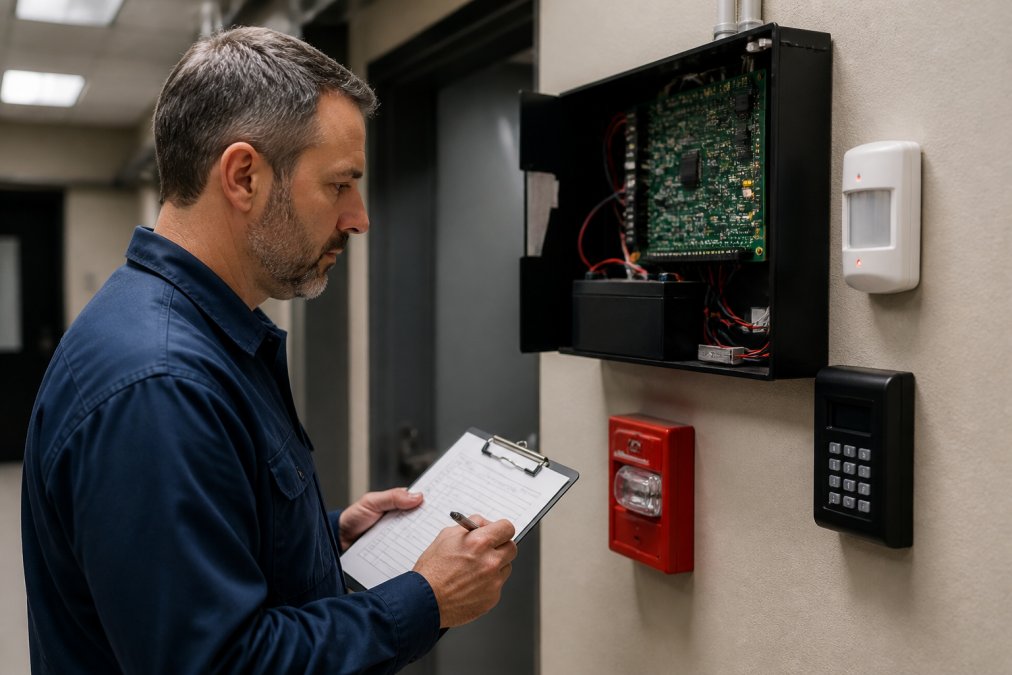
Regular maintenance is the foundation of false alarm reduction. A well-maintained system with clean sensors, fresh batteries, and verified contact alignment will outperform a newer system that's been neglected.
| Maintenance Task | Frequency | Priority |
|---|---|---|
| Replace sensor batteries | Every 12 months (or at low-battery alert) | High |
| Clean motion detector lenses | Every 6 months | High |
| Test door and window contact alignment | Every 6 months | High |
| Verify keypad codes and user list | Quarterly | High |
| Test system arming and disarming | Monthly | Medium |
| Inspect wiring and panel connections | Annually | Medium |
| Review and update notification contacts | Annually | Medium |
| Test backup power/battery failover | Annually | High |
| Confirm central monitoring station data | Annually | High |
Battery replacement deserves special attention. Low batteries are one of the most common causes of faulty equipment signals and erratic sensor behavior. Build battery replacement into a fixed annual schedule rather than waiting for the alert.
Seasonal Maintenance Tasks
Seasonal changes create specific false alarm risks. Temperature swings, humidity changes, and shifts in daylight all affect sensor performance.
Spring/Summer:
- Recheck door and window contact alignment after winter thermal cycles
- Inspect exterior sensors for insect nests or debris
- Verify that new vegetation growth isn't encroaching on outdoor motion detector zones
Fall/Winter:
- Check that heating system startup doesn't create thermal drafts near passive infrared sensors
- Inspect sensor housings for moisture intrusion before freezing
- Confirm that holiday decorations aren't positioned within active detection zones
- Review and update your user list before seasonal staff changes
A seasonal maintenance schedule also gives you a natural audit point for security protocol overall. Use each seasonal check to review your alarm ordinance compliance status and confirm that your central monitoring station has current contact information.
Persistent false security alarms signal a system that needs professional attention. Mt. Major Tech specializes in AI-enabled surveillance, smart access control integration, and ongoing technical support for residential estates and commercial facilities across Northern New England. Our team can audit your existing system, unify fragmented components into a single managed platform, and deploy advanced verification technology that filters false triggers before dispatch. Book online to schedule your security system assessment.
Frequently Asked Questions
What is the most common cause of false alarms on home security systems?
User error tops the list. Entering the wrong keypad code, forgetting to disarm before opening a door, or improperly arming the system accounts for the majority of false triggers. After user error, the next most frequent causes are low batteries in sensors, dust accumulation on motion detectors, and environmental interference such as loose door and window contacts shifting out of alignment over time.
How do AI-enabled surveillance systems help reduce false alarms?
AI-enabled surveillance systems analyze video and sensor data in real time to distinguish between genuine threats and benign activity. Instead of triggering an alarm dispatch the moment a motion detector fires, the system cross-references multiple data points, such as camera footage, time of day, and known movement patterns, before sending a signal to the central monitoring station. This verification procedure dramatically cuts false trigger rates compared to traditional single-sensor systems.
How can I prevent false alarms caused by pets?
Start by enabling pet immunity settings on your motion detectors. Most modern sensors can be configured to ignore movement from animals under a set weight threshold, typically up to 40 or 80 pounds depending on the model. Mount detectors at the correct height, angled downward rather than parallel to the floor, so small animals pass beneath the detection zone. If your current system lacks pet-friendly motion detector settings, upgrading the sensors is usually more cost-effective than tolerating repeated false alarms.
Are there local ordinances or fines for false alarm dispatches?
Yes. Many municipalities across the country have adopted alarm ordinances that charge permit fees and impose fines after a set number of unverified false alarm dispatches within a calendar year. Fines escalate with each additional incident and can reach hundreds of dollars per event. Some jurisdictions will suspend emergency response to repeat offenders. Checking your local alarm ordinance and registering your system with the appropriate authority is a required step, not optional.