 how-to
How Long Does Unified Security Integration Take?
Table of Contents
- What Unified Security Integration Actually Involves
- The Security System Integration Timeline: A Realistic Breakdown
- Phases of Physical Security Integration: What Happens When
- Challenges of Unified Security Deployment That Extend Timelines
- Integration vs. Migration: Which Approach Fits Your Timeline
- How to Shorten Your Unified Security Integration Timeline
- Frequently Asked Questions
Last Updated: September 21, 2026
What Unified Security Integration Actually Involves
Unified security integration is the process of connecting video surveillance, access control, intrusion detection, and alarm systems into a single management platform, so every device feeds one dashboard instead of five. Most property owners ask how long does unified security integration take before they ask what it costs. The honest answer sits between two and sixteen weeks, depending on property size, legacy infrastructure, and whether you integrate or migrate.
Unified vs. Integrated: Why the Distinction Matters for Timelines
Integrated means separate systems share data through connectors or APIs; unified means they run on one platform with one interface and one database. Integration is faster to deploy because you keep existing hardware. Unification takes longer because it touches configuration, data normalization, and user permissions across every subsystem. The distinction decides your timeline before any technician arrives on site.
The Security System Integration Timeline: A Realistic Breakdown
Most pages on this topic explain why unification matters and stop there. The question you actually asked is how long it takes, so this section breaks the schedule into phases with realistic week ranges, then shows which variables push a project toward the long end of the range.
| Property Type | Typical Timeline | Main Time Driver |
|---|---|---|
| Single home, 1-3 buildings | 2-4 weeks | Device count, network readiness |
| Small commercial site | 4-8 weeks | Access control zones, camera coverage |
| High-rise or multi-building campus | 8-16 weeks | Legacy infrastructure, phased rollout |
Phase-by-Phase Time Budget
These ranges assume a mid-size commercial site with modern cabling and a cooperative IT contact. Your project will land inside or outside them based on the complexity factors further down.
| Phase | Typical Duration | What Determines the Length |
|---|---|---|
| Assessment and site survey | 1-2 weeks | Device count, documentation quality, site access windows |
| Design and platform selection | 1-2 weeks | Number of subsystems, integration vs. migration decision |
| Installation | 1-4 weeks | Cable runs, mounting conditions, after-hours work restrictions |
| Configuration and data normalization | 1-3 weeks | Protocol diversity, credential mapping, permission structure |
| Testing and commissioning | 1-2 weeks | Failover requirements, alarm verification, access rule complexity |
| Training and handover | 2-5 days | Number of staff roles, documentation depth |
What Actually Compresses or Stretches the Schedule
Five variables explain most of the variance between a three-week job and a four-month one:
- Deployment model. Cloud-hosted platforms typically shorten configuration and testing because firmware, drivers, and updates are managed centrally. On-premises deployments add server provisioning, network segmentation, and patching time that cloud avoids.
- Endpoint count. Time scales roughly with the number of devices that need individual configuration, not with square footage. Fifty cameras and twenty readers is a different project than five cameras and two readers, even in the same building.
- Legacy technical debt. Devices without open protocols or current firmware require gateway hardware or replacement, and each one adds discovery and workaround time during configuration.
- Network readiness. If switches, VLANs, and bandwidth are already sized for the device load, installation and testing move quickly. If not, a pre-project network upgrade can add two to four weeks before integration work even starts.
- Approval structure. A single decision-maker who can sign off on design changes keeps the project moving. Multiple stakeholders across ownership, facilities, and IT typically add one to two weeks of idle time per approval cycle.
Small Residential Estate (1-3 Buildings)
A residential estate with a dozen cameras, a gate intercom, and a handful of access points typically finishes in two to four weeks. Most of that time goes to network preparation and camera placement, not hardware installation. When the property already has clean cabling and a modern router, the window shortens considerably.
Commercial High-Rise or Multi-Building Campus
Commercial high-rises and multi-building campuses usually run eight to sixteen weeks. Phased rollouts, tenant coordination, and fire code checks on access-controlled doors add weeks that a single-family install never sees. Facilities spread across several buildings should plan for staged activation rather than a single cutover day.
Phases of Physical Security Integration: What Happens When
The phases of physical security integration rarely overlap cleanly, and pretending otherwise is how schedules slip. Each phase has a deliverable that the next phase depends on, so a delay in one pushes everything downstream.
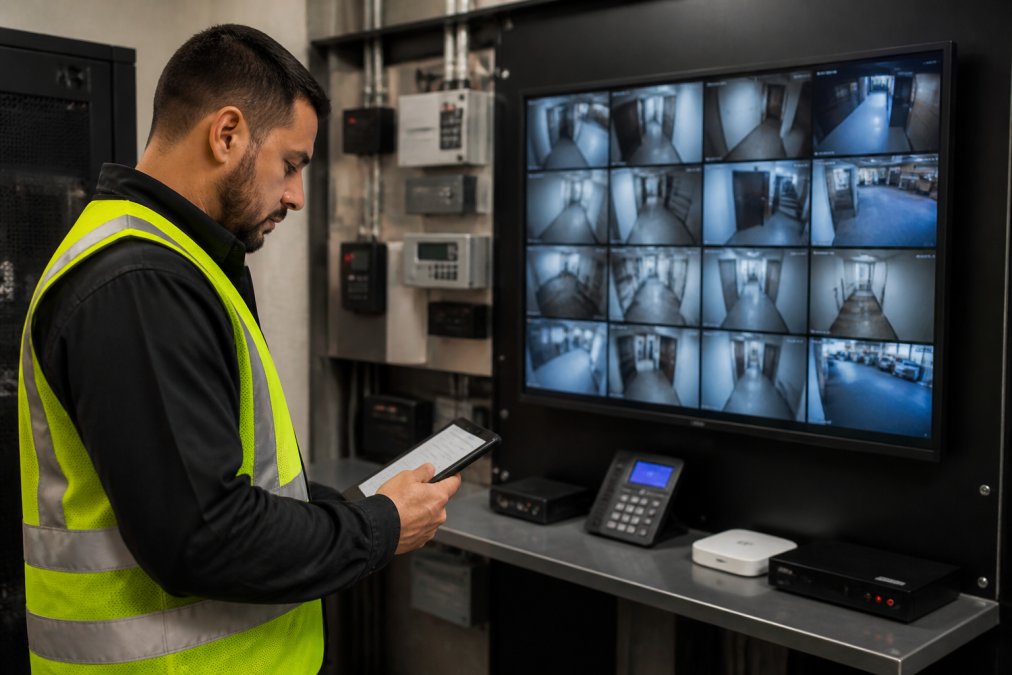
- Assessment and site survey (1-2 weeks): inventory every camera, reader, panel, and alarm point.
- Design and platform selection (1-2 weeks): map device compatibility and network requirements.
- Installation (1-4 weeks): mount hardware, pull cable, and connect power and network.
- Configuration and data normalization (1-3 weeks): bring every device onto one interface.
- Testing and commissioning (1-2 weeks): verify detection, access rules, and failover.
- Training and handover (2-5 days): walk staff through the centralized dashboard.
Challenges of Unified Security Deployment That Extend Timelines
Two forces stretch nearly every schedule: aging hardware and compliance documentation. Both are invisible during the sales conversation and very visible during week six.
Legacy Infrastructure and Data Silos
Legacy infrastructure is the single biggest cause of delay. Older cameras, panels, and controllers often lack the firmware or open protocols needed for API integration, which forces replacement or gateway hardware. Data silos make it worse: when video, access, and alarm data live in separate systems, someone has to normalize and map it before the unified platform can use it.
Compliance Requirements and Audit Preparation
Compliance requirements add documentation time that has nothing to do with hardware. Facilities with regulatory obligations need audit logs, retention policies, and access records configured and verified before sign-off. Healthcare and legal environments often require the longest verification windows because their audit trails must survive scrutiny. Budget extra weeks for the paperwork, not the wiring.
Integration vs. Migration: Which Approach Fits Your Timeline
Integration and migration are not two flavors of the same project. They have different timelines, different cost curves, and different failure modes, and choosing wrong is the most expensive scheduling mistake in a unified security rollout.
How the Timelines Compare
| Approach | Typical Added Time vs. Baseline | Best Fit |
|---|---|---|
| Integration only | Baseline (no added migration time) | Equipment is recent and standards-compliant |
| Migration only | Adds 2-6 weeks for hardware replacement and re-commissioning | More than half the hardware is end-of-life |
| Hybrid | Adds 1-3 weeks over integration alone | Mixed-age equipment, tight budget, firm deadline |
Integration is faster upfront because you are not waiting on hardware procurement, delivery, and physical replacement. Migration is faster to stabilize long-term because you eliminate the gateway hardware and protocol translation that integration depends on. The trade-off is time now versus maintenance later.
How to Decide
Three questions usually settle it:
- What percentage of your hardware is end-of-life? Below roughly a third, integration is usually the faster path. Above half, migration tends to cost less over a three-to-five-year horizon even though it takes longer to deploy.
- How many proprietary protocols are in play? Each proprietary protocol needs a gateway or middleware layer, and each layer adds configuration and testing time. When the count climbs past three or four, migration often becomes the simpler schedule.
- How firm is your deadline? If you have a hard date, an audit, an insurance requirement, a tenant move-in, integration or hybrid gets you to a working unified view faster, even if some hardware is eventually replaced.
Why Hybrid Often Wins
A common pattern is to migrate the perimeter and entry points first, where hardware failure has the highest consequence, and integrate interior cameras and secondary readers that still have useful life. This gets you a unified dashboard in the integration timeframe while retiring the riskiest equipment on a planned schedule rather than an emergency one. The hybrid path typically adds one to three weeks over pure integration, mostly for the migration portion's procurement and re-commissioning.
How to Shorten Your Unified Security Integration Timeline
The fastest projects share three habits: a completed site survey before installation day, network upgrades finished in advance, and a single point of contact for approvals. Clearing those three items before work begins can remove weeks of idle time. Mt. Major Tech handles assessment, deployment, and ongoing support as one process, which keeps handoffs from becoming delays. For properties with distributed buildings, cloud-based video management lets you phase activation building by building without waiting for the entire campus to be ready. CISA guidance on physical security integration outlines how connected systems should be segmented and monitored, and NIST cybersecurity framework provides the access control and audit logging standards worth aligning to from day one.
| Challenge | Fix | Timeline Impact |
|---|---|---|
| Legacy cameras without modern protocols | Gateway hardware or targeted migration | Adds 1-3 weeks |
| Network not ready for device load | Pre-project network upgrade | Adds 2-4 weeks if unplanned |
| Multiple approval stakeholders | Single point of contact | Saves 1-2 weeks |
| Compliance documentation gaps | Start audit prep during design | Saves 2-3 weeks |
Frequently Asked Questions
How long does it take to migrate to a unified security platform?
Most commercial migrations take 8 to 16 weeks from kickoff to full cutover. The first 2-3 weeks cover assessment and design, weeks 4-8 handle hardware installation and API integration, and weeks 9-16 focus on testing, training, and go-live. Facilities with legacy infrastructure or strict compliance requirements often land at the higher end. A phased rollout across multiple buildings can stretch to 6 months, but each phase delivers working security coverage rather than waiting for a single cutover date.
What factors influence the duration of a security system integration project?
The biggest variables are the number of existing systems that need to talk to each other, whether your legacy hardware supports modern API integration, and how much data normalization is required. A single-building setup with three or four devices moves fast. A multi-building campus with access control, video management, intrusion detection, and environmental sensors from different vendors takes longer because each system has its own data format and communication protocol. Compliance requirements for industries like healthcare add audit log configuration time.
Does unified security integration require downtime?
Full downtime is rarely necessary. Most integrators run new systems in parallel with existing ones during the transition, so your cameras, access control, and alarms stay operational throughout. The only planned interruptions are short windows for final cutover, typically scheduled after hours or on weekends. For healthcare facilities and manufacturing operations that run around the clock, a phased approach lets you migrate one zone at a time while everything else keeps running normally.
What are the phases of a security system integration project?
A typical project moves through five phases: assessment and site survey, system design and architecture, hardware installation and configuration, software integration and testing, and training with go-live support. The assessment phase identifies what you have and what needs replacing. Design maps how each system connects. Installation handles physical work. Integration connects everything through APIs and a centralized dashboard. Training ensures your team can actually use the unified platform before the integrator steps back.
Planning a security integration means choosing between speed and longevity, and the right answer depends on what you already own. Mt. Major Tech designs unified platforms around your existing infrastructure, deploys AI-enabled surveillance and smart access control, and stays on for ongoing technical support after handover. Get started with Mt. Major Tech and turn a multi-vendor security stack into one system your team can actually operate.