 ultimate-guide
High Security Perimeter Defense for Contractors
Table of Contents
- What High Security Perimeter Defense Actually Means for Contractors
- Perimeter Security Risk Assessment for Contractors: A Step-by-Step Framework
- Physical Barriers, Fencing, and Gate Systems That Stop Intruders
- AI-Enabled Surveillance for Job Sites: How It Reduces False Alarms and Theft
- Access Control, Intrusion Detection, and the Layered Security Model
- Construction Site Security Best Practices: Temporary vs. Permanent Solutions
- Compliance, Liability, and Cyber-Physical Security Convergence
- Conclusion
- Frequently Asked Questions
Last Updated: September 11, 2026
What High Security Perimeter Defense Actually Means for Contractors
High security perimeter defense is the coordinated use of physical barriers, electronic surveillance, access control, and monitoring protocols to prevent unauthorized entry, theft, and vandalism at a job site or facility. For contractors, the stakes are higher: you protect expensive equipment on sites you do not own, often in locations you will leave before the project ends. Mt. Major Tech works with clients across Northern New England on exactly this problem, and the pattern is consistent: most teams buy hardware first and design the system last.
That order is backwards. A perimeter defense plan starts with the threat, not the product.
Perimeter hardening is strengthening a site's outer boundary so an intruder faces multiple obstacles, delay, and detection before reaching any asset. It is not a single fence or camera but a system: assessment, barriers, surveillance, access control, and the legal and cost questions that decide which pieces you need.
Perimeter Security Risk Assessment for Contractors: A Step-by-Step Framework
A perimeter security risk assessment is a structured evaluation of what you are protecting, who is likely to target it, and where your boundary is weakest. Contractors need this before spending on hardware because site conditions change constantly, and a plan built for a finished building rarely fits an active job site.
Step 1: Map Your Perimeter and Identify Vulnerabilities
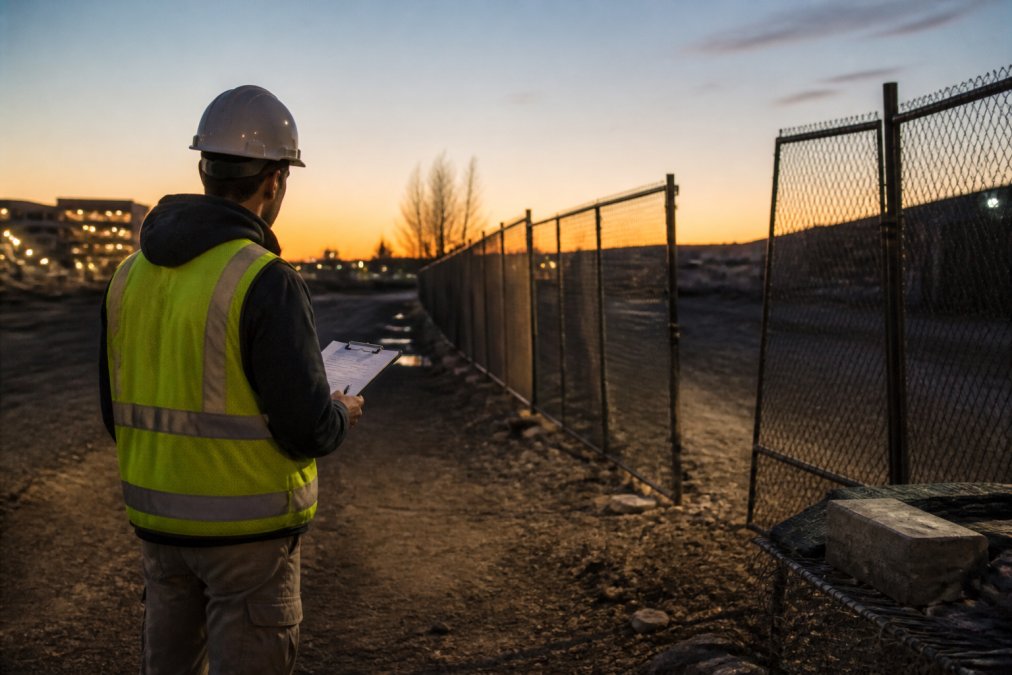
Walk the boundary at the same times of day a thief would. Note every gap: unlit corners, unsecured laydown yards, gates left open for deliveries, and camera blind spots. Document where high-value assets sit relative to the fence line. The goal is a written map, not a mental one.
Step 2: Score Threats by Likelihood and Impact
Rate each vulnerability on two axes: how likely an incident is, and how much it would cost you. A fuel tank near an open gate scores high on both. A storage container behind two locked barriers scores low. This scoring tells you where to spend first.
| Vulnerability | Likelihood | Impact | Priority |
|---|---|---|---|
| Unlit gate left open | High | High | Fix first |
| Camera blind spot at laydown yard | High | Medium | Fix second |
| No alarms on storage container | Medium | High | Fix third |
| Fence gap at rear corner | Low | Medium | Monitor |
Physical Barriers, Fencing, and Gate Systems That Stop Intruders
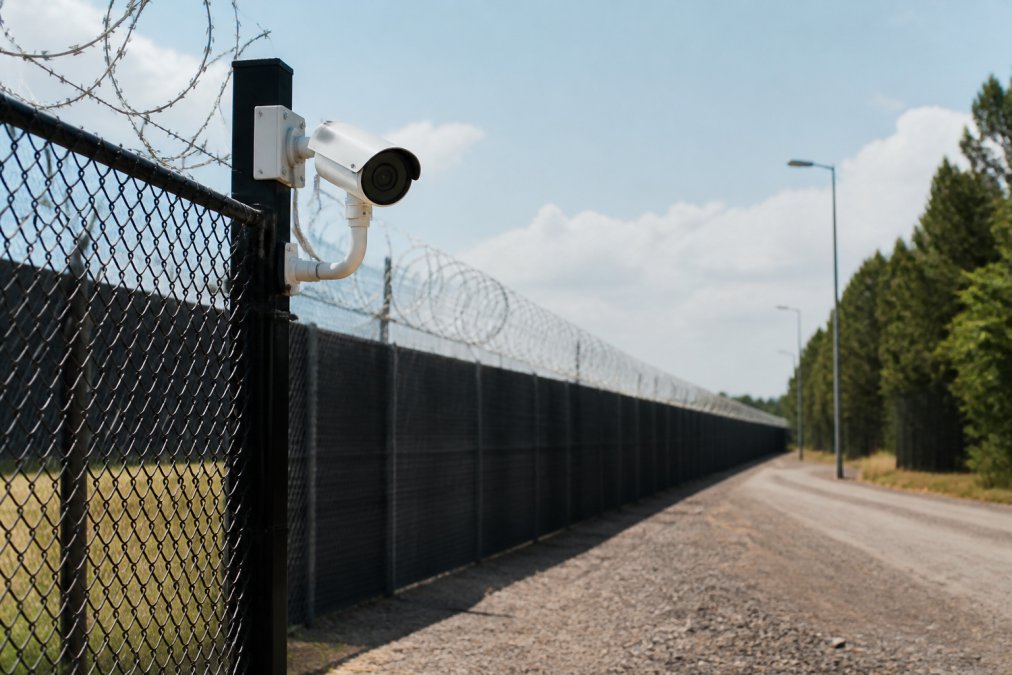
Physical barriers are the first layer of any perimeter defense, and they work by delay rather than prevention. No fence stops a determined intruder forever. It buys time for detection and response, which is the real objective.
Anti-climb mesh over standard chain-link defeats the most common entry method: grabbing the top rail and pulling up. For high-risk sites, welded mesh panels with no handholds outperform chain-link by a wide margin. Where blast or ballistic threats exist, such as industrial and defense-adjacent sites, blast mitigation and ballistic resistance ratings become part of the specification, and those ratings must come from the manufacturer's certified test data, not a sales claim.
Gate systems deserve separate attention. Gate automation with biometric access or keycard readers removes the human error that leaves gates propped open. Pair every gate with perimeter lighting; most intruders avoid well-lit boundaries.
AI-Enabled Surveillance for Job Sites: How It Reduces False Alarms and Theft
AI-enabled surveillance for job sites uses machine learning to distinguish real threats from harmless motion, which is why false alarms drop. Traditional motion sensors trigger on wind, wildlife, and passing traffic. AI-enabled cameras classify what they see, so a person walking a fence line at 2 a.m. generates an alert while a plastic bag blowing past does not.
This matters because alarm fatigue is the quiet killer of site security. When a guard gets twenty false alerts a night, they stop responding to the twenty-first, which is the real one.
Video analytics extend this further: license plate recognition, loitering detection, and object-left-behind alerts all run on the same camera infrastructure. Remote monitoring lets a small team watch multiple sites from one dashboard, the only practical option for contractors running several jobs at once.
Access Control, Intrusion Detection, and the Layered Security Model
The layered security model treats a site as a series of rings, each harder to cross than the last. The outer ring is the fence and lighting; the middle ring is access control systems and intrusion detection; the inner ring is asset-specific protection, such as locked containers and alarmed tool cribs.
Security integration is what makes the layers work together. A gate reader that logs entry but does not trigger a camera is a standalone device, not a system. When access control systems share data with video analytics, an unauthorized badge swipe at 3 a.m. automatically pulls up live footage and notifies the right person.
Intrusion detection covers the gaps between barriers: fence-mounted sensors, motion detectors in laydown yards, and door contacts on storage units. Avoid a strong outer ring with a soft middle. Most construction site theft happens through the front gate, not over the fence.
Construction Site Security Best Practices: Temporary vs. Permanent Solutions
Construction site security best practices come down to matching the solution to the site's lifespan and to who owns the finished asset. Most guides skip the math and just say "assess your needs." The useful version is a break-even calculation, because rent-vs-buy is a financial question before it is a security question.
Start by separating the two cost streams:
- Temporary (rental or lease): trailer-mounted camera towers, portable light plants, temporary fence panels, cellular-connected alarm kits, and guard services. Low or zero capital outlay, fast deployment, movable to the next job, but the spend never becomes an asset and monthly cost scales with duration.
- Permanent (capital install): trenched power and conduit, fixed camera mounts, hardwired access control at gates and doors, fence-mounted intrusion sensors, and a head-end server or NVR. High upfront cost, longer lead time, but the hardware survives into the finished facility and depreciates as a business asset.
Cost-Benefit Analysis: When to Rent vs. Install Permanently
The break-even point is the project duration at which cumulative rental cost equals installed cost minus salvage or reuse value. You do not need exact numbers, just the shape of the comparison:
- Estimate monthly rental cost for the temporary package that covers your threat profile (towers, lights, alarms, monitoring).
- Get an installed quote for the permanent equivalent, including trenching, power, and labor, not just hardware.
- Estimate residual value. If you will own and operate the finished building, the permanent system carries forward and its effective cost drops sharply. If you will hand the site back to the owner, ask whether the owner will buy the system or whether you eat the removal cost.
- Divide installed cost by monthly rental cost. That quotient is your break-even in months. Below it, rent. Above it, install.
A common pattern: short civil and roadwork jobs measured in months favor rental because the equipment redeploys, while multi-year builds that convert into an owned facility favor permanent installation because the same cameras and readers serve the operating building. The gray zone is the mid-length project where the owner may or may not want the system at turnover, and that contract term, not the hardware, usually decides it.
Three questions to settle before signing either way:
- How long will we occupy this site, and is that duration firm or likely to extend?
- Will we own or operate the finished facility, or hand it back?
- What is the replacement cost of the assets at risk during that period, and does it exceed the security spend either way?
If the answer to question two is yes, permanent installation usually wins. If the site is a bridge, highway segment, or short tenant improvement, rental wins. If the owner's turnover requirements are silent, get them in writing before buying hardware you may have to abandon.
Mobile security units and trailer-mounted towers are the workhorses of the temporary side because they deploy in hours and move with your crew. The trade-off: they depend on cellular connectivity and battery or generator power, so confirm coverage and refueling logistics before relying on them as your only layer.
Compliance, Liability, and Cyber-Physical Security Convergence
Compliance and liability questions decide the design as much as the threat does, and most contractor-facing guides ignore them entirely. They sell cameras; they do not explain who pays when a breach happens on your watch. Contractors carry obligations to owners, insurers, and sometimes federal regulators, and a documented site security design is often what satisfies them.
Where the Legal Exposure Actually Comes From
Liability for a job-site breach rarely lands in one place. It usually splits across four channels:
- Contractual duties. Most general contractor agreements and owner-contractor contracts include site security clauses. If the contract assigns you responsibility for securing materials and equipment, that clause, not general negligence law, is what a plaintiff or owner will point to after a theft. Read the security exhibit before you price the job.
- Negligence and premises liability. Even without a specific clause, a contractor can face negligence claims if a foreseeable theft or injury resulted from inadequate site control. Documented, reasonable measures are your defense.
- Insurance conditions. Property and builder's risk policies frequently condition coverage on maintaining specified protections, such as locked storage, fencing, or overnight lighting (iii.org). A claim can be reduced or denied if those conditions were not met and documented.
- Regulatory and standard-of-care hooks. For certain sites, federal rules set the floor (osha.gov). OSHA's general duty clause and construction standards govern worker safety and site access, and where a project touches critical infrastructure or federal contracts, additional security expectations may be written into the solicitation. For facilities handling regulated materials, EPA and DHS chemical facility security requirements can apply (the EPA). Confirm which apply to your specific project rather than assuming.
The Documentation That Protects You
Legal exposure runs in two directions. If an incident occurs and your security plan was documented and followed, that record protects you. If it was never written down, you carry the liability alone. The file that holds up contains:
- A dated written risk assessment with the threat scoring behind your design choices.
- The contract's security clause, highlighted, with your compliance measures mapped to each requirement.
- Installation records, maintenance logs, and camera retention settings.
- Incident reports showing response times and actions taken.
For contractors working on sensitive sites, facility hardening requirements are often written into the contract itself, and meeting them starts with a written plan rather than a purchase order.
Cyber-Physical Security Convergence
Cyber-physical security convergence is the angle most contractors miss. Every networked camera, cloud-stored recording, and IP-based access control device is a potential entry point into your network. A camera system left on default credentials is a door into your project management software, payroll, and client data. Security compliance now means both physical perimeter integrity and network hygiene:
- Change default credentials and enforce unique passwords on every device.
- Keep firmware current; unpatched cameras are a known attack path.
- Segregate security devices onto their own network or VLAN so a compromised camera cannot reach business systems.
- Limit remote access and log who views footage and when.
A breach that starts as a hacked camera and ends as stolen project data is a liability event, not just an IT problem, and it falls on the contractor who installed and operated the system.
The strongest perimeter defense is documented. A written assessment, a scored threat list, a record of installed measures, and a mapped compliance file protect you legally as much as they protect your assets physically.
Conclusion
The hardest part of perimeter defense is not buying the right camera. It is designing the system in the right order, starting with the threat assessment and ending with a documented, integrated plan that holds up when something goes wrong.
Mt. Major Tech builds exactly that kind of system. As a specialized security integrator, we deploy AI-enabled surveillance and smart access control on a unified platform, so your cameras, gates, and alarms report to one dashboard instead of three. Our team handles integration and ongoing technical support, so the system stays effective long after installation day. If your current setup is a patchwork of vendors and you want one clear view of your perimeter, book online and get a plan built around your site.
Frequently Asked Questions
What are the 5 Ds of perimeter security?
The 5 Ds are Deter, Detect, Deny, Delay, and Defend. Deter means visible barriers and signage that make a site unattractive to intruders. Detect uses surveillance and intrusion detection to spot activity. Deny blocks entry with fencing and access control. Delay slows intruders with reinforced barriers. Defend means responding quickly with guards or law enforcement. Contractors who layer all five create a perimeter defense that is difficult to breach.
How can contractors prevent theft on construction sites?
Start with a perimeter security risk assessment to identify weak points. Then combine physical barriers, anti-climb mesh, and gate automation with AI-enabled surveillance for job sites. Remote monitoring and perimeter lighting reduce overnight theft. Secure high-value tools in locked containers inside the perimeter. Track equipment with GPS tags. Contractors who integrate access control with video analytics often see faster incident response and better asset protection.
What is the most effective perimeter security for temporary sites?
For temporary sites, mobile surveillance trailers with AI-enabled cameras and solar-powered lighting work well because they deploy quickly and relocate as the job progresses. Chain-link fencing with anti-climb mesh and temporary gate systems provide a physical barrier. Remote monitoring lets contractors watch the site without an on-site guard. Combining these layers with a clear vulnerability analysis helps protect assets during short-term projects without permanent infrastructure.
Do construction sites require specific security standards?
No single federal standard mandates construction site security, but contractors working on government or DoD projects must meet specific security protocols and compliance requirements. OSHA does not set perimeter security rules, but it does regulate site safety. Insurance carriers and project owners often require documented security measures. Contractors should check contract terms, local ordinances, and client requirements, then build a perimeter defense that satisfies all applicable rules.
How does AI-enabled surveillance improve perimeter defense?
AI-enabled surveillance uses video analytics to distinguish between real threats and harmless motion, such as animals or passing cars. This reduces false alarms and keeps security teams focused on genuine incidents. The system can detect loitering, perimeter breaches, and unusual patterns in real time. For contractors, this means faster response, better surveillance coverage, and fewer wasted guard patrols. AI also supports remote monitoring across multiple job sites from one dashboard.
Can I integrate existing cameras and access control into one platform?
Many integration platforms can bring together cameras, access control, and alarms from different vendors into a single dashboard. Whether your existing hardware is compatible depends on its age, firmware, and open API support. Some systems require adapters or partial replacement, but a full rip-and-replace is often unnecessary. A professional integrator can audit your current setup and design a layered security model that uses what you already own.
What should a perimeter security risk assessment for contractors include?
A thorough assessment covers site layout, entry points, lighting, existing barriers, and historical incident data. It should identify vulnerabilities such as blind spots, unsecured gates, and gaps in surveillance coverage. Score each threat by likelihood and potential impact. The assessment should also review compliance obligations and insurance requirements. The result is a prioritized list of improvements that guide your perimeter defense investment.