 listicle
Top 5 Keyless Entry Systems for Retail Stores
Table of Contents
- Quick Comparison: Top 5 Keyless Entry Systems for Retail
- How We Evaluated These Systems
- System 1: Mobile-Based Access with Real-Time Monitoring
- System 2: Biometric Reader Integration for High-Security Retail
- System 3: Hybrid Keypad and Key Fob Entry for Multi-Location Stores
- System 4: Cloud-Based Access Control with Audit Trail
- System 5: Wireless Smart Deadbolt with Battery Backup
- Retail Security Integration Best Practices
- Frequently Asked Questions
Last Updated: August 31, 2026
Quick Comparison: Top 5 Keyless Entry Systems for Retail
Retail stores must balance staff convenience with protection against unauthorized access and loss. Retail-grade keyless entry systems combine ease of use with audit trails, scalability, and integration capabilities that generic smart locks cannot provide.
Unlike residential smart locks, retail-grade access control must handle high-traffic environments, multiple user roles, real-time monitoring, and compliance demands. Mt. Major Tech provides advanced security integration services, specializing in AI-enabled surveillance, smart access control, and intrusion defense for residential and commercial clients.
Quick Picks:
- Best Overall: Mobile-based access with real-time monitoring for flexibility and control
- Best for High-Security Retail: Biometric reader integration for loss prevention and credential management
- Best for Multi-Location Chains: Cloud-based access control with comprehensive audit trails
- Best Budget-Conscious Option: Hybrid keypad and key fob systems for straightforward deployments
- Best for Backup Reliability: Wireless smart deadbolt with battery backup for fail-safe operation
How We Evaluated These Systems
We assessed each system across seven core criteria: credential management, audit trail capability, integration with existing security infrastructure, scalability for multi-location deployments, installation complexity, maintenance burden, and alignment with ADA and fire safety code requirements.

Credential management is critical: can you add or revoke access instantly across multiple locations without IT expertise? Audit trails separate systems that prevent theft from those that merely log it, real-time entry logs showing who accessed which door at what time are essential for loss prevention.
Integration capability determines whether you build unified security infrastructure or manage disconnected silos. Scalability testing reveals which systems handle growth: cloud-based management generally scales better than hardwired approaches. Installation and maintenance directly impact total cost of ownership. ADA compliance and fire safety code alignment are non-negotiable.
System 1: Mobile-Based Access with Real-Time Monitoring
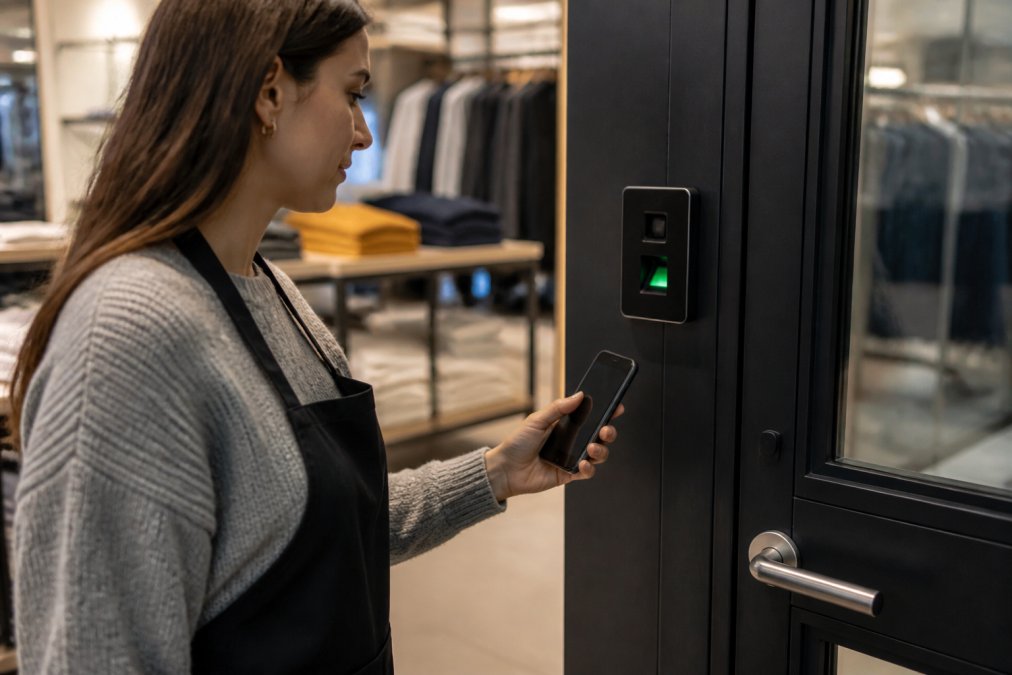
Mobile-based keyless entry eliminates physical credentials that can be lost, stolen, or duplicated. Staff unlock doors via smartphone; managers see exactly who accessed which door at what time from anywhere.
New hires gain access instantly without waiting for physical credentials. Terminated employees lose access immediately, no credential retrieval required. Integration with mobile device management enforces password policies, requires multi-factor authentication, and remotely wipes credentials if a phone is lost.
Real-time monitoring creates behavioral accountability. Managers see when staff access storage areas, cash handling zones, or after-hours spaces. Combined with video analytics, mobile access logs become powerful loss prevention tools.
The main limitation is connectivity dependency. Weak cellular or WiFi signals may cause access requests to timeout. Most systems include local offline caching for brief outages. Setup typically takes 2-3 days for a single location.
System 2: Biometric Reader Integration for High-Security Retail
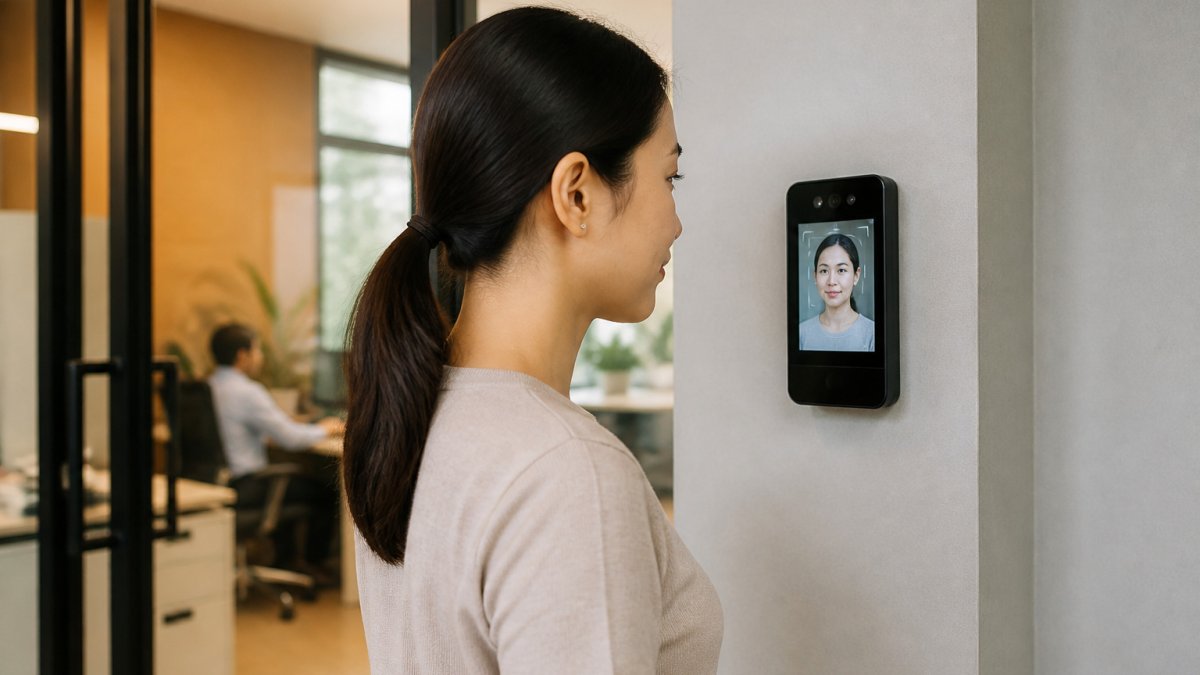
Biometric readers, fingerprint, iris, or facial recognition, eliminate the credential problem entirely. Staff cannot lose, forget, or share their fingerprint. For retail handling cash, jewelry, pharmaceuticals, or high-value inventory, biometric integration verifies identity before entry.
Fingerprint readers are the most practical option: fast (under 500ms identification time), reliable across diverse skin types, and cost-effective (peer-reviewed research). Combined with real-time video analytics, biometric access logs create an unbreakable audit trail for compliance investigations. Integration with time and attendance systems automatically clocks employees in and out, eliminating buddy punching.
The practical challenge is enrollment and reenrollment. Initial fingerprint registration takes 5-10 minutes per employee (nist.gov). If fingerprint quality degrades due to injury or age, reenrollment becomes necessary. Biometric systems require careful ADA compliance consideration, backup credential options like a PIN or mobile app ensure accessibility for employees who cannot reliably use the biometric reader.
System 3: Hybrid Keypad and Key Fob Entry for Multi-Location Stores
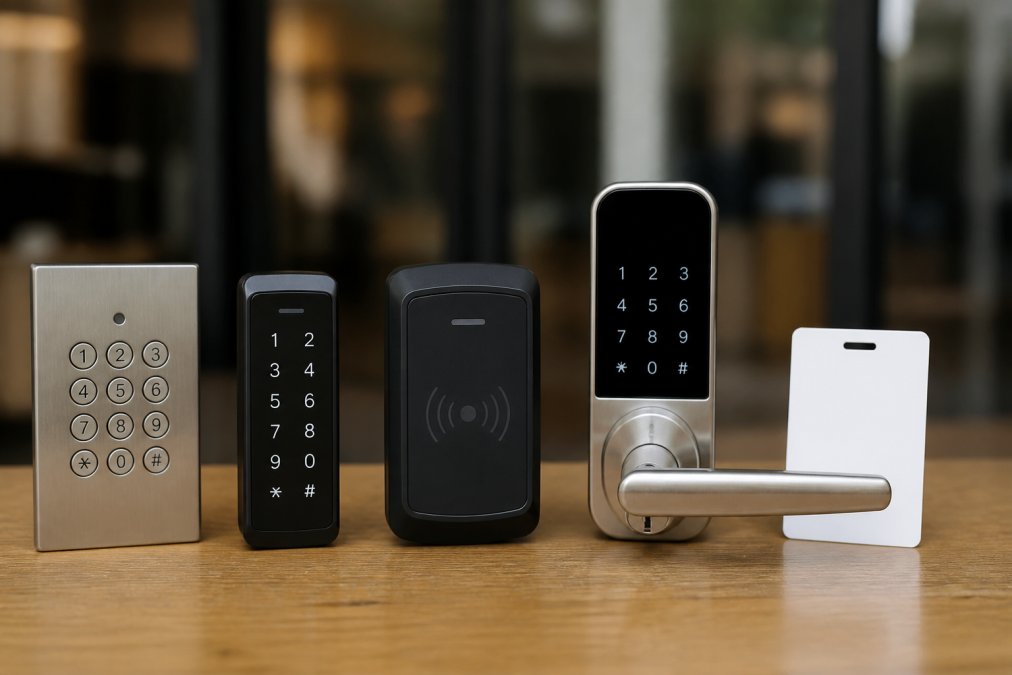
Hybrid systems combine electronic keypads with key fobs or proximity cards, offering flexibility without the complexity of mobile or biometric systems. Staff can punch a PIN, tap a fob, or scan a card. This redundancy ensures access even if one credential method fails.
Keypads require no technology beyond the keypad itself, no mobile app, no biometric enrollment, no connectivity dependency. If your store's internet goes down, the keypad still works. For multi-location stores, hybrid systems provide consistent user experience: an employee's PIN works at every location.
The main limitation is credential management overhead. When an employee is terminated, you must change their PIN and retrieve their key fob. Cloud-based management allows PIN changes and fob deactivation from a central dashboard, reducing operational burden. Installation is straightforward and most single-location installations take 4-6 hours.
System 4: Cloud-Based Access Control with Audit Trail
Cloud-based access control centralizes credential management, access decisions, and audit logging across all locations. A retail chain with 50 stores manages every location from a single dashboard.
The audit trail capability is exceptional. Every access attempt, successful or denied, is logged with timestamp, location, credential method, and outcome. These immutable logs are valuable for compliance investigations, loss prevention analysis, and legal proceedings. When inventory discrepancies occur, you can correlate access logs with video footage to identify exactly who accessed specific areas.
Real-time monitoring and alerting transform reactive security into proactive loss prevention. Set rules like "alert me if anyone accesses the cash handling area outside 9 AM to 5 PM" or "flag repeated failed access attempts on the back door." Integration with video surveillance, point-of-sale data, inventory management, and time and attendance creates unified security infrastructure.
Scalability is inherent: adding a new store location requires minimal effort. Internet connectivity dependency is the primary consideration, if your store loses internet, the local reader operates in offline mode using cached credentials. Ensure the provider encrypts data in transit and at rest, implements strong access controls, and undergoes regular security audits.
System 5: Wireless Smart Deadbolt with Battery Backup
Wireless smart deadbolts replace traditional deadbolts and connect via WiFi or Bluetooth. They can be controlled via mobile app, PIN code, or physical key backup. Battery power eliminates dependency on facility electrical infrastructure.
The appeal is straightforward: minimal installation complexity and low upfront cost. Mount the deadbolt on an existing door, configure it via app, and you're done. Battery backup runs 6-12 months on standard batteries before requiring replacement (the FDA). Some include manual key override for absolute fail-safe access.
The limitations become apparent in retail scenarios. Wireless smart deadbolts typically support only one or two doors. Managing credentials across a 10-door retail location requires separate management interfaces for each deadbolt. Audit trails are often limited, and integration with other security systems is minimal.
Battery management creates recurring maintenance. Wireless connectivity can be unreliable in retail environments with thick walls, metal shelving, or interference from other devices. Wireless smart deadbolts work best as supplementary access points: back doors, emergency exits, or secondary entrances. Installation takes 30-60 minutes for a single door.
| System Type | Best For | Key Limitation | Credential Method |
|---|---|---|---|
| Mobile-Based | Flexibility, real-time monitoring | Cellular/WiFi dependency | Smartphone app |
| Biometric | High-security retail, loss prevention | Privacy compliance, reenrollment overhead | Fingerprint/iris/facial |
| Hybrid Keypad/Fob | Multi-location consistency, simplicity | Credential loss, PIN sharing risk | PIN + physical credential |
| Cloud-Based | Enterprise chains, audit trails, integration | Internet dependency, ongoing cloud fees | Multiple methods, centralized |
| Wireless Deadbolt | Small locations, secondary doors | Limited scalability, minimal integration | Mobile app + physical key |
Retail Security Integration Best Practices
Choosing the right keyless entry system is only the beginning. Integration with video surveillance, alarm systems, loss prevention workflows, and compliance requirements determines whether the system actually protects your retail operation.
Start with a security audit mapping your current infrastructure. Document every door requiring access control, existing security systems, network architecture, and compliance requirements.
Access control should correlate with video surveillance. When someone accesses a high-risk area, cash handling, inventory storage, pharmacy, the access log should trigger automatic video recording or alert the manager to review footage. Integrate access logs with point-of-sale data to identify suspicious patterns. If an employee accesses the cash handling area 15 times per shift but only processes 3 transactions, that's a behavioral anomaly worth investigating.
Fire safety code compliance is non-negotiable. Electronic locks must support fail-safe operation (doors unlock automatically during fire alarm activation) and fail-secure operation (doors lock if power is lost). The system must integrate with your building's fire alarm system. ADA compliance requires that access control doesn't prevent individuals with disabilities from entering or exiting. Multi-method credential options ensure accessibility for all employees.
Time-based access policies prevent unauthorized after-hours access. Configure the system so employee credentials only work during assigned shift hours. Visitor management integration adds another layer, temporary credentials for contractors or vendors should expire automatically.
Post-installation maintenance prevents system degradation. Schedule quarterly security audits to verify access policies match your current staff. Employee training is critical: staff must understand that credentials are personal and shouldn't be shared. Managers need training on the access control dashboard: adding new employees, revoking access for terminations, and interpreting audit logs.
Regular audit trail review is essential for loss prevention. Monthly reports showing access patterns, failed access attempts, and unusual after-hours activity reveal security gaps before they become losses.
Selecting the right keyless entry system for retail requires balancing convenience, security, and operational complexity. Mobile-based systems offer maximum flexibility; biometric readers provide absolute credential verification; hybrid systems deliver reliability without technology dependency; cloud-based platforms enable enterprise-scale integration; wireless deadbolts offer simplicity for secondary access points.
Mt. Major Tech helps Northern New England retail operations deploy access control systems that integrate seamlessly with existing security infrastructure, creating unified security that prevents theft rather than just logging it. Book Online to discuss your retail security integration needs with our team.
Frequently Asked Questions
What is the best keyless entry system for small retail businesses?
The best choice depends on your store's size, traffic volume, and security needs. Mobile-based access systems work well for single locations with small teams, offering affordability and ease of use. Hybrid systems combining keypads and key fobs suit multi-location retailers needing centralized management. Cloud-based platforms scale efficiently as your business grows. Evaluate systems based on audit trail capability, real-time monitoring features, and whether they integrate with your existing surveillance infrastructure. Request a consultation to assess your specific requirements.
How much does it cost to install a commercial keyless entry system?
Installation costs vary significantly based on system complexity, number of doors, existing infrastructure, and whether you need integration with current security systems. Factors affecting pricing include hardware type (biometric readers, smart deadbolts, or keypads), software licensing, cloud-based management fees, and professional installation labor. Multi-location retailers typically see economies of scale. Contact Mt. Major Tech for a customized quote that accounts for your facility's specific configuration and scalability needs.
Can keyless entry systems integrate with existing retail surveillance?
Yes, modern keyless entry systems are designed to work alongside existing surveillance infrastructure. Cloud-based platforms with API integration allow access control data to sync with video analytics and monitoring systems. This unified approach creates a comprehensive security picture: entry logs correlate with footage, credential management aligns with visitor tracking, and real-time monitoring alerts can trigger both access restrictions and camera recording. Ensure your chosen system supports integration with your current cameras and monitoring software before purchase.
Are keyless entry systems compliant with fire safety regulations?
Keyless entry systems must comply with fire safety codes, including fail-safe mechanisms that unlock doors during emergencies to allow egress. Systems should meet National Fire Protection Association (NFPA) standards and local fire codes. Biometric readers, electronic keypads, and smart deadbolts must have battery backup or hardwired power options to function during outages. ADA compliance is also critical for retail environments, requiring accessible entry methods. Verify that your system provider documents compliance with applicable fire and accessibility standards before installation.
How do cloud-based keyless entry systems improve retail security?
Cloud-based systems provide centralized credential management, real-time monitoring, and detailed audit trails from any location. Retailers can grant or revoke access instantly, track who entered when, and identify unusual access patterns indicating potential theft or unauthorized entry. Multi-factor authentication options enhance security beyond simple key fobs or keypads. However, choose providers with local backup options and encrypted communication protocols. Cloud systems also simplify multi-location management, allowing corporate teams to oversee access across all stores from a single dashboard.