 blog
7 Biometric Smart Locks for Homes in 2026
Quick Summary
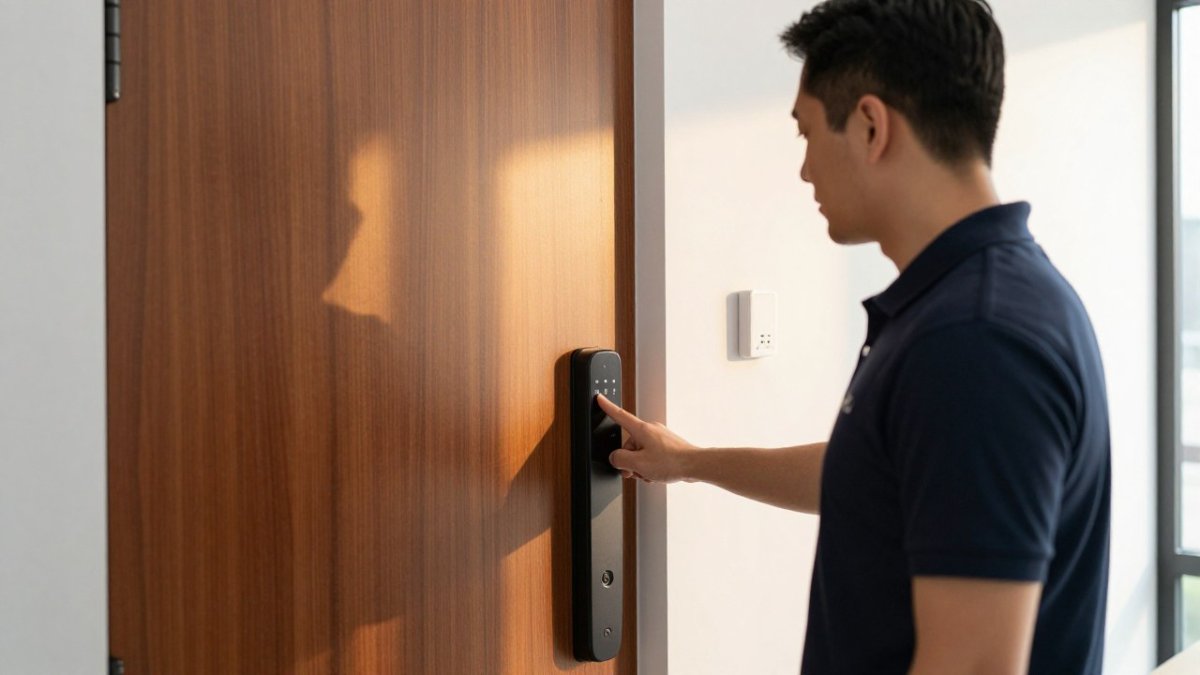
Biometric smart locks let homeowners open a door with a fingerprint, a keypad code or a phone, without carrying a key. Capacitive fingerprint sensors are common on mid-range models, and a physical key should always remain as a fallback.
- Enroll at least two fingers per user so one bad read does not lock someone out.
- Confirm local entry methods still work when Wi-Fi drops, since remote features depend on the internet.
- Check whether fingerprint templates are stored on the device or in the cloud before buying.
- Delete enrolled fingerprints and user accounts through the app or factory reset when selling or moving.
- Measure your door and deadbolt before buying, since thicker or nonstandard doors may need an adapter.
Table of Contents
- How Biometric Smart Locks Work for Homes
- Best Biometric Smart Locks for Residential Use
- Smart Door Locks With Fingerprint Access Compared
- Downsides of Fingerprint Door Locks
- Biometric Data Privacy and Deletion
- Installation, Door Fit and Total Cost of Ownership
- Booking a Home Security Assessment With Mt. Major Tech
- Frequently Asked Questions
How Biometric Smart Locks Work for Homes
Last Updated: November 12, 2026
Biometric smart locks let homeowners open a door with a fingerprint, a keypad code or a phone, without carrying a key. Biometric smart locks raise the same questions for most homeowners: how the sensor reads a finger, what happens when the power fails, and where the physical key fits. Understanding those three parts makes it much easier to pick a lock that actually fits your household.
Fingerprint Sensors, Keypads and Backup Keys
Most residential models use one of two fingerprint sensor types. Optical sensors take a photo of your fingerprint, while capacitive sensors read the electrical pattern of the ridges. Capacitive readers are more common on mid-range locks.
A keypad is the second entry method, and it handles guests and temporary access. You can usually generate a time-limited passcode, which expires automatically. A physical key remains the final fallback, so confirm that the lock ships with at least two. Keep one somewhere outside the house.
Best Biometric Smart Locks for Residential Use
The best choice depends on how your household enters the home. A family with young children who need fast access will value a wide fingerprint enrollment limit and a reliable sensor more than a sleek finish. A homeowner who rarely uses keys may prefer a lock with a strong app and remote unlocking.
When you evaluate options, check these points first:
- Number of fingerprints the lock can store
- Whether it works over Wi-Fi, Bluetooth or both
- Battery type and low-battery alerts
- Compatibility with your door thickness and deadbolt position
- Presence of a physical key override
Shortlist two or three locks that meet these criteria, then compare them on installation difficulty and app quality. For current pricing, check with the manufacturer or contact Mt. Major Tech for a quote.
Smart Door Locks With Fingerprint Access Compared
Fingerprint-only locks cost less but offer fewer ways in. Models that combine a fingerprint sensor with a keypad and an app cover more situations, such as a child getting home before a parent or a contractor needing a single-use code. The comparison below goes beyond entry-method counts to the variables that actually determine whether a biometric lock works for a given household: who can enroll reliably, what happens when conditions are poor, and what the lock costs to own.
| Lock Type | Entry Methods | Typical Fingerprint Capacity | Connectivity | Best For | Main Limitation |
|---|---|---|---|---|---|
| Fingerprint only | Fingerprint, physical key | 20-50 prints on most residential models | None or Bluetooth setup only | Single-user homes, cabins, secondary doors | No remote or guest access; no audit trail |
| Fingerprint + keypad | Fingerprint, code, key | 50-100 prints | Bluetooth; Wi-Fi only with a bridge on many models | Families with shared access and occasional guests | Keypad wear over time; bridge adds cost |
| Full smart lock | Fingerprint, code, app, key | 50-100 prints | Wi-Fi and Bluetooth built in | Households managing guests, renters, and deliveries remotely | Higher cost and Wi-Fi dependence for remote features |
Biometric Accuracy and Who Struggles
Manufacturer spec sheets often list fingerprint capacity but may not list false-rejection performance. That leaves buyers to reason from sensor type and enrollment design. Capacitive sensors generally tolerate minor moisture and surface dirt better than optical sensors, which is why capacitive readers dominate mid-range residential locks. Children and older adults can sometimes enroll less reliably, because smaller finger surface area and thinner or worn skin reduce ridge contrast.
The practical workaround is enrollment strategy, not sensor shopping. Enroll at least two fingers per user, and enroll the same finger twice under different names if the app allows it, so a cut or callus on one finger does not lock someone out. For children, enroll a thumb and an index finger and re-enroll every few months as the hand grows.
Real-World Reliability: Wet, Cold, Dirty, and Offline
Feature lists rarely describe how a sensor behaves when a finger is wet from rain or snow, dusty from yard work, or cold from a winter commute. Capacitive sensors generally require a reasonably dry, intact finger surface; a wet thumb is one of the most common causes of a failed read.
Connectivity is a separate reliability layer. A lock that depends on Wi-Fi will not respond to remote commands during an outage, so always confirm the local entry methods, fingerprint, keypad, and physical key, work without the internet. Bluetooth-only locks keep working locally but lose remote unlock and guest-code management when you are away from home.
Confirm the lock can be managed locally through the keypad, so user codes can still be changed if an app or hub is discontinued.
Total Cost of Ownership
Purchase price is only part of the long-term cost. Ongoing costs can include replacement batteries, a hub or bridge if you want remote access, any app subscription the manufacturer charges, and installation if your door needs modification. A lower-priced lock that requires a paid subscription or accessory can cost more over time than a higher-priced model without recurring fees. Pricing depends on the model, quantity and delivery, so check current prices with the manufacturer or contact Mt. Major Tech for a quote.
Downsides of Fingerprint Door Locks
Fingerprint locks are convenient, but they have drawbacks buyers should understand. Knowing them in advance prevents frustration after installation, and the drawbacks cluster into three areas: who the sensor fails, what happens when the network or power fails, and what happens to the fingerprint data itself.
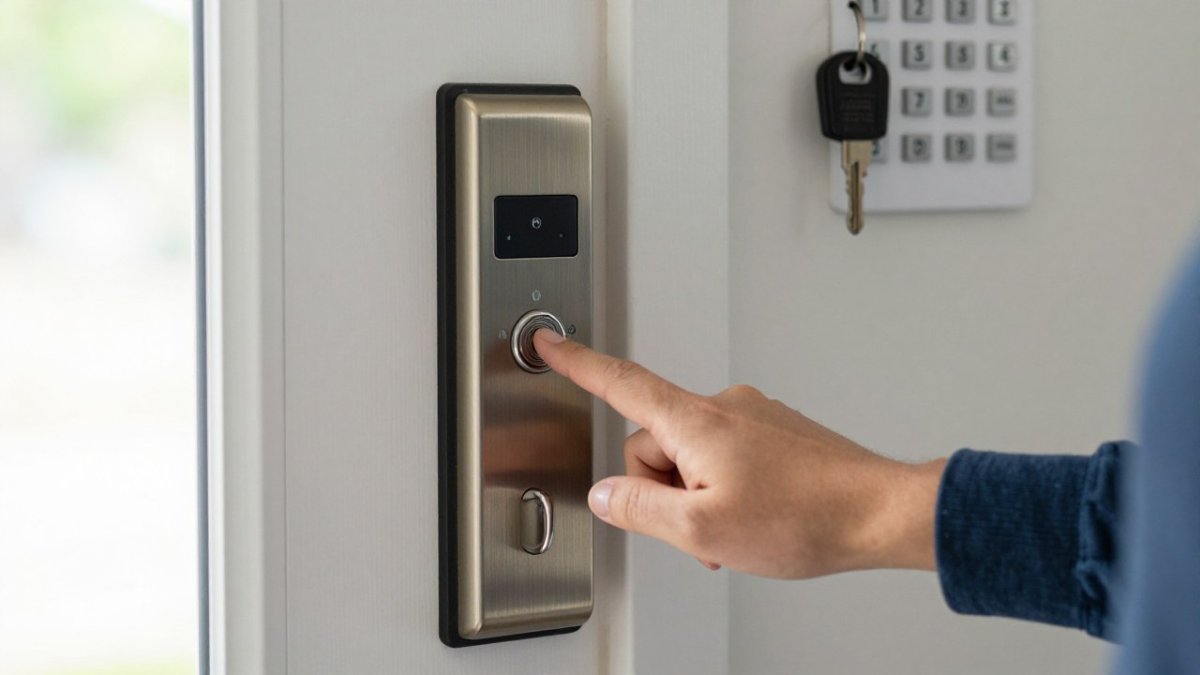
Accuracy, False Rejections and Users Who Struggle
No sensor reads every finger perfectly. Dry skin, cuts, cold weather, moisture, and dirt can all cause a failed read, and the failure mode matters: a false rejection keeps an authorized user out, while a false acceptance lets an unauthorized user in. Residential locks often do not publish standardized rates for either, so redundancy is a practical defense.
Some users can have more trouble. Children have smaller fingerprint surface area and change as they grow, so re-enrollment every few months can be sensible. Older adults may have thinner, drier skin and may find enrollment slower or less consistent. People who work with their hands, trades, gardening, food service, healthcare workers who wash frequently, build calluses and experience more failed reads on the fingers they use most.
Power Outages, Wi-Fi Loss and Lock-Outs
Most residential smart locks run on batteries, and many will keep working through a power outage because the power is not coming from the grid. Wi-Fi loss is different: it disables remote access and app control, but local fingerprint and keypad entry usually continue. The lock-out scenarios that actually happen are narrower than buyers fear. Dead batteries without warning are the most common cause; enable low-battery alerts, replace batteries on a schedule, and keep the physical key somewhere you can reach it from outside.
Watch out: some locks ship with a low-battery warning that only appears in the app, so a household member who never opens the app will not see it, confirm the lock also signals low battery at the keypad.
Biometric Data Storage and Deletion
Fingerprint templates are sensitive data, and the single most important question before buying is where the template lives. Some locks store templates on the device itself rather than in the cloud, while others sync templates through an app account. Read the privacy policy to confirm whether templates are stored locally, whether they are encrypted at rest, and whether they are shared with third parties.
When you sell the home, move, or give up a lock, delete enrolled fingerprints and user accounts through the app or the device's factory reset. Do not assume removing the lock from the door erases the stored data; the templates live in the lock's memory, and a new owner who pairs the lock to their own app may inherit whatever was not cleared.
Household-Specific Buying Guidance
A family with young children should prioritize a wide fingerprint enrollment limit, a keypad code that children can memorize, and a lock that lets you add and remove users without a subscription. A rental property needs renter-friendly options: a lock that replaces only the deadbolt and leaves the existing handleset in place, plus a way to issue and revoke temporary codes between tenants. Households with frequent guests or contractors benefit from time-limited passcodes and an audit trail in the app.
Biometric Data Privacy and Deletion
Fingerprint templates are sensitive data. Before buying, ask the manufacturer where templates are stored. Many locks keep them on the device rather than in the cloud, which reduces exposure if the company is breached. Read the privacy policy to confirm whether data is shared with third parties.
When you sell the home or give up a lock, delete enrolled fingerprints and user accounts through the app or the device's factory reset. Do not assume removing the lock from the door erases the stored data. Our team recommends checking the reset procedure in the manual before you hand the lock over.
Installation, Door Fit and Total Cost of Ownership
Measure your door and deadbolt before buying. Many smart locks fit standard residential bores, but thicker or nonstandard doors may need an adapter. Installation is usually a DIY job for handy homeowners, though an installer is worth considering if the door does not close cleanly or the existing hardware is damaged.
Total cost of ownership includes more than the purchase price. Add replacement batteries, any hub or bridge you need, app subscriptions if the lock uses one, and a possible installation fee. A lower-priced lock that needs a paid subscription can cost more over five years than a higher-priced model with no recurring fees. Check current pricing with each manufacturer or retailer before you decide.
Booking a Home Security Assessment With Mt. Major Tech
A smart lock is one part of a home's security. If you want help choosing hardware that fits your door, your household and your existing system, Mt. Major Tech can review your setup and recommend next steps. You can book a home security assessment directly to get a professional look at your entry points and access needs.
Frequently Asked Questions
What are the best biometric locks for home use?
The best biometric lock depends on your door, your household and how you plan to use it. Look for a fingerprint sensor that enrolls several users, a physical key or keypad backup, Wi-Fi or Bluetooth connectivity that you can manage from a phone, and a lock that fits your existing deadbolt bore without major door work. Test the enrollment process before you buy, since sensor quality varies widely between models. Pricing depends on the model, quantity and delivery, so check current prices with the manufacturer or ask Mt. Major Tech for a quote.
What are the downsides of fingerprint door locks?
The main downsides are occasional false rejections, especially with wet, dry or worn fingertips, slower unlocking than a keypad for some users, and the need to re-enroll fingerprints if a sensor fails. Fingerprint locks also depend on batteries, so a low-battery alert and a physical key backup are essential. Some households find the enrollment process tedious, and a few models store biometric templates on the device in ways that deserve a close look before you install one.
Do fingerprint smart locks work during a power or Wi-Fi outage?
Most residential fingerprint locks run on batteries and keep working during a power outage because they do not draw from household wiring. Local fingerprint unlocking continues even without Wi-Fi, but remote unlocking, activity logs and app alerts stop until the connection returns. Check whether the lock offers an emergency battery terminal and a physical key override, and replace batteries on the schedule the manufacturer recommends.
Can a fingerprint smart lock still be opened with a key or code?
Most fingerprint smart locks include a physical key, and many also offer a keypad code, so you are not locked out if the sensor fails. Keep the physical key somewhere secure outside the house, and set up at least one keypad code for guests or family members who cannot use the fingerprint sensor. Review access permissions periodically to remove former residents or temporary users.