 how-to
How to Secure Remote Access to Surveillance Footage
Table of Contents
- Why Remote Surveillance Access Creates Serious Security Risks
- VPN for Security Cameras: The Safest Way to Connect Remotely
- Step-by-Step: Setting Up Secure Remote Access to Your Cameras
- Multi-Factor Authentication for Camera Systems: Locking Down User Accounts
- Surveillance System Cybersecurity Best Practices You Should Follow
- Zero Trust and Vulnerability Scanning: Advanced Protection for Your NVR
- Conclusion
- Frequently Asked Questions
Last Updated: September 20, 2026
Why Remote Surveillance Access Creates Serious Security Risks
Every camera you expose to the internet is a door into your network. According to the FBI's public service announcement on cyber hygiene for IoT devices, unsecured internet-connected devices are a leading entry point for attackers. When you learn how to secure remote access to surveillance footage, you're really deciding how much of your network to expose.
Here's what makes surveillance systems uniquely risky:
- Cameras often ship with default credentials that never get changed
- Firmware goes years without updates
- Video streams sometimes travel unencrypted
- One exposed NVR can reveal every camera on the property
VPN for Security Cameras: The Safest Way to Connect Remotely
Compare the two common approaches:
| Method | Security Level | Setup Difficulty | Best For |
|---|---|---|---|
| Port forwarding | Low | Easy | Avoid entirely |
| VPN tunnel | High | Moderate | Most homes and businesses |
| Vendor P2P cloud | Medium | Easy | Quick setups, limited users |
The tradeoff? VPNs take more setup. But once running, remote viewing feels the same. You open the app, connect, and watch.
Step-by-Step: Setting Up Secure Remote Access to Your Cameras
Secure remote access takes about an afternoon for a small system. The process has three phases: lock down accounts, isolate the network, then encrypt the connection. Skip a phase and the remaining two leak.
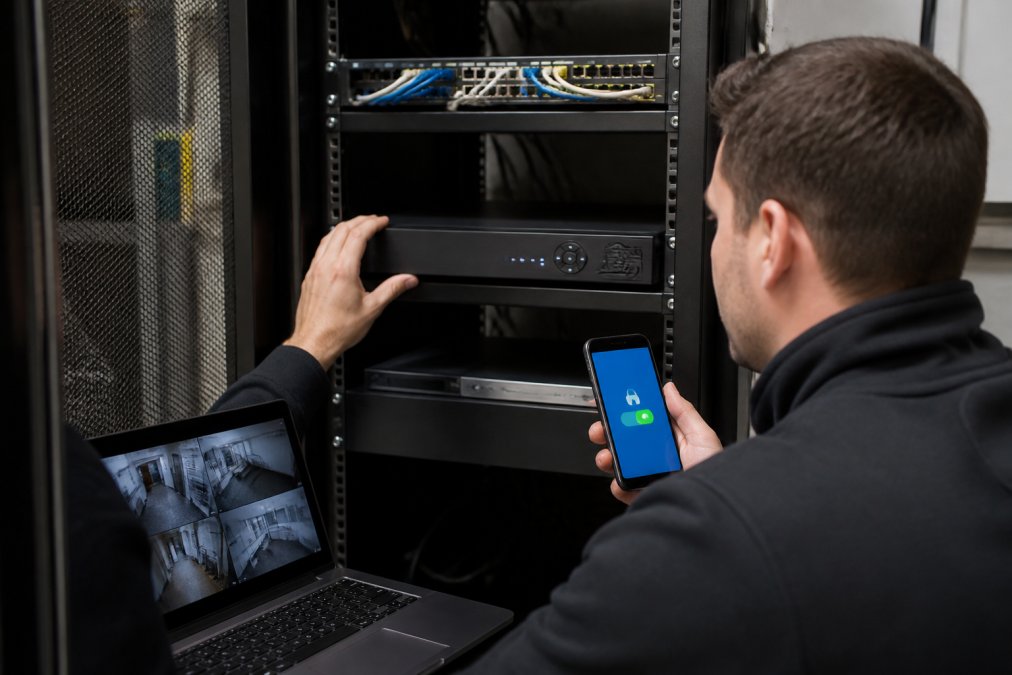
Step 1: Change Default Credentials and Disable Unused Services
Default credentials are the single biggest cause of camera breaches. Change every password before the camera touches your network.
- Replace admin/admin with a long, unique passphrase (16+ characters, generated by a password manager)
- Disable UPnP, Telnet, FTP, and any unused service in the camera's web interface
- Turn off vendor cloud features you don't use, each one is another outbound tunnel
- Give each camera its own password so one compromise doesn't cascade
- Disable the default "admin" username where the firmware allows it, and create a named admin account instead
Step 2: Segment Your Camera Network from Everything Else
Network segmentation keeps cameras on their own isolated lane. If an attacker compromises a camera, they can't reach your laptops or files. This is the step most guides gloss over, and it's the one that actually stops lateral movement.
Concrete rules that work in practice:
- Create a separate VLAN or guest network for cameras; do not share it with IoT thermostats or smart TVs
- Block camera-to-camera traffic (cameras have no reason to talk to each other)
- Allow only the NVR's camera-side interface to initiate connections to cameras
- Block all camera-initiated outbound traffic to the internet at the firewall
- Keep cameras off your main Wi-Fi; use a dedicated SSID mapped to the camera VLAN if you must go wireless
- Disable inter-VLAN routing between the camera VLAN and your trusted LAN except for the NVR's specific IP
Step 3: Configure Encrypted Connections and Firewall Rules
Encrypted connections and tight firewall rules close the remaining gaps. Your goal: only your VPN can reach the NVR.
- Enable HTTPS and TLS 1.2 or higher on the NVR interface; disable TLS 1.0 and 1.1
- Install a proper certificate (a free Let's Encrypt cert works if the NVR supports ACME) so browsers stop warning
- Set firewall rules to allow only VPN subnet traffic to the NVR's management port
- Block all inbound ports from the public internet, no exceptions for "just this one app"
- Enable an audit trail for login attempts and export it off-device on a schedule
- Force RTSP/SRTP streams to use TLS where the camera supports it; otherwise keep streams inside the VPN tunnel
Port forwarding exposes your NVR directly to the internet. Scanners find open ports within hours, and default credentials are the first thing they try. If you must expose a single service, expose the VPN endpoint, never the NVR.
Enable the audit trail before you go live. When something looks wrong later, the login log tells you exactly who connected and when. Export it weekly to a location the NVR itself cannot delete.
Multi-Factor Authentication for Camera Systems: Locking Down User Accounts
Multi-factor authentication for camera systems adds a second proof of identity beyond a password. Even a stolen password won't get an attacker in.
- Use an authenticator app, not SMS codes
- Require MFA for all remote logins
- Give each user their own account, never shared logins
- Review user access every quarter
| Role | Live View | Recorded Footage | Settings |
|---|---|---|---|
| Viewer | Yes | No | No |
| Operator | Yes | Yes | No |
| Administrator | Yes | Yes | Yes |
Surveillance System Cybersecurity Best Practices You Should Follow
Surveillance system cybersecurity best practices come down to one habit: treat every camera like a computer that needs patching. A camera is a small computer with a lens.
- Update firmware on a set schedule, not when you remember
- Watch vendor security bulletins for your NVR model
- Replace end-of-life cameras that no longer get patches
- Use a firewall between cameras and the internet
- Back up recorded footage to both cloud storage and a local drive
The biggest remote-access risk isn't the camera. It's the NVR sitting behind one open port with a default password.
Zero Trust and Vulnerability Scanning: Advanced Protection for Your NVR
Zero Trust for IoT flips the old model: trust nothing, verify everything. Every device and user must prove identity on every request, even inside your network. For a camera system, that means the NVR no longer trusts a camera just because it's on the camera VLAN, and your phone no longer trusts the network just because it's connected to the VPN.
What Zero Trust looks like on an NVR:
- Authenticate every connection, internal or external, no implicit trust for "inside" traffic
- Issue each camera a unique credential or certificate; rotate them on a schedule
- Require device posture checks before a remote client can reach the NVR (patched OS, screen lock enabled, no jailbreak/root)
- Scope every session to the minimum it needs: a viewer account gets live view of assigned cameras only, nothing else
- Log and review all access attempts, including successful ones, the successful logins are where attackers hide
- Set session timeouts so a stolen phone doesn't stay authenticated for weeks
Vulnerability Scanning for NVRs: The Step Most Guides Skip
Vulnerability scanning for NVRs is the step most guides skip. Free and low-cost scanners can check your device against known weakness lists. Run one after every firmware update and at least quarterly.
A practical scanning routine:
- From a machine on your trusted LAN, run an authenticated scan against the NVR's management IP using a tool like OpenVAS, Nessus Essentials (free tier for home use), or Nmap for a quick port and service check
- Scan the camera VLAN too, cameras are the most commonly forgotten devices on the network
- Compare open ports against the vendor's documented list; anything extra is a finding
- Check the NVR's firmware version against the vendor's security bulletin page and the CISA Known Exploited Vulnerabilities catalog
- Re-scan after every patch to confirm the finding is actually closed, not just marked closed
What to do with findings:
- Critical and high findings: patch or mitigate within days, not months
- Medium findings: schedule within the next maintenance window
- Low findings: document and accept, or fix if the change is trivial
- If a finding has no patch (end-of-life NVR), isolate it further or replace it, an unpatched NVR on your network is a permanent open door
Ignoring firmware updates leaves known flaws open. Attackers don't need new tricks when old ones still work. An NVR that stopped receiving patches two years ago is not "stable", it's a known target.
Disaster Recovery: When Remote Access Fails or Is Compromised
Disaster recovery matters too. If your cloud service goes down, you still need footage. If your VPN credentials leak, you need a way to cut remote access without losing local recording.
- Keep a local backup so a service outage never locks you out of your own recordings
- Store at least one copy offline or on write-once media so ransomware can't encrypt it
- Document how to disable remote access entirely (kill the VPN, revoke certificates, disable the remote user accounts) without taking the local NVR offline
- Test the recovery path once a quarter, an untested backup is a hope, not a plan
- Keep a printed copy of the local-only admin credentials somewhere physical; if the network is down, you can't look them up in the cloud
The biggest remote-access risk isn't the camera. It's the NVR sitting behind one open port with a default password, and no one scanning it to find out.
Conclusion
Remote access to surveillance footage is convenient, but convenience without security is a liability. The good news: a VPN, network segmentation, MFA, and regular patching close the gaps that attackers rely on.
Frequently Asked Questions
What is the most secure method of remote access for surveillance cameras?
A VPN creates an encrypted tunnel between your device and the camera network, so no one can intercept the video stream. Pair it with multi-factor authentication and keep firmware updated. Avoid exposing cameras directly to the internet, as that invites unauthorized access.
What are the risks of port forwarding for security cameras?
Port forwarding opens a direct path from the internet to your camera or NVR, making it visible to automated scanners. If credentials are weak or firmware is outdated, attackers can take over the device, watch live feeds, or use it as a botnet node. Many data breaches start this way.
How often should I update my surveillance system firmware?
Check for firmware updates at least once a month, or enable automatic updates if available. Vendors release patches for newly discovered vulnerabilities, and delaying updates leaves your system exposed. Regular updates are a core part of cyber hygiene for any IP camera or NVR.
Can I use multi-factor authentication with my existing camera system?
Many modern NVRs and cloud platforms support MFA. If yours does not, consider upgrading to a system that does or add a VPN with MFA as a front-end. MFA adds a critical layer, so even if someone steals your password, they cannot access the footage without the second factor.