 how-to
How to Integrate Surveillance with Access Control
Table of Contents
- What You'll Need Before You Start
- Step 1: Assess Your Current Security Infrastructure
- Step 2: Choose Compatible Hardware and Software
- Step 3: Connect Systems Through APIs and SDKs
- Best Practices for Security System Interoperability
- AI-Enabled Security Integration Tools That Reduce False Alarms
- How Long Does Unified Security Integration Take?
- Cybersecurity, Compliance, and Cost Considerations
- Frequently Asked Questions
Last Updated: September 12, 2026
What You'll Need Before You Start
Learning how to integrate surveillance with access control starts with an inventory, not a purchase order. Learning how to integrate surveillance with access control starts with an inventory, not a purchase order. Teams that document what they already own often spend less than teams that buy first and reconcile later.
Gather these before you touch a single configuration screen:
- A current camera and reader inventory with model numbers and firmware versions
- Network documentation showing switch ports, VLANs, and available PoE budget
- Administrator credentials for every system you intend to connect
- A written list of who needs access to which doors, and when
- Your retention and privacy obligations, reviewed against FTC guidance on safeguarding customer information
That last item is the one most teams skip, and it's the one that causes the most rework.
Step 1: Assess Your Current Security Infrastructure
Assessment determines whether you're integrating or replacing, and that decision drives everything downstream. A structured audit of cameras, readers, and network capacity takes one to three days on a typical commercial site and prevents the single most expensive mistake in this process: discovering mid-project that your network can't carry the load (asisonline.org).
Audit Cameras, Readers, and Network Capacity
Walk the site and record four things for every device: manufacturer, model, firmware version, and whether it supports an open protocol. Cameras that speak ONVIF and readers that support OSDP are integration-ready. Older proprietary hardware may need replacement.
Then check the network. Count your IP cameras, multiply by their bitrate, and compare the total against your available switch capacity. Add the access control panels and their traffic on top.
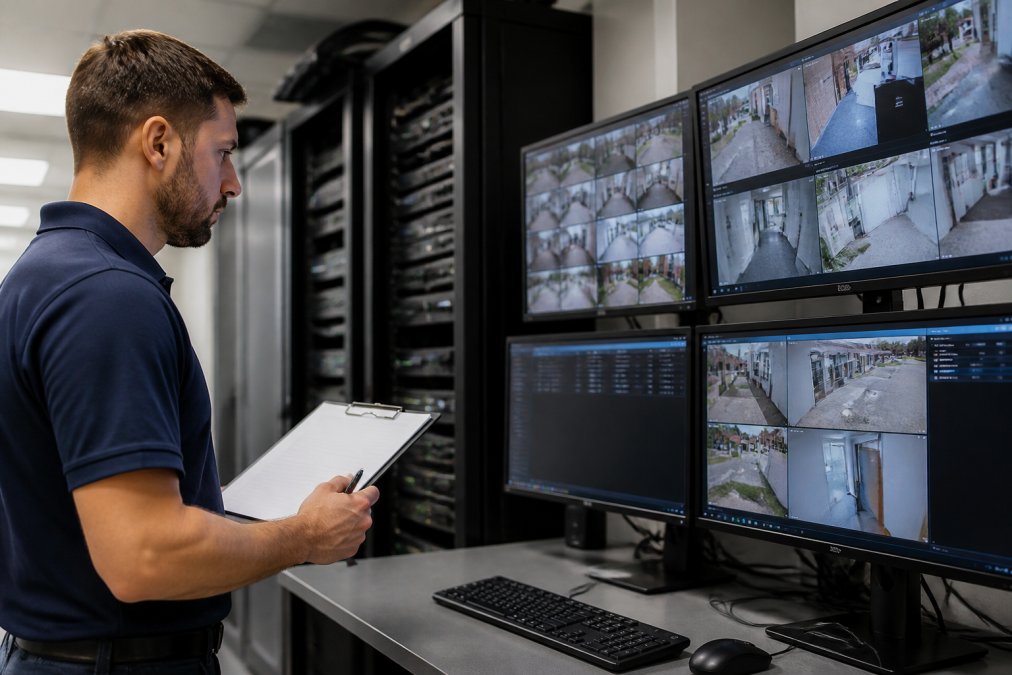
A common mistake is assuming gigabit switches have headroom because the office feels fast. Video surveillance is sustained throughput, not burst traffic, and it behaves very differently.
Step 2: Choose Compatible Hardware and Software
Compatibility is the deciding factor, and it's usually determined by what you already own. The goal is a unified security platform where one interface controls both who enters and what gets recorded.
Cloud-Based vs. On-Premise Management
Cloud-based management puts your video management software and access platform in a hosted environment with a centralized dashboard. On-premise keeps servers in your building.
| Factor | Cloud-Based | On-Premise |
|---|---|---|
| Upfront hardware cost | Lower | Higher |
| Multi-site scalability | Strong | Requires per-site servers |
| Local footage access during outage | Depends on local caching | Always available |
| Maintenance burden | Provider-managed | In-house or contracted |
| Best for | Distributed campuses | Single high-security sites |
For multi-building campuses, cloud-based management scales without a server closet in every structure. For a single facility with strict footage residency requirements, on-premise often wins.
Step 3: Connect Systems Through APIs and SDKs
Connection happens through API integration or a vendor SDK, and the choice affects how much custom work you carry long term. This is the step where most guides stay vague, so here is the mechanism-level version.
Know Which Standard You Are Actually Relying On
Before you write a line of configuration, identify the protocol each device speaks. The common ones:
- ONVIF, the dominant open standard for IP cameras and video management systems. Profiles S, G, and T cover streaming, recording, and metadata/analytics respectively. If a camera advertises ONVIF Profile S, you can generally pull its stream into a third-party VMS without a proprietary driver.
- OSDP, Open Supervised Device Protocol, maintained as a standard for reader-to-controller communication. OSDP supports encrypted, bidirectional communication (Secure Channel), which legacy Wiegand wiring does not (securityindustry.org). If your readers are on Wiegand, plan a migration path.
- PSIA, an older physical security interoperability standard. You will still encounter it in installed base hardware, but new procurement should favor ONVIF and OSDP.
- Proprietary REST APIs and SDKs, many access control platforms expose a documented REST API for events, credentials, and door state, while others only ship an SDK. An SDK ties you to a specific language and version; a REST API is language-agnostic and easier to maintain.
A practical rule: standardize on ONVIF for cameras and OSDP for readers wherever hardware allows, and treat proprietary APIs as the exception you document carefully rather than the default.
The Connection Sequence That Actually Works
- Confirm both systems expose a documented API or SDK. Ask for the API reference and a sandbox or test tenant before you commit.
- Authenticate using service credentials, never a shared admin account. Create a dedicated integration account with the minimum scopes needed, typically read on events and write on the specific actions you intend to trigger.
- Map events in one direction first, typically door events into the video system. A door-forced-open event should tag the nearest camera and start a clip.
- Test a single door and a single camera before scaling. Verify the event fires, the clip is tagged, and the timestamp aligns across both systems.
- Add the reverse flow so video analytics can trigger access actions, for example, a person-detection event unlocking a vestibule during business hours.
Event Mapping Is Where Integrations Live or Die
Get the event mapping right and everything else follows. Get it wrong and you will chase phantom alarms for months. Two mechanics matter most:
- Time synchronization. Both systems must pull from the same NTP source. A drift of even a few seconds makes forensic correlation unreliable.
- Event schema alignment. A door event and a camera event rarely share the same field names. You will map fields like
door_id,reader_id,timestamp, andcredential_idbetween systems. Document every mapping in one place.
Where Integrations Quietly Break
The thing nobody tells you about system interoperability is that it degrades quietly. A firmware update on one device can break an event mapping that worked for a year. Build a habit of re-testing the integration after any firmware change, and keep a version log so you can correlate a break to the change that caused it.
Best Practices for Security System Interoperability
Interoperability comes down to standards discipline, and the teams that follow it spend far less time on maintenance. A few practices separate clean integrations from fragile ones.
- Standardize on ONVIF for cameras and OSDP for readers wherever hardware allows
- Use multi-factor authentication on every administrative account
- Keep firmware versions aligned across devices in the same subsystem
- Document every API endpoint, credential, and event mapping in one place
- Review audit trails monthly, not annually
The thing nobody tells you about system interoperability is that it degrades quietly. A firmware update on one device can break an event mapping that worked for a year.
AI-Enabled Security Integration Tools That Reduce False Alarms
AI-powered analytics reduce false alarms by classifying what a camera actually sees rather than reacting to any motion. Traditional motion sensors trigger on headlights, weather, and wildlife. AI-enabled security integration tools distinguish a person from a tree branch, then pass only meaningful events to the access platform.
This matters most for teams running a security operations center, where alarm fatigue erodes response quality. When event-driven recording replaces continuous motion triggers, operators review footage that matters instead of footage that doesn't.
For healthcare and legal clients with strict privacy obligations, verify where analytics processing occurs. Some platforms analyze on the camera, others in the cloud, and that distinction affects your compliance posture.
How Long Does Unified Security Integration Take?
Unified security integration typically takes two to six weeks for a single commercial site, depending on device count, network readiness, and how many legacy systems need replacement. A small installation with modern hardware can complete in days. A distributed campus with mixed-vendor equipment runs longer.
The timeline breaks down roughly as: one to three days for assessment, one week for hardware and software selection, one to three weeks for connection and testing, and a final week for documentation and training. Delays almost always trace back to the assessment phase, which is why it's worth doing properly the first time.
Cybersecurity, Compliance, and Cost Considerations
Most integration guides stop at benefits. The three things that actually decide whether an integrated system survives an audit or an incident are cybersecurity, compliance, and cost, and each deserves a concrete treatment.
Cybersecurity: Integration Expands Your Attack Surface
Every API connection is a potential entry point, and treating that as an afterthought is the most common failure pattern. The controls that matter:
- Segment the security network from general business traffic. Put cameras, readers, and controllers on their own VLAN. Do not let a compromised office laptop reach a door controller.
- Enforce controls at the boundary. Use a firewall between the security VLAN and the corporate network, and allow only the specific ports and endpoints the integration needs.
- Never expose a management interface directly to the internet. If remote access is required, route it through a VPN or a zero-trust access broker.
- Use multi-factor authentication on every administrative account, and rotate service credentials on a schedule.
- Keep firmware current and subscribe to vendor security advisories. Unpatched cameras and controllers are a well-documented entry point.
A useful mental model: the integration is only as strong as its weakest connected device. A single camera running outdated firmware can undermine an otherwise well-segmented system.
Compliance: The Rules Depend on Your Industry and Your State
Compliance is not one rulebook. It is a stack, and the stack varies by where you operate and who you serve.
- Federal trade practice. The FTC Safeguards Rule requires covered financial institutions to maintain a written information security program, and the FTC has published guidance on safeguarding customer information that applies broadly to how you handle sensitive data, including footage and access logs.
- State privacy law. California's CCPA and CPRA give consumers rights over personal information, and footage that identifies individuals can qualify. Several other states have enacted similar laws, so confirm your obligations state by state.
- Biometric privacy. Illinois' BIPA and similar laws in Texas and Washington impose specific notice, consent, and retention requirements on biometric identifiers, including facial recognition and, in some readings, fingerprint templates used in access control. If your integration touches biometrics, this is the area most likely to generate litigation.
- Sector rules. Healthcare providers face HIPAA obligations around footage that could identify patients. Legal firms handle privileged material. Financial and government-adjacent facilities often work under additional federal requirements.
Confirm your obligations with counsel before you set retention periods, since longer retention usually means more exposure. A common pattern is to retain access logs longer than video, because logs are smaller and often required for audit while video is not.
Cost: A Framework, Not a Number
Cost depends on quantity, device count, and site conditions, so pricing is best handled through a scoped quote rather than a published figure. What you can do is build a framework that lets stakeholders compare options on the same terms.
Costs to capture:
- Hardware (cameras, readers, controllers, panels)
- Licensing (per-camera, per-door, or per-user, depending on the platform)
- Network upgrades (switches, PoE budget, cabling)
- Installation labor
- Integration and configuration labor
- Ongoing support and maintenance
Benefits to capture:
- Avoided guard hours (the largest line for many facilities)
- Reduced false-alarm response time
- Faster incident investigation (fewer hours spent pulling footage)
- Reduced duplicate system administration
For most facilities, the labor savings on alarm response and investigation is where the math turns favorable. Build the framework once, and you can reuse it for every site you evaluate.
Frequently Asked Questions
How do you integrate access control with CCTV?
Connect both systems through a unified security platform or VMS that supports API integration. The access control system sends credential events (badge swipes, door opens) to the video system, which triggers recording or tags footage with that event. This creates a searchable audit trail linking who entered where and when to the corresponding video. Most modern IP cameras and access readers support ONVIF or similar standards, which simplifies the connection. A qualified integrator can map events between systems so a forced door or denied entry automatically pulls up the nearest camera feed.
What are the benefits of unified security systems?
A unified security platform combines video surveillance, access control, and intrusion detection into one interface. Security teams respond faster because they see alarms, camera feeds, and door status on a centralized dashboard. Automated alerts reduce manual monitoring, and audit trails simplify compliance reporting. For multi-building campuses, cloud-based management lets you control every entry point from one screen. Integration also cuts false alarms when AI-powered analytics cross-reference motion with credential data, so a person walking past a camera without badging in does not trigger the same alert as an unauthorized entry.
How does AI enhance surveillance and access control integration?
AI-powered analytics add context that rule-based systems miss. Instead of alerting on any motion, AI can distinguish people from vehicles, recognize license plates, or flag someone tailgating through a door. When integrated with access control, the system can automatically lock a door if an unauthorized person follows a credentialed employee into a restricted area. AI also enables forensic search, letting investigators find every instance of a specific person or vehicle across hours of footage in seconds rather than scrubbing manually. This reduces false alarms and frees security staff for higher-priority tasks.
How do you ensure data privacy during system integration?
Start by mapping where video and credential data flow, then apply encryption in transit and at rest. Role-based access ensures only authorized staff view footage or pull audit trails. For healthcare facilities, HIPAA requires safeguards on any system touching patient areas; for law firms, client confidentiality rules apply. Choose vendors that support multi-factor authentication for admin accounts and maintain detailed logs of who accessed what. Cloud storage providers should sign a business associate agreement where applicable. Regular penetration testing and firmware updates close gaps that attackers target.