 comparison
Biometric vs RFID Access Control: 2026 Comparison
Table of Contents
- Biometric vs RFID Access Control: Key Differences at a Glance
- How Each System Works: Credentials, Readers, and Authentication
- Security Risks: Biometric Access Control Security Risks and RFID Weak Points
- RFID Key Card Cloning Prevention: What Actually Stops a Copy Attack
- Costs, Speed, and Day-to-Day User Experience
- Multi-Factor Authentication for Door Access: Combining Both Technologies
- Compliance, Data Privacy, and Integration with Existing Infrastructure
- Frequently Asked Questions
Last Updated: September 14, 2026
Biometric vs RFID Access Control: Key Differences at a Glance
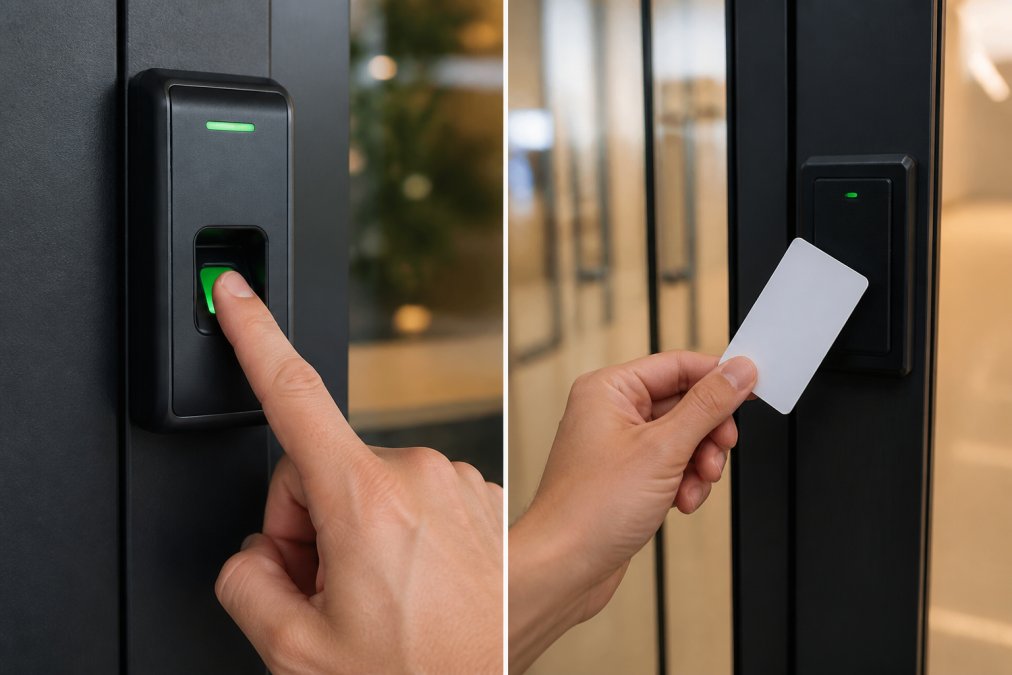
Choosing between biometric and RFID access control comes down to one trade-off: biometrics verifies who a person is, while RFID verifies what a person carries. That single distinction drives every downstream decision about security, cost, and daily convenience. This guide breaks down comparing biometric vs RFID access control systems for facility managers and property owners who need a defensible answer, not a generic pros-and-cons list.
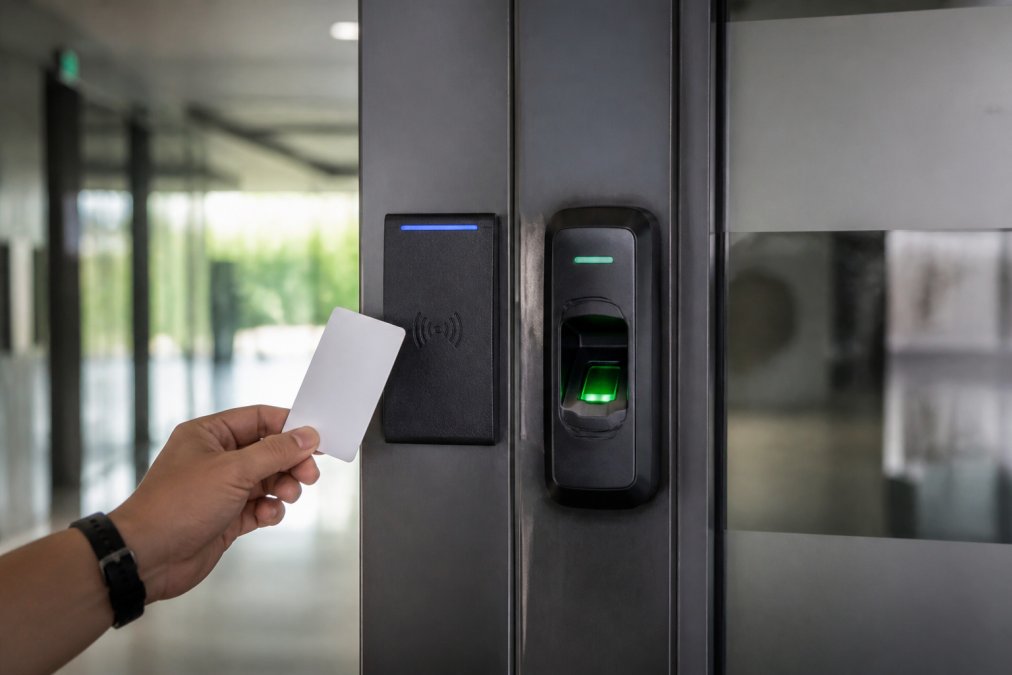
The short version: RFID readers authenticate a credential, usually a proximity card or fob, while biometric readers authenticate a physical trait such as a fingerprint, face, or iris. One checks possession. The other checks identity.
| Factor | RFID | Biometric |
|---|---|---|
| What it verifies | Credential possession | Physical identity |
| Typical credential | Proximity card, fob | Fingerprint, face, palm vein |
| Cloning risk | Higher | Lower |
| User enrollment | Issue a card | Capture a template |
| Daily speed | Fast | Fast to moderate |
| Hardware cost | Lower | Higher |
How Each System Works: Credentials, Readers, and Authentication
An RFID access control system works by reading a credential at close range. The reader emits a low-frequency field, the card or fob responds with its identifier, and the controller checks that identifier against its database before releasing the door lock.
Biometric authentication replaces the credential with a stored template. A fingerprint scanner, facial recognition camera, or palm vein reader captures a trait, converts it into a mathematical template, and matches it against the enrolled record (A Tale of Two Errors: Measuring Biometric Algorithms | NIST). Most systems never store a raw fingerprint or face image; they store the template, often encrypted.
The practical difference shows up at enrollment. Issuing an RFID card takes seconds and requires no user cooperation beyond handing it over. Capturing a clean biometric template takes longer and depends on reader quality and placement.
In practice, throughput is comparable for a single door. The gap widens at scale, where biometric matching adds latency and RFID readers process credentials nearly instantly.
Security Risks: Biometric Access Control Security Risks and RFID Weak Points
Both technologies carry real vulnerabilities, and honest planning means naming them.
The biggest RFID weakness is credential cloning. A proximity card that transmits a static identifier can be copied by a reader held near the cardholder, and the copy opens the door (nist.gov). This is why credential cloning remains the leading complaint against legacy RFID deployments.
Biometric access control security risks are different in kind. Spoofing attempts, such as a lifted fingerprint or a photo held to a camera, are the headline concern, though liveness detection in modern readers defeats most of them. The larger operational risk is biometric data storage: templates are sensitive personal data, and a breach carries consequences a lost card never did. False acceptance rates and false rejection rates also matter. A system tuned too strictly rejects legitimate users; tuned too loosely, it admits the wrong person.
| Risk | RFID | Biometric |
|---|---|---|
| Credential cloning | High | Not applicable |
| Spoofing | Low | Moderate, mitigated by liveness detection |
| Data breach exposure | Low | Higher, templates are personal data |
| Lost or shared credential | Common | Not possible |
RFID Key Card Cloning Prevention: What Actually Stops a Copy Attack
RFID key card cloning prevention starts with the credential type, not the reader. Static low-frequency cards are the easiest to copy. Upgrading to encrypted, mutual-authentication credentials closes most of the gap, because the card and reader must prove they trust each other before the door opens.
Layered defenses that work in practice:
- Move to encrypted credentials that cannot be replayed
- Add a PIN or biometric check at sensitive doors
- Monitor access logs and audit trails for out-of-pattern entry
- Rotate credentials after staff turnover
- Physically shield cards against skimming
No single measure is airtight. The goal is raising the cost of an attack above its payoff.
Costs, Speed, and Day-to-Day User Experience
Pricing for either system depends on door count, credential volume, integration needs, and ongoing hardware maintenance, so any figure quoted without a site survey is guesswork. What you can compare is the shape of the cost, and the shape is very different between the two technologies.
RFID cost structure. The reader is cheap, the credentials are cheap, and the cost scales linearly with headcount. A proximity card or fob is a consumable: it gets lost, left in a car, demagnetized, or taken home by a departing employee, and every replacement is a line item. Over a five-year horizon, credential replacement and reissuance frequently overtake the original reader cost at high-turnover sites. Encrypted credentials (MIFARE DESFire, HID iCLASS Seos, or similar mutual-authentication cards) cost more per card than legacy 125 kHz proximity, but they close the cloning gap described above, that premium is a security spend, not a hardware spend.
Biometric cost structure. The reader costs more upfront, and the enrollment labor is real: capturing a clean fingerprint or face template takes longer per user than handing over a card, and re-enrollment is required when a template degrades or a user's appearance changes materially. The offset is that there is no per-user credential to replace. Once enrolled, the marginal cost of adding a user is near zero. For a stable workforce, biometrics often wins on total cost of ownership; for a high-churn workforce, RFID usually does.
Maintenance. Both systems need cleaning and firmware updates. Biometric readers are more sensitive to their environment, a dirty optical fingerprint sensor or a fogged facial recognition camera produces false rejections, and false rejections are what push users to prop doors open. Budget for a cleaning cadence and a spare reader on hand for any biometric door that sees heavy traffic.
Speed of authentication. For a single door, throughput is comparable. RFID readers typically authenticate in well under a second because the reader is matching a static identifier against a database. Fingerprint matching adds a fraction of a second for template comparison; facial recognition is comparable to RFID when the camera has a clear, cooperative subject, and slower when it does not. The gap widens at scale: a lobby with hundreds of entries per hour will queue differently on biometrics than on RFID, and the queue is what users remember.
Day-to-day user experience. RFID is frictionless, which is exactly why cards get shared, loaned, and left in unlocked drawers. Biometrics removes the shared-credential problem but adds a moment of contact or positioning at the reader, a finger placed on a sensor, a face aligned with a camera. Contactless biometrics, including facial recognition and palm vein, close that gap and are the fastest-growing category for exactly this reason.
Multi-Factor Authentication for Door Access: Combining Both Technologies
Multi-factor authentication for door access combines something you have with something you are. The strongest deployments pair an RFID credential with a biometric check at the same door, so a cloned card alone never opens it.
This layered approach satisfies two goals at once. It reduces credential cloning risk and it produces a cleaner audit trail, since each entry ties to both a card and a verified person. For healthcare providers and law firms with strict identity verification needs, that combination is often the compliance-friendly answer.
The trade-off is cost and complexity. Two-factor doors cost more and add a step for every user, so most facilities reserve them for server rooms, pharmacies, and other high-value areas rather than every entrance.
Compliance, Data Privacy, and Integration with Existing Infrastructure
This is the section most competing guides skip, and it is the one that most often kills a biometric deployment after the hardware is already on the wall. Two things drive that: data privacy law and IT integration.
Biometric privacy law. Biometric templates are treated as sensitive personal data under a growing patchwork of state statutes. The Illinois Biometric Information Privacy Act (BIPA) is the most litigated example, it requires written notice, written consent, a published retention and destruction schedule, and a prohibition on selling or profiting from biometric data, and it carries a private right of action that has produced real settlements. Texas and Washington have their own biometric statutes with different consent and notice requirements. Colorado, California, and other states have folded biometric data into broader consumer privacy frameworks. The practical takeaway: before deploying biometrics, confirm which statutes apply to your facility, what notice and consent you owe, how long you may retain templates, and how you will destroy them when the relationship ends. RFID credentials are not biometric data and generally fall outside these statutes, that asymmetry alone decides the question for some regulated buyers.
Retention and breach liability. A lost RFID card is a lost card. A breached biometric template database is a liability that follows the affected individuals for life, because a fingerprint or face cannot be reissued (the FTC). This is why most enterprise deployments store templates, not raw images, encrypted at rest, and why the access control platform's data handling is as important as the reader's accuracy. Ask any vendor where templates live, how they are encrypted, who can export them, and what happens to them at contract termination.
Integration with existing IT infrastructure. RFID readers typically speak common access control protocols (OSDP, Wiegand) and drop into existing panels with little friction. Biometric readers often need more planning because the template database has to live somewhere, on the reader, on a local controller, or in a central platform, and that choice determines your integration path. Most enterprise buyers want the access control system to authenticate against the same identity source the rest of IT uses: Microsoft Active Directory, LDAP, or a cloud-based identity and access management (IAM) platform such as Okta or Microsoft Entra ID. When the access control platform supports that, onboarding and offboarding become a single workflow, a terminated employee loses their door access the moment their directory account is disabled, instead of when someone remembers to deactivate a card. When it does not, you are maintaining two identity stores and reconciling them by hand.
What to ask before you buy. Which protocols does the reader support? Does the platform integrate with your directory or IAM provider, and how, native connector, SCIM, or custom API? Where are biometric templates stored, and are they encrypted at rest? What is the retention and destruction policy? Can the system produce an audit trail that ties each entry to a verified identity for compliance reporting? A security integrator can map how both technologies talk to your current platform before you buy.
Frequently Asked Questions
What are the primary security differences between biometric and RFID systems?
RFID systems verify a credential, so a stolen or cloned card can grant access until it is deactivated. Biometric systems verify a physical trait such as a fingerprint, iris, or palm vein, which cannot be handed to another person. Biometrics also store a mathematical template rather than a raw image, and most readers encrypt that template. The tradeoff runs the other way too: biometric hardware costs more and raises data privacy obligations under laws like Illinois BIPA, while RFID remains cheaper to deploy at scale.
Can biometric and RFID systems be integrated into one infrastructure?
Yes. Most modern access control platforms accept both reader types on the same controller, so a facility can use RFID at low-risk doors and biometrics at server rooms, pharmacies, or data closets. This is the practical form of multi-factor authentication for door access: card plus fingerprint at the same reader. Integration matters most for access logs and audit trails, since both credential types should write to one system so you can trace who entered where and when.
How do biometric and RFID systems affect employee throughput?
RFID is still the fastest option at high-traffic doors. A proximity card or fob typically reads in under a second with no deliberate user action beyond presenting it. Fingerprint readers add a fraction of a second to a couple of seconds depending on sensor quality and how clean the finger is, and false rejection rates rise with dry or worn skin. Iris and palm vein readers sit in between. For a lobby with hundreds of daily entries, RFID clears lines faster; for a 20-person secure wing, the difference rarely matters.
Which system offers better compliance with data privacy standards?
RFID generally carries a lighter privacy burden because a card number is not a biometric identifier. Biometric systems collect data that several state laws regulate directly, including Illinois BIPA, Texas CUBI, and Washington's biometric privacy statute, which require written notice and consent before enrollment. HIPAA adds separate obligations for healthcare facilities storing biometric data. Neither technology is automatically compliant; what matters is encryption in transit and at rest, retention limits, and whether templates stay on the reader or land in a cloud database.