 blog
blog
Biometric Access Control System Review for Data Centers
Table of Contents
- How We Evaluated Biometric Access Control Systems for Data Centers
- Biometric Modalities Compared: Fingerprint, Iris, and Facial Recognition
- Data Center Physical Security Standards: NIST, SOC 2, and HIPAA
- Multi-Factor Authentication for Server Rooms: Layering Biometrics With Badges and PINs
- Integration, Interoperability, and API Standards for Existing Security Infrastructure
- Access Control System Installation Costs and Total Cost of Ownership
- Cybersecurity, Data Privacy, and Fail-Safe Protocols for Biometric Readers
- Conclusion
- Frequently Asked Questions
Last Updated: September 10, 2026
How We Evaluated Biometric Access Control Systems for Data Centers
A biometric access control system review for data centers starts with a hard truth: a reader at a rack door does not care about a spec sheet. It cares whether the door opens for the right person, stays shut for everyone else, and leaves a record that survives an audit. At Mt. Major Tech, we evaluate these systems by testing real conditions, not demos.
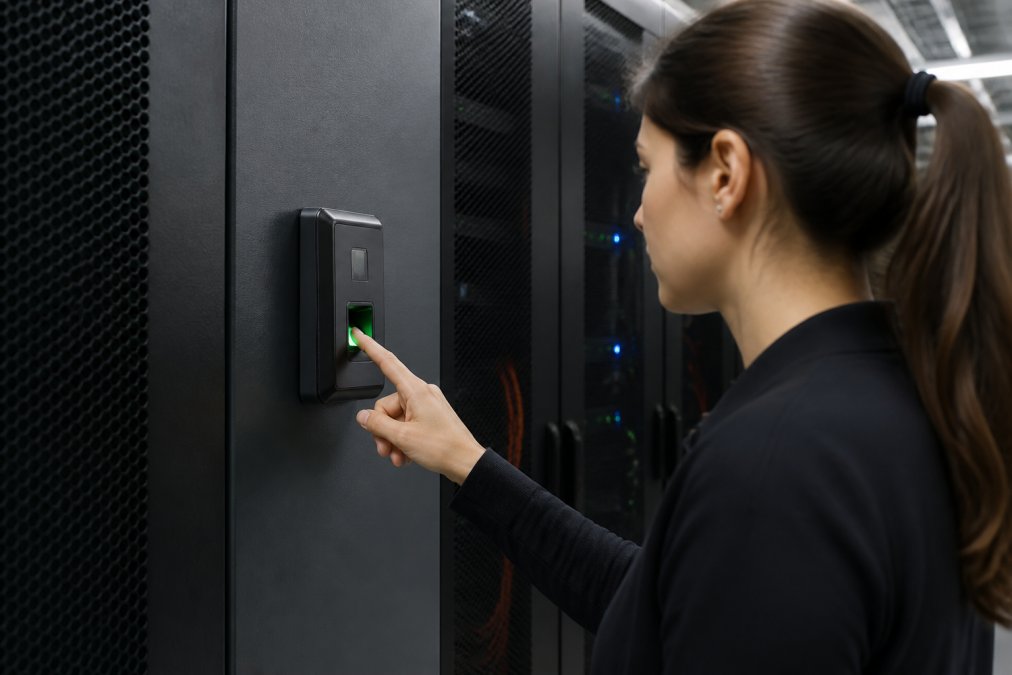
Biometric access control verifies identity through a physical trait, fingerprint, iris, or face, before granting entry. In a data center, that verification sits inside a larger stack of doors, cameras, and logs, so accuracy and integration matter more than raw sensor specs.
Evaluation Criteria: Hardware Accuracy, Integration, and Audit Trails
Three criteria separate a system you can defend in an audit from one you cannot:
- Hardware accuracy: false acceptance and false rejection rates under real lighting and traffic, not lab conditions
- Integration: whether the reader talks to your existing access control platform, video system, and identity provider
- Audit trails: whether every grant and denial lands in a log you can export and retain
- Supportability: firmware update cadence and local service response
A reader that wins on accuracy but fails on integration creates a second silo.
Biometric Modalities Compared: Fingerprint, Iris, and Facial Recognition
Each modality solves a different problem, and picking the wrong one for a server room is expensive to reverse.
| Modality | Strength | Weakness | Best For |
|---|---|---|---|
| Fingerprint | Low cost, fast match | Fails on worn or wet skin | Rack rooms, small teams |
| Iris | Very high accuracy | Higher cost, closer capture | High-security cages |
| Facial recognition | Hands-free, fast throughput | Sensitive to lighting | Busy entry vestibules |
Fingerprint scanning remains the default for most server room doors because it is cheap and fast. Iris scanning wins where the threat model is strict and the population small. Facial recognition suits high-traffic entrances but demands controlled lighting.
Hardware Accuracy and Environmental Durability in Server Rooms
Server rooms are hostile to sensors. Cold aisles, dust, and constant airflow degrade hardware rated for an office lobby. Look for readers rated for your room's actual temperature and humidity range, and check whether the enclosure seals against particulate. A reader that drifts out of calibration after six months is a maintenance cost, not a security control.
Data Center Physical Security Standards: NIST, SOC 2, and HIPAA
Compliance drives most data center access decisions, and requirements differ by framework. The mistake buyers make is treating "compliant" as a checkbox on a datasheet. Each framework tests a different property of your access system, and a reader that satisfies one may leave a gap in another.
NIST guidance. NIST Special Publication 800-116, Guidelines for the Use of PIV Credentials in Facility Access, frames physical access control as a layered problem and defines assurance levels that map to how strongly you must verify identity before a door opens. A cage door holding backup infrastructure should sit at a higher assurance level than a lobby vestibule. NIST SP 800-53 includes the physical access control family (PE controls) auditors test against, covering visitor access records, physical access logs, and monitoring of physical access points. If your framework is NIST-derived, your reader must produce a log that maps to those control identifiers, not just a raw event stream.
SOC 2. SOC 2 is an attestation against the Trust Services Criteria, and physical access falls under the Security (Common Criteria) category. The auditor asks whether your access logs are complete, retained for the stated period, and tamper-resistant. A reader that stores events only on-device, with no export and no time synchronization, will fail that test even if the hardware is accurate. Ask your vendor how events are timestamped, whether the clock syncs to a reliable source, and how long logs persist before rotation.
HIPAA. HIPAA's Security Rule requires physical safeguards for systems that create, receive, maintain, or transmit protected health information, including facility access controls, workstation controls, and device and media controls (hhs.gov). This matters to data centers more than operators expect, because colocation tenants in healthcare, insurance, and health-tech routinely run regulated workloads inside a shared facility. If a tenant handles PHI, the access system governing the cage or cabinet holding that tenant's gear is part of the tenant's compliance boundary, and the tenant's auditor may ask for your logs.
State biometric privacy law. Several states now regulate the collection of biometric identifiers directly. Illinois' Biometric Information Privacy Act is the most litigated example, imposing notice, written consent, and retention-schedule obligations before a private entity collects a fingerprint or face template. Texas and Washington have their own statutes with different thresholds. For a data center operator, enrolling an employee's fingerprint is a regulated act, not a routine HR step, and the consent and destruction records need to live somewhere your auditor can find them.
NIST Special Publication 800-116 on PIV in physical access control systems
Multi-Factor Authentication for Server Rooms: Layering Biometrics With Badges and PINs
Multi-factor authentication for server rooms means combining something you have (a badge) with something you are (a fingerprint), and sometimes something you know (a PIN). A stolen badge alone should never open a cage door.
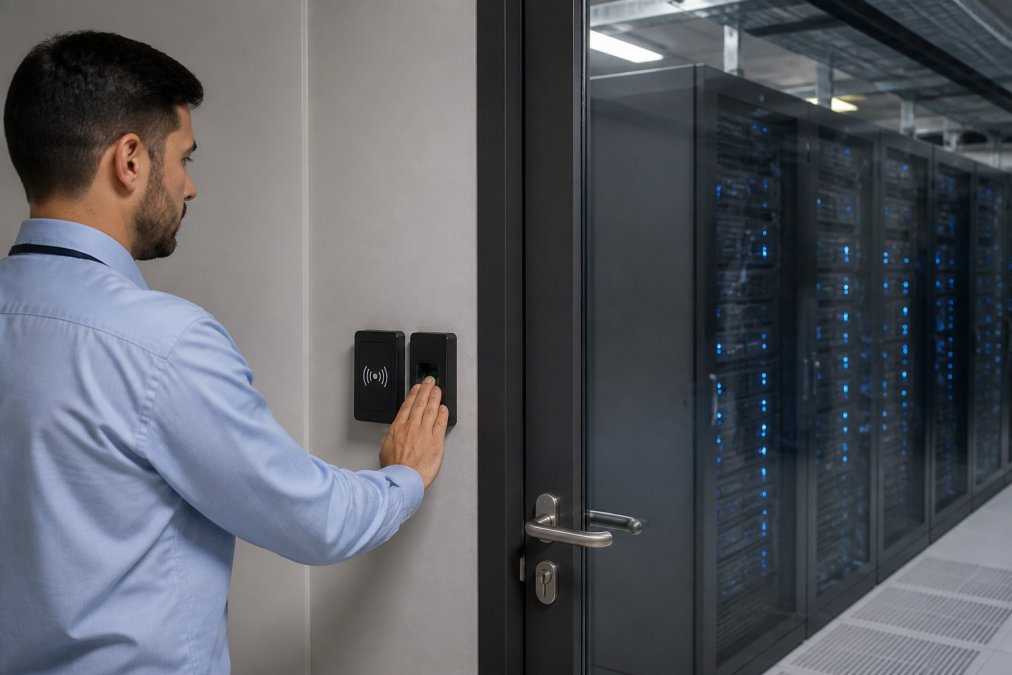
Most deployments use badge plus biometric for standard entry and add a PIN for the highest tier, such as the cage holding backup infrastructure. This tiering keeps daily traffic fast while concentrating friction where the risk is highest.
Integration, Interoperability, and API Standards for Existing Security Infrastructure
Integration is where most projects stall. A reader that speaks only its vendor's protocol forces you to replace controllers, turning a door upgrade into a platform migration. Ask two questions before you buy: does the reader support open standards such as OSDP for reader-to-controller communication, and does the platform expose an API for your identity provider and video system?
Interoperability also determines your credential management story. If HR adds an employee in your identity system, that person should appear at the door without a second manual entry. Duplicate provisioning creates stale credentials, and stale credentials are how former staff keep walking into server rooms.
Access Control System Installation Costs and Total Cost of Ownership
Access control system installation costs are only the visible part of the budget. The larger number is total cost of ownership, and it breaks into predictable buckets:
| Cost Category | What It Covers | Recurring? |
|---|---|---|
| Hardware | Readers, controllers, door hardware | No |
| Installation | Cabling, mounting, commissioning | No |
| Licensing | Per-door or per-user software fees | Yes |
| Maintenance | Firmware, calibration, service calls | Yes |
| Integration | API work, identity sync, video tie-in | Project-based |
Pricing depends on door count, existing infrastructure, and integration scope, so any quote without a site survey is a guess. Mt. Major Tech provides quotes after assessing your current systems.
The hidden cost most buyers miss is integration labor. A reader that is cheap to buy but expensive to connect can cost more over three years than a pricier unit that drops into your stack.
Cybersecurity, Data Privacy, and Fail-Safe Protocols for Biometric Readers
The reader itself is an attack surface, and biometric readers carry a risk profile a badge reader does not. A stolen badge can be revoked and reissued; a leaked fingerprint template cannot. That asymmetry is why the reader's cybersecurity deserves more scrutiny than the door controller's behind it.
Template storage and encryption. A biometric template is a mathematical representation of a trait, not a photograph, but it is still sensitive data and in most jurisdictions a regulated identifier. Insist on encryption at rest and in transit, AES-256 at rest and TLS 1.2 or higher in transit, with the template ideally stored in a secure element or trusted execution environment rather than general-purpose flash. Confirm where templates live: on-device, on a local server, or in the cloud. On-device storage limits blast radius if the network is compromised but complicates credential portability across doors. Cloud storage simplifies management but puts the template behind your vendor's security posture, which you should audit like any other processor.
Presentation attack and spoofing risk. The biometric-specific threat is a presentation attack: a fake finger, a printed iris image, a photograph or deepfake held up to a camera. The defense is liveness detection, sometimes called presentation attack detection (PAD). Optical fingerprint sensors are generally easier to spoof with a molded print than capacitive or ultrasonic sensors that read subsurface features. Facial recognition systems should require depth sensing or infrared, not a 2D camera alone, and should be tested against printed photos and screen replays. Iris readers are harder to spoof but not immune to high-resolution print attacks. Ask the vendor for the PAD standard the reader is tested against; ISO/IEC 30107 is the international benchmark, and a reader evaluated against it gives you a defensible answer in a security review (iso.org).
Match-on-device versus match-on-server. Where the matching happens changes your risk model. Match-on-device keeps the template on the reader and returns only a yes-or-no to the controller, limiting network exposure but making template management across many doors harder. Match-on-server centralizes templates for easier administration but means templates traverse the network and live in a high-value database. Most enterprise deployments land on match-on-device for the door and a central encrypted store for enrollment and backup. Whichever you choose, the enrollment station is part of the attack surface and should sit on a segmented network with restricted access.
Network segmentation and patching. Treat the biometric reader as a networked device, not a lock. Put readers and controllers on a dedicated VLAN, restrict outbound traffic to the management platform, and disable unused services such as Telnet and unauthenticated web interfaces. Firmware update cadence matters more than the initial security review, because a reader that shipped secure and never patches accumulates known vulnerabilities. Ask for the vendor's disclosure policy and how quickly they ship fixes for critical issues.
Data privacy obligations. Many states now require notice and written consent before collecting biometric identifiers, and retention rules generally require deleting templates when the employment or access relationship ends. Build a retention schedule into your access control policy rather than retrofitting one after an incident, and keep consent records in a system your auditor can query.
Fail-safe versus fail-secure. Power loss, network outage, and controller failure each need a defined behavior. Fail-safe means the door unlocks on failure; fail-secure means it stays locked. Server rooms almost always call for fail-secure with a documented mechanical override, because an unlocked cage during an outage is worse than a delayed entry. The override should be a physical key or mechanical release held under dual control, not a software bypass, and the override event should log like any other access event. Test fail-secure behavior on a schedule, not just at commissioning, because a battery backup that has quietly failed will not reveal itself until the first real outage.
Conclusion
The hardest part of a data center access project is not choosing a modality. It is proving, months later, that the system still enforces the policy you wrote and still produces the audit trail your framework demands. That is an operations problem as much as a hardware one, and where most installations quietly fail.
Mt. Major Tech handles that full lifecycle, from AI-enabled surveillance and smart access control design to ongoing maintenance. We integrate with your existing cameras, alarms, and identity systems, and we stay on the account after commissioning so your logs, firmware, and fail-safe settings stay current. Book online with Mt. Major Tech and get a system you can defend in an audit.
Frequently Asked Questions
What are the NIST standards for biometric access control in data centers?
NIST SP 800-116 guides biometric use for federal facilities, and NIST SP 800-63 covers identity assurance levels. For data centers, the practical takeaway is matching the biometric system's assurance level to the sensitivity of the racks it protects. A fingerprint reader on a cage door needs a higher assurance level than a lobby turnstile. Ask vendors which NIST publications their hardware and access control policy align with before you buy.
Are biometric systems compliant with HIPAA and SOC 2 for data center security?
HIPAA's Security Rule requires access controls and audit trails for systems holding protected health information, and a biometric access control system supports both when configured correctly. SOC 2 evaluates your controls against trust criteria, so biometric authentication, access logs, and encryption of biometric templates all count as evidence. Compliance depends on how the system is deployed and documented, not the hardware alone, so confirm your integrator provides the audit reporting you need.
How do multi-factor biometric systems improve data center physical security?
Multi-factor authentication for server rooms pairs something you are (fingerprint or iris) with something you have (a badge) or something you know (a PIN). That combination blocks tailgating, stolen badge use, and credential sharing. It also creates cleaner audit trails because each entry ties to a verified identity. For cage-level or rack-level access, MFA is often the difference between meeting an auditor's expectations and failing a compliance review.
What are the maintenance requirements for biometric readers in high-traffic data centers?
Fingerprint sensors need periodic cleaning and firmware updates; iris and facial recognition readers have fewer touchpoints but still require calibration checks. Budget for annual service contracts, spare reader units, and a documented disaster recovery plan in case a reader fails during a critical maintenance window. Ask your integrator about fail-safe protocols, such as temporary badge-only access, so a broken reader never locks out authorized staff.